17
To view manuals, videos, drivers, downloads, technical drawings, and more visit www.startech.com/support
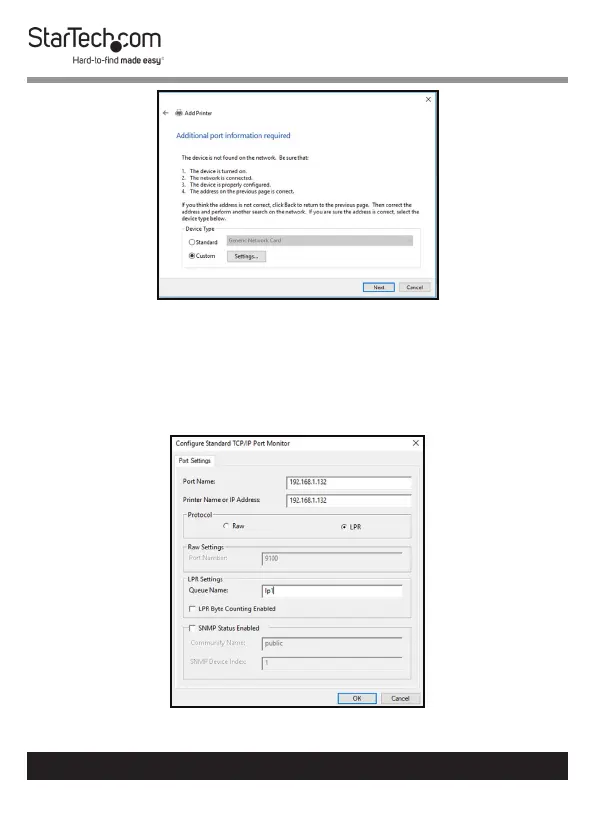
Add Printer Screen
7. On the Congure Standard TCP/IP Port Monitor screen, set
the Protocol to LPR.
8. Under LPR Settings, enter lp1 into the Queue Name eld
then click OK.
Congue Standard TCP/IP Port Monitor Screen


 To Next Page