Software
UR44 Operation Manual 23
LEAD
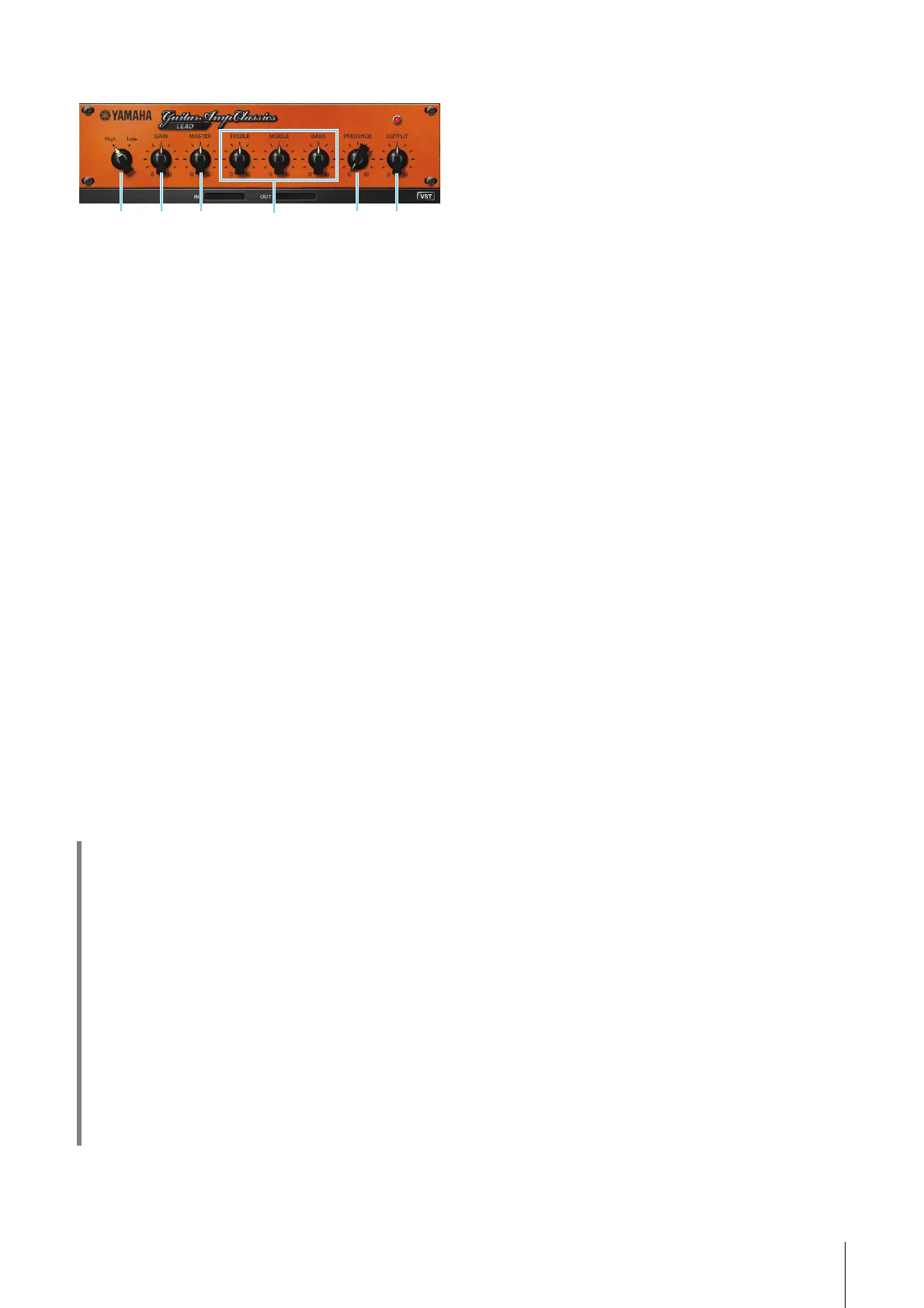
The LEAD amp type simulates a high-gain tube amp
that is rich in overtones. It is ideally suited to playing
lead guitar lines that will project well in an ensemble,
but it can also be set up for crisp accompaniment
tones as well.
1 High/Low
Selects the amp output type. The [High] setting
simulates a high-output amp, and allows the creation
of more distorted tones.
2 GAIN
Adjusts the input level applied to the preamp stage.
Rotate clockwise to increase the amount of distortion
produced.
3 MASTER
Adjusts the output level from the preamp stage.
4 TREBLE/MIDDLE/BASS
These three controls adjusts the amplifier’s tonal
response in the high, middle, and low frequency
ranges.
5 PRESENCE
Can be adjusted to emphasize the high frequencies
and overtones.
6 OUTPUT
Adjusts the final output level.
HINT
Using the GAIN, MASTER, and OUTPUT
Controls
The tonal character of the DRIVE and LEAD amp types
can be adjusted over a wide range via the GAIN,
MASTER, and OUTPUT controls. GAIN adjusts the level
of the signal applied to the preamp stage, affecting the
amount of distortion produced. MASTER adjusts the
output level from the preamp stage that is then fed to
power amp stage. The GAIN and MASTER control
settings have a large effect on the final sound, and the
MASTER control may need to be turned up fairly high in
order to drive the power stage sufficiently for optimum
tone. The OUTPUT control adjusts the final output level
from the amp model without affecting the distortion or
tone, and is useful for adjusting the guitar’s volume
without changing any other aspects of the sound.



 To Next Page