Software
UR44 Operation Manual 15
Dedicated Windows for Cubase
Series (Windows for Configuring
the Device Settings from Cubase
Series)
Overview
These are the windows for configuring the device
settings from Cubase series. The dedicated
windows for Cubase series allow you to configure
the parameters which are configured by dspMixFx
UR44. Two types of windows are available: Input
Settings and Hardware Setup.
Input Settings Window
This window is for configuring the input settings of
the device. The signal flow is from top to bottom.
The settings on this window (except for the +48V
indicator) are saved to the Cubase project file.
How to Open the Window
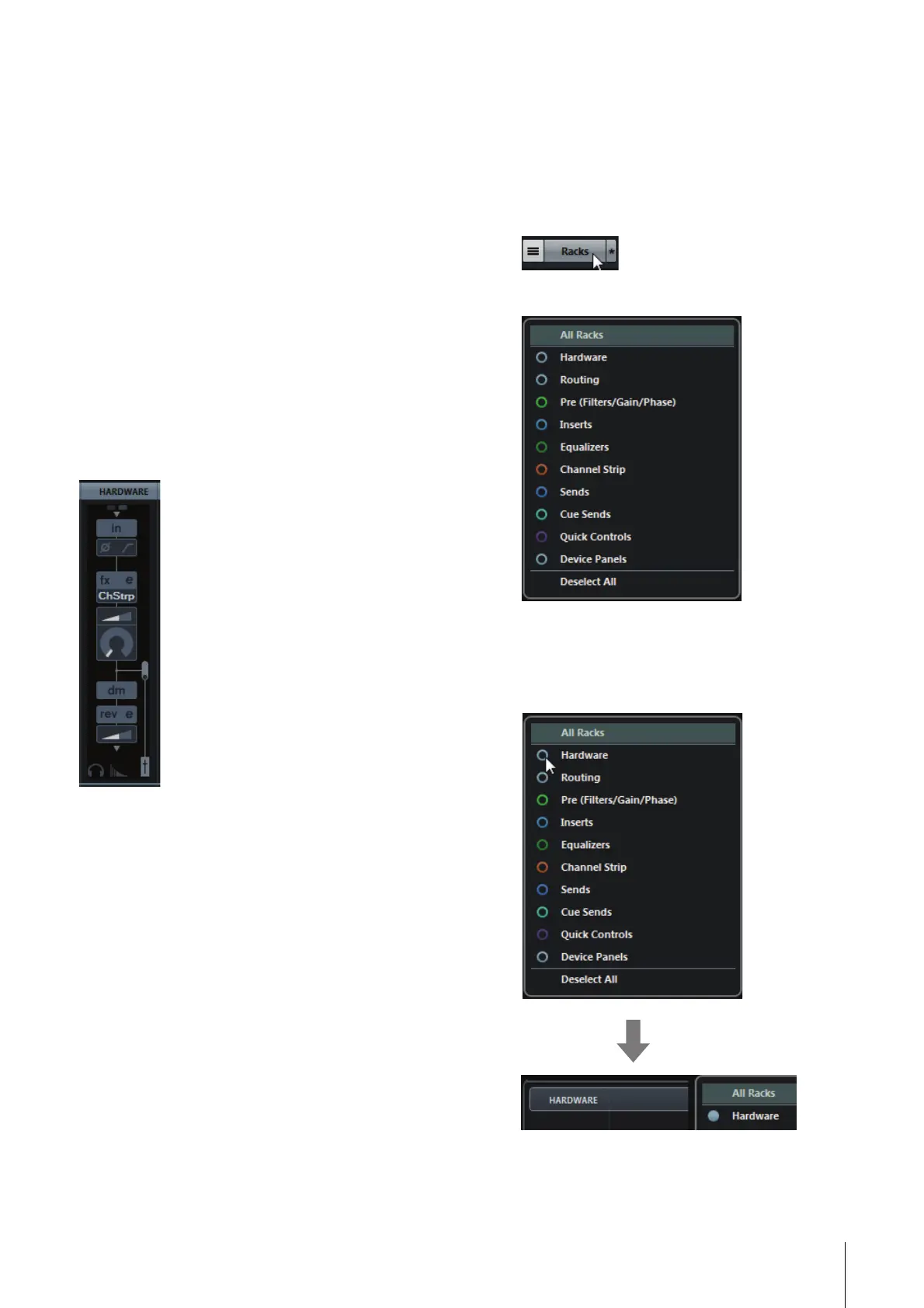
The Input Settings window appears in the Mixer
window
1. [Devices] [MixConsole] to open the Mixer
window.
2. Click [Racks] to open the rack selector.
The rack selector appears.
3. Click next to the [Hardware] to show
[HARDWARE] in the Mixer window.
Hidden Visible



 To Next Page