Software
UR44 Operation Manual 10
Mac
How to Open the Window
• [System Preferences] [Yamaha Steinberg USB]
• From the Cubase series menu, [Devices] [Device
Setup…] [Steinberg UR44] [Control Panel]
[Open Config App]
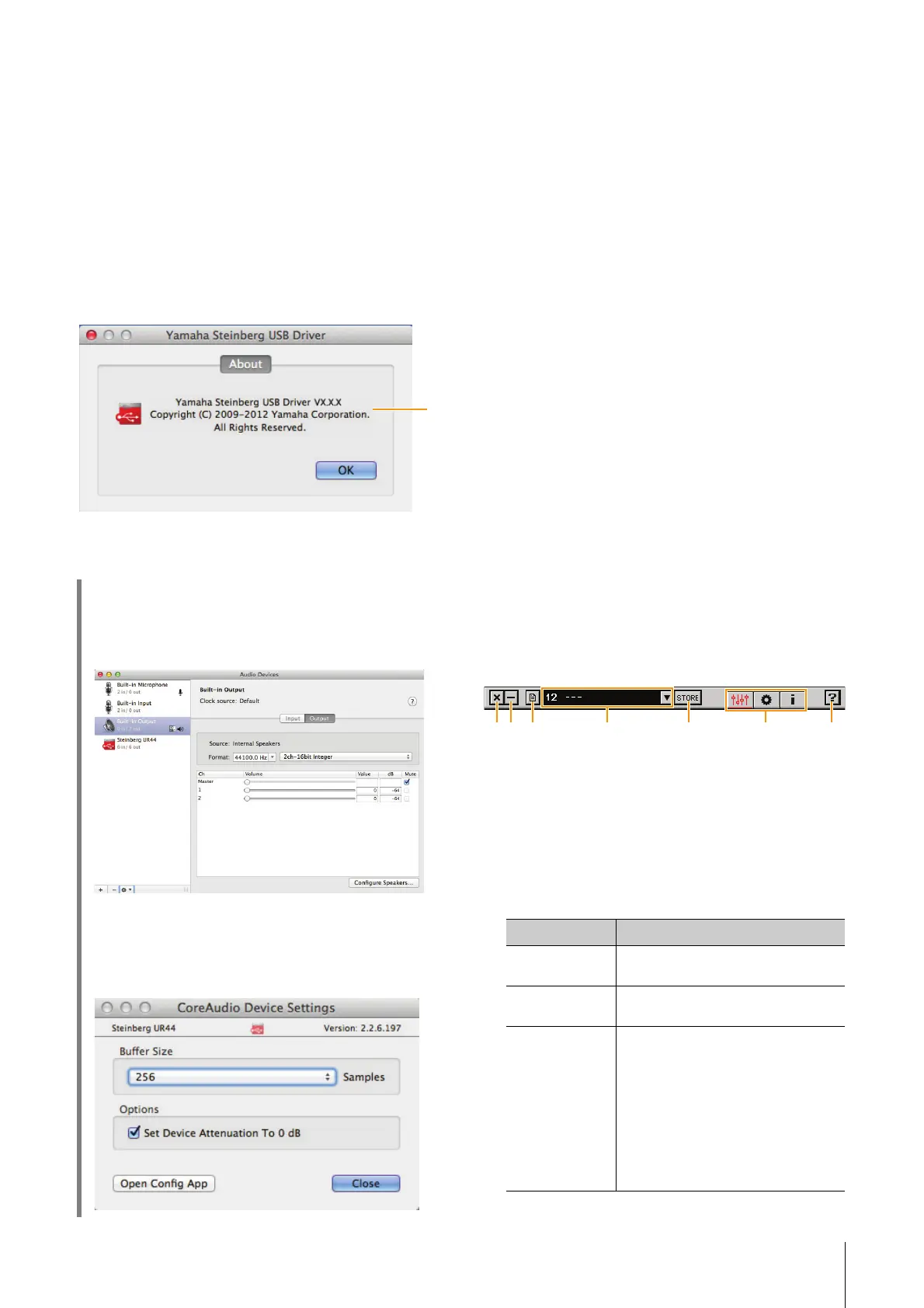
About window
This window indicates information about the audio
driver.
1 About
Indicates the version and copyright of the audio driver.
dspMixFx UR44 (Mixer)
Overview
This software is for operating the convenient built-in
DSP mixer and DSP effects. The DSP mixer allows
you to mix up to six input channels down to two
stereo outputs. A number of DSP effects for
processing the input signals are also provided, and
since the processing/mixing is hardware-based,
there is no monitoring latency.
NOTE
You cannot operate dspMixFx UR44 while a Cubase series DAW
is running. When Cubase is running, configure the DSP mixer and
DSP effect from “Dedicated Windows for Cubase Series”
(page 15).
How to Open the Window
Windows
[All Programs] or [All apps] [Steinberg UR44]
[dspMixFx UR44]
Mac
[Applications] [dspMixFx UR44]
Controls and Functions
Tool Area
This is the area for configuring the overall common
settings of dspMixFx UR44.
1 Quit
Quits dspMixFx UR44.
2 Minimize
Minimizes the dspMixFx UR44 window.
3 Menu
Provides four different menus for various settings.
HINT
How to select the sample rate
Select the sample rate of the device from [Audio MIDI
Setup].
How to select the buffer size
Select the buffer size in the window for selecting buffer
size, which can be opened from an application, such as
DAW software.
Menu Description
Open Opens the settings file of dspMixFx
UR44.
Save Saves the settings file of dspMixFx
UR44 to a computer.
Import Scene Imports a scene from the settings file of
dspMixFx UR44. Select the desired
settings file of dspMixFx UR44 and
import the desired scene on the left
side of the [IMPORT SCENE] window.
The window appears after the file is
selected in the file selection dialog.
Select the destination for importing on
the right side of the window. Click [OK]
to import it.



 To Next Page