Installation
1. Engage the PTO. Run the PTO at 1200
RPM.
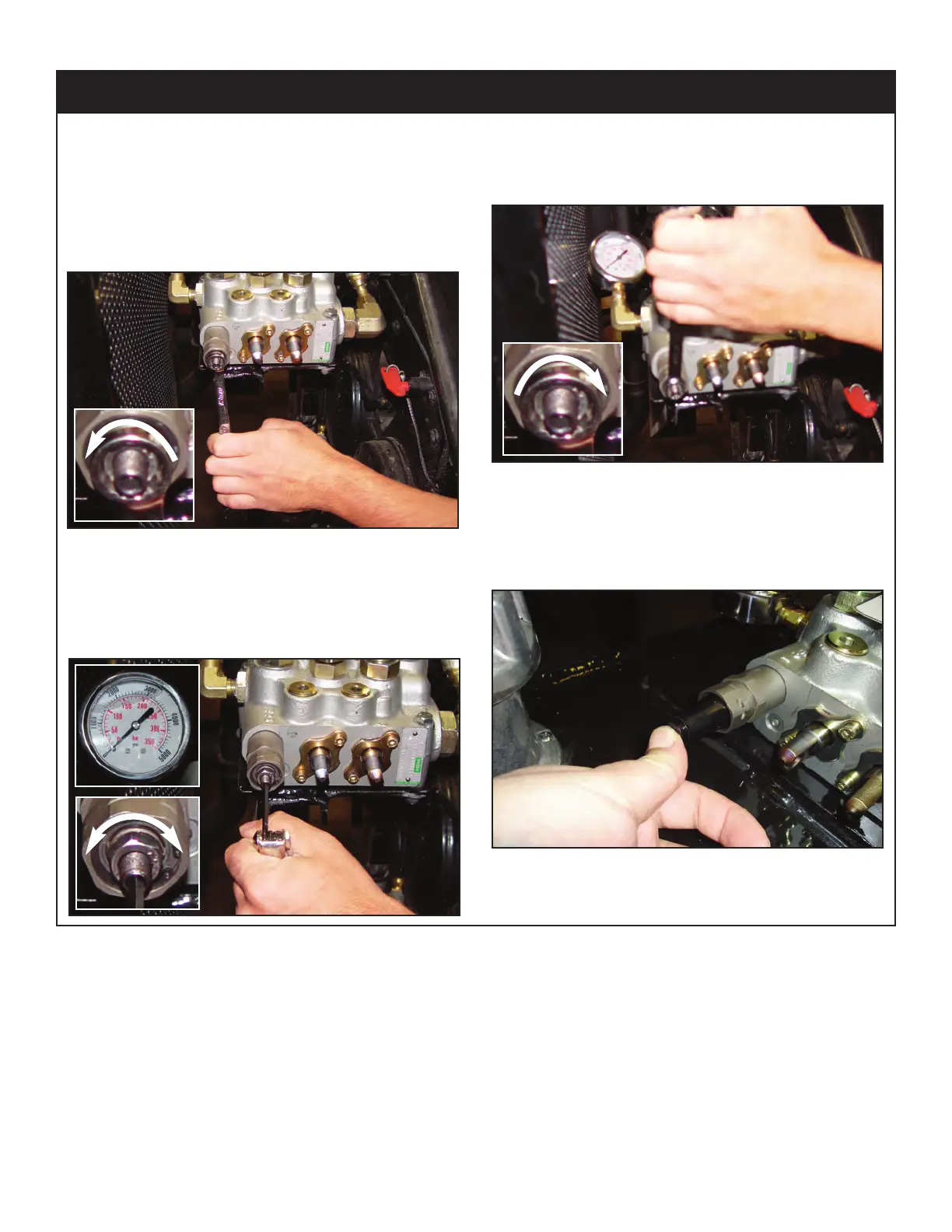
2. Push the control lever labeled ‘lift’ until
the boom bottoms out. Keep pushing the
lever forward until the pressure is set.
3. Release the jam nut using a 13 mm
wrench.
4. Adjust the system relief pressure using 4
mm allen wrench. Clockwise increases
pressure, counter clockwise decreases
pressure:
5. Once system pressure is set, tighten the
jam nut to lock system pressure.
Permanent thread lock should not be
used:
6. Release all functions and disengage the
PTO. Snap tamper cap into position over
the jam nut. The break away clip will be
destroyed if the cap is removed
:
Setting System Relief Pressure
+
-



 To Next Page