When you click Apply, the Pulse Server will download the directory
settings to all the STENTOFON IP intercom stations and do a system
reboot.
Password is an optional eld you can set to increase the security level.
The password is used by other intercom stations to register with the
Pulse Server.
2.5 Verify System Setup
To verify that your system is up and running:
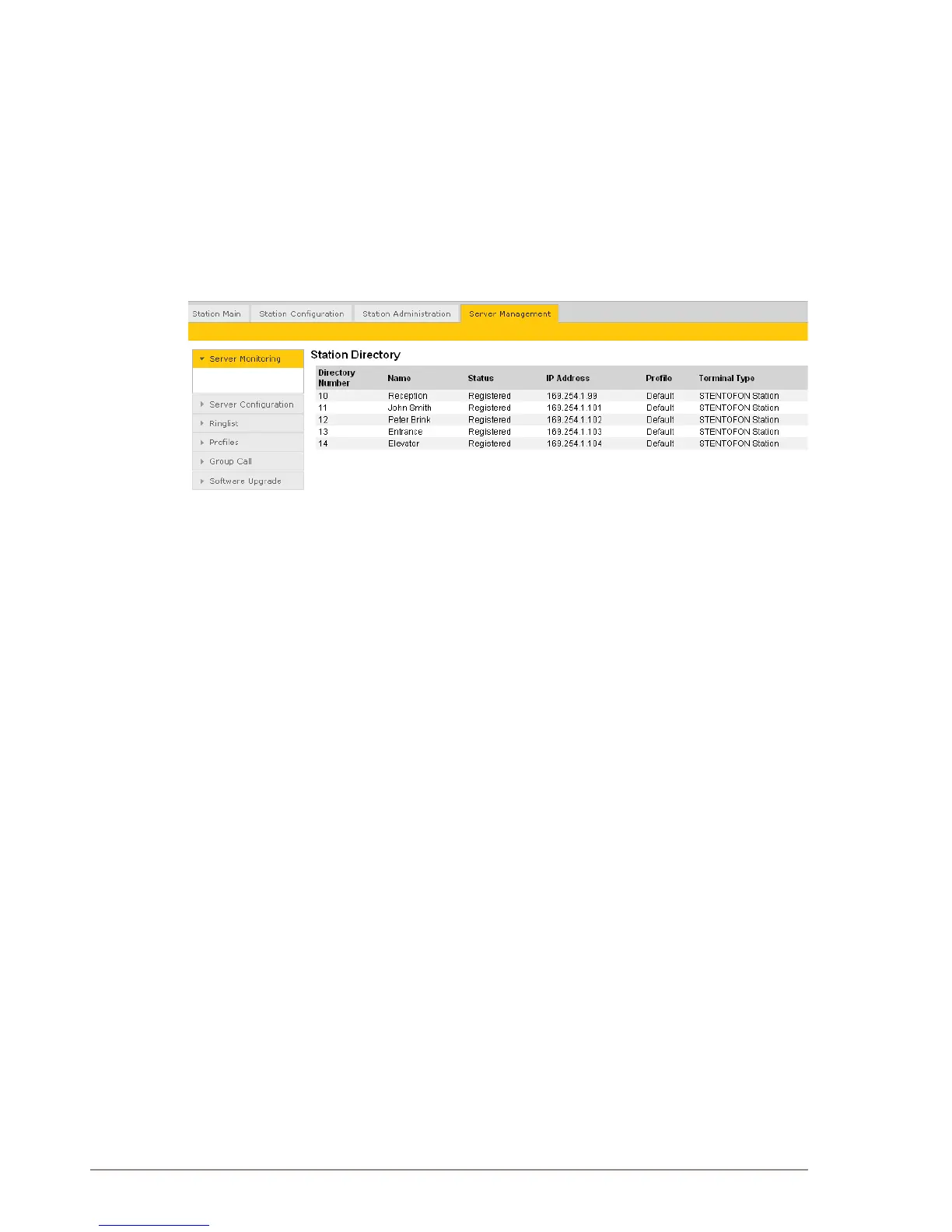
● Select Server Management > Server Monitoring
All stations that have been congured should be displayed in the table.
Stations that are up and running will have the status Registered.



 To Next Page