2 PulseSystemInstallation&Conguration
The setup procedure for the Pulse system is as follows:
1. Plan the installation
2. Connect and set up Pulse Server
3. Connect other intercom stations
4. Congure directory (phonebook)
5. Verify system setup
2.1 Plan the Installation
2.1.1 Cabling
● The cable between the PoE network switch and the station must be
Category 5 cable (Cat 5) or better
● Maximum cable distance between the PoE switch and the station is
100 meters
● All intercom stations in a Pulse installation must be located on the
same LAN (IP subnet)
2.1.2 Planning the System
When planning a Pulse system, you have to:
● Decide on the type of IP intercom for each location: entrance,
reception, elevator, etc.
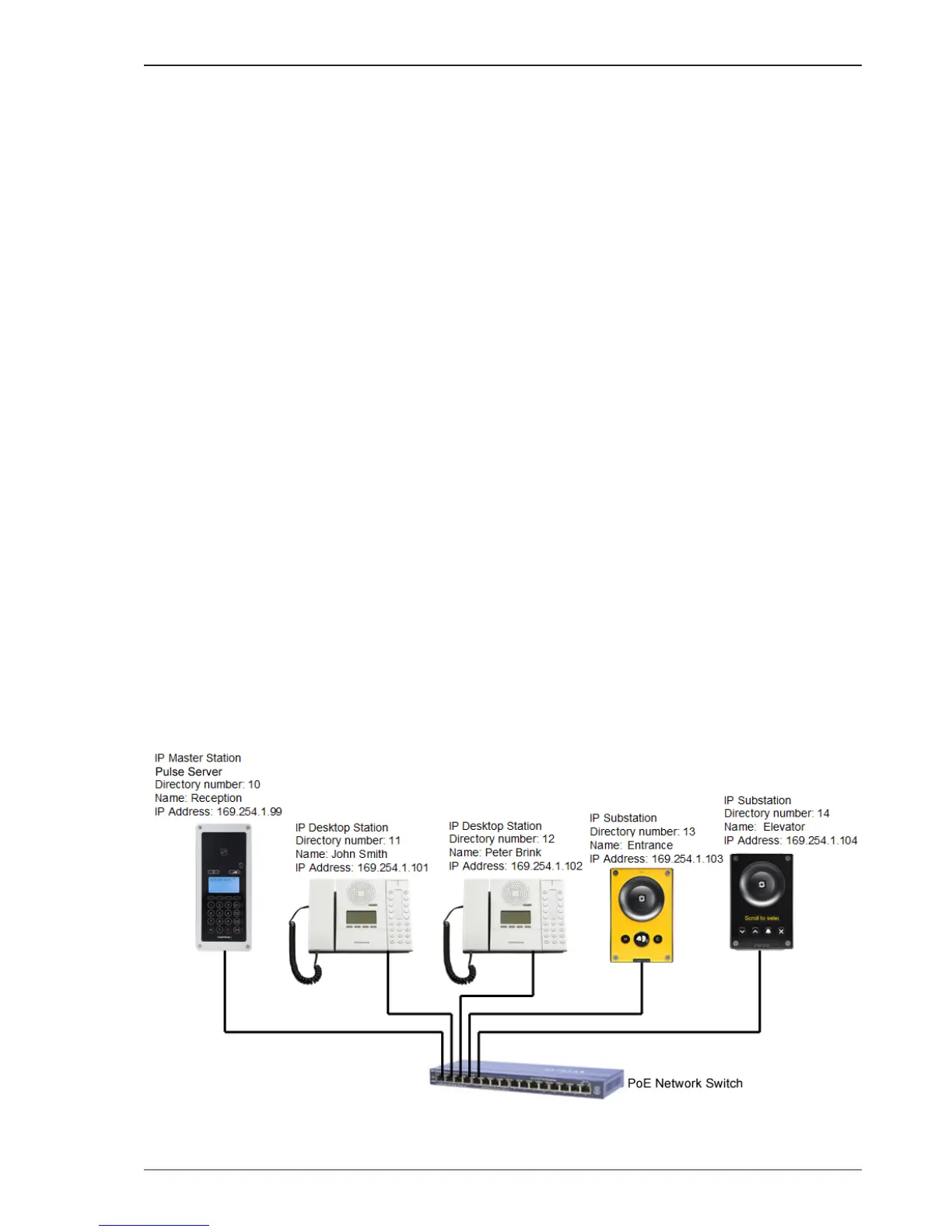
● Select which intercom station should be the Pulse Server (usually a
master station)
● Assign directory (phone) number and name to intercom stations
● Assign IP addresses and settings
A typical installation plan may look like the following:



 To Next Page