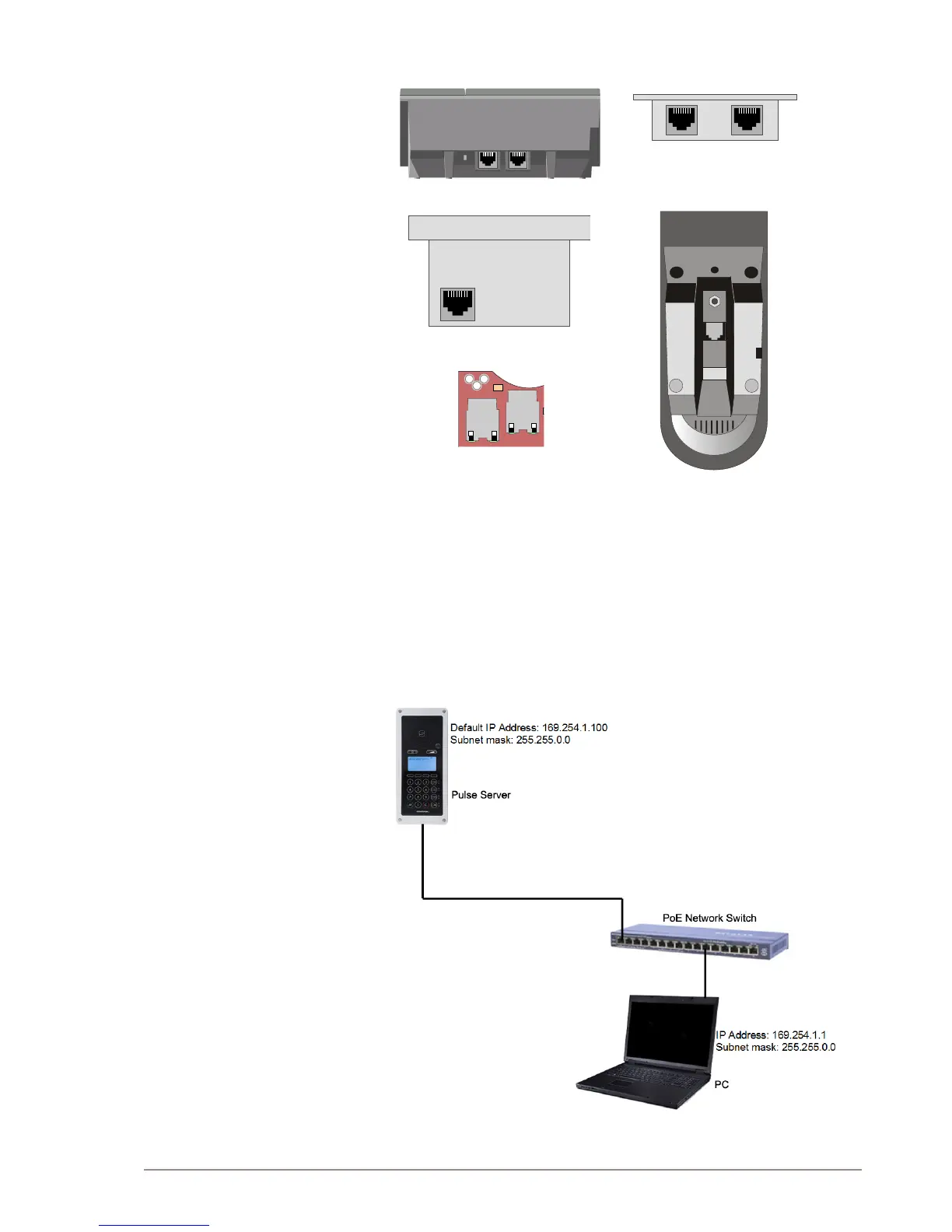
The IP stations support Power over Ethernet (PoE, IEEE 802.3 a-f)
where power can be drawn from either the spare line or signal line.
LAN
AUX
RJ45 Ports on IP Desktop Master
RJ45 Ports on IP Substation
L Optionally, most of the IP stations can use a 24 VDC power
supply. See the documentation for the various IP stations for
information on connecting local power supply.
2.2.2 Logging on to the Pulse Server
In order for your PC to communicate with the station it is necessary to
change its Internet Protocol Properties to use an IP address that is in
the same range as 169.254.1.100, e.g. 169.254.1.1 with subnet mask
255.255.0.0.
Access the Pulse Server station by logging into the web interface using
a standard web browser on your PC:



 To Next Page