The following parameters can be set for the station prole:
Prolenickname
The name of the prole. Any text can be used.
Outgoing calls allowed
Stations with this prole can call stations with the checked proles.
Forbidden will be displayed on the station if this is denied.
Relay activation allowed
Stations with this prole can activate the relay (e.g. Door Opening) on
stations with the checked proles.
Group calls allowed
Stations with this prole are allowed to dispatch the checked group calls
Busy override allowed
When calling a busy station, stations with this prole can force a
connection by pressing 5.
3.5 Group Call
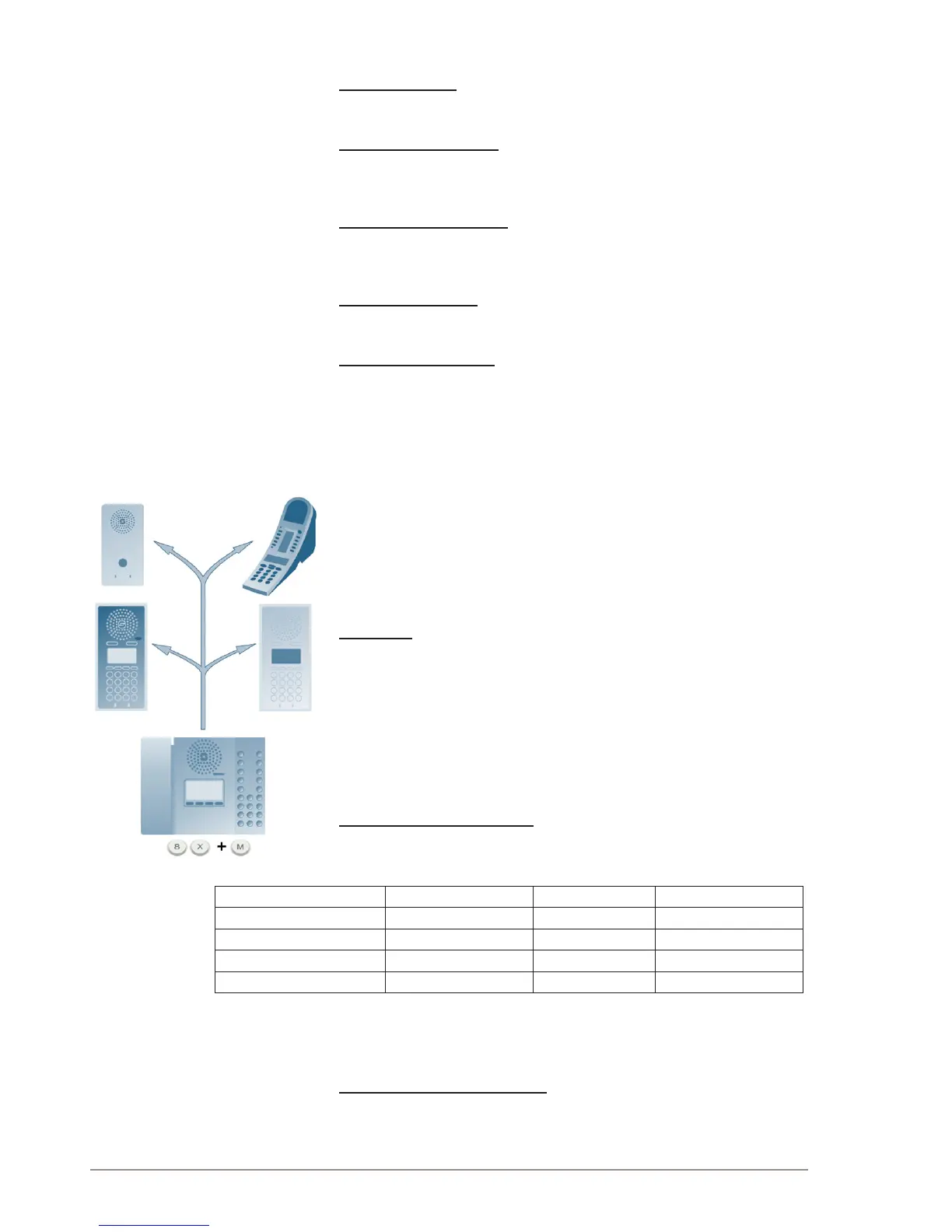
The Pulse system supports 4 group calls.
L Only STENTOFON IP stations can receive Group Call audio. SIP
phones are not able to receive group call.
Operation
A group call is activated by dialing the appropriate code (e.g. 84). A
ding-dong signal is heard in all member stations.
● Press the M-key to speak.
● Press the C-key to disconnect.
Default Group Call Settings
The factory default settings for group calls are as follows:
Nickname(DisplayText) Directory Number Priority Station Members
All Call 84 EMERGENCY All Stations
Group Call 1 85 HIGH None
Group Call 2 86 NORMAL None
Group Call 3 87 LOW None
When adding a new station to an existing Pulse system, the station will
automatically become a member of the All Call group.
CongurationOfGroupCalls
The group call properties are congured via the Pulse Server.
Use a web browser and log into the Pulse Server station (e.g.
169.254.1.99)



 To Next Page