● Under Gateways set the following values:
- Directory Number: 0
- Name: <name of your choice>
- Prole: Gateway (Gateway option will only be available if there is a
valid license installed)
● Click Add followed by Save
L Directory Number 0 is optional as you can use any number to
make external calls through the Gateway.
3.8.3 Access Restrictions
Access restrictions are set in the StationProles menu in the Pulse
Server station:
● Select Server Management > Station Proles
3.8.4 CongureTelephoneGateway
Log into the Telephone Gateway to register it to the Pulse Server by
using the SIP Gateway Account created in section 3.8.2.
3.8.5 Troubleshooting
When dialling the gateway access number (e.g. 0), the station display
may show one of the following error messages:
Forbidden
The station is restricted to call via the gateway due to Station Proles
settings. In the Pulse Server station:
● Select Server Management > Station Proles
● Enable the station to call the Gateway.
Error code 488
This is most likely due to a codec mismatch. Check that the codec in the
SIP gateway is set to G.711U-law.
Disconnected. No number 0
● The SIP Gateway is not registered to the Pulse Server station. The
SIP Gateway registration can be veried via the Pulse Server:
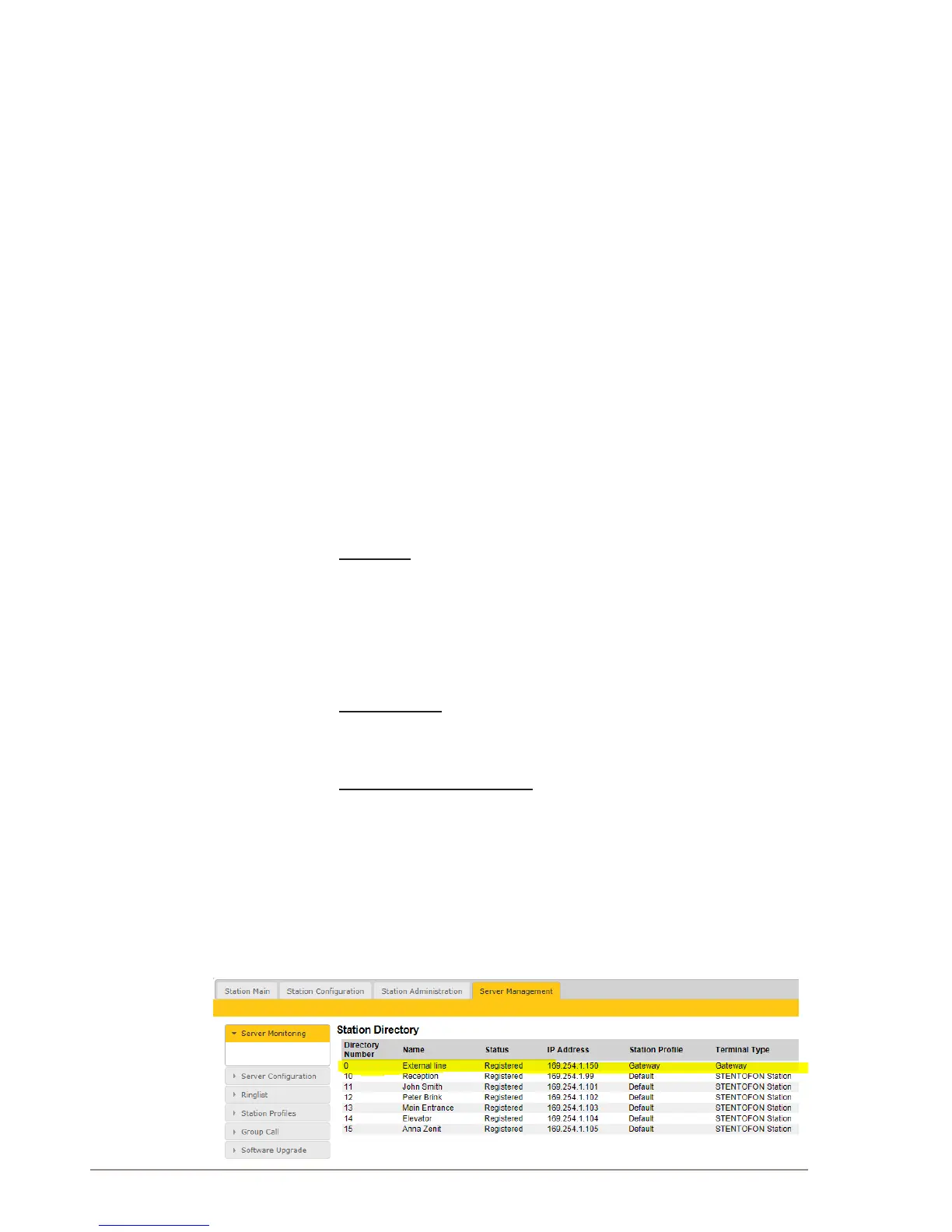
- Select Server Management > Server Monitoring
- The SIP Gateway should be displayed and have status
Registered. If it has status Not Registered, check the setup of the
SIP gateway.
● The gateway is an AudioCodes MP114/118 and the telephone line is
not connected to the gateway



 To Next Page