Stonex R60 – User Manual 29
4.2.4. Cube-a
Cube-a is a Stonex field software for professional surveying and GIS which has been designed and
developed for the Android platform. Thanks to the flexibility of the Android environment, the user
interface is very simple and intuitive, and this makes surveyors ready for any work, saving time and
increasing productivity. With Cube-a is possible to perform a GNSS, GIS and Total Station survey. The
software can be installed on any device equipped with Android operating system.
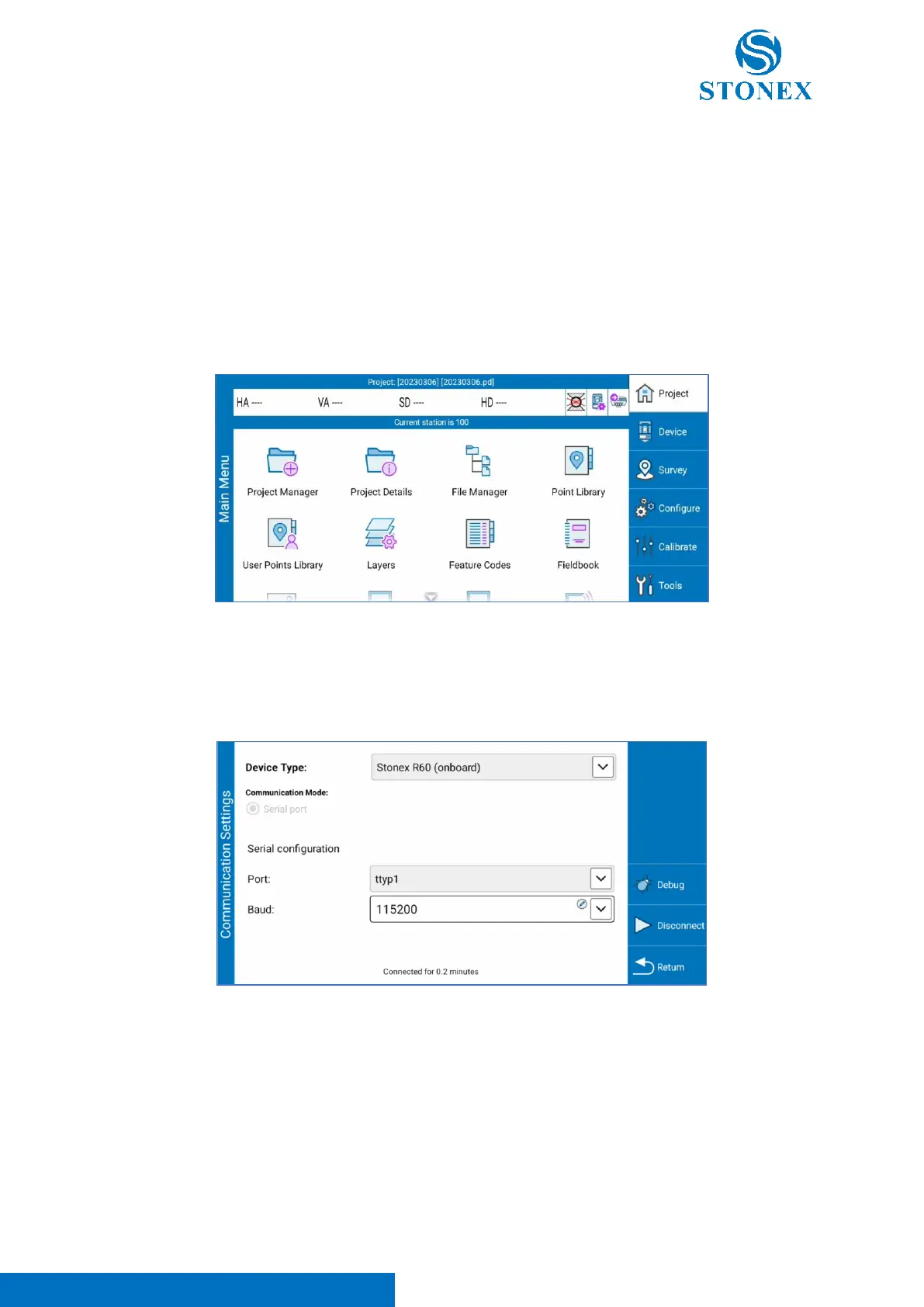
After software activation (refer to Cube-a user manual), the following screen appears. As visible in upper
status bar, the station is not connected to the software because the angle readings are not visible.
Click on “Device” -> “Total Station Communication” to check the status of the connection. Configure the
instrument communication as in the photo below and click on “Connect” to activate the connection of
the instrument with Cube-a.
If the angle readings are visible in the upper status bar, the station is correctly connected to the software.
If not, repeat the procedure above after turning on/turning off the total station.
If the problem persists, contact your local dealer.
See Cube-a user manual for more information about the software.



 To Next Page