24
Issued: 24.02.2005
STRIDER MX
Inserting the seat:
Inserting the seat
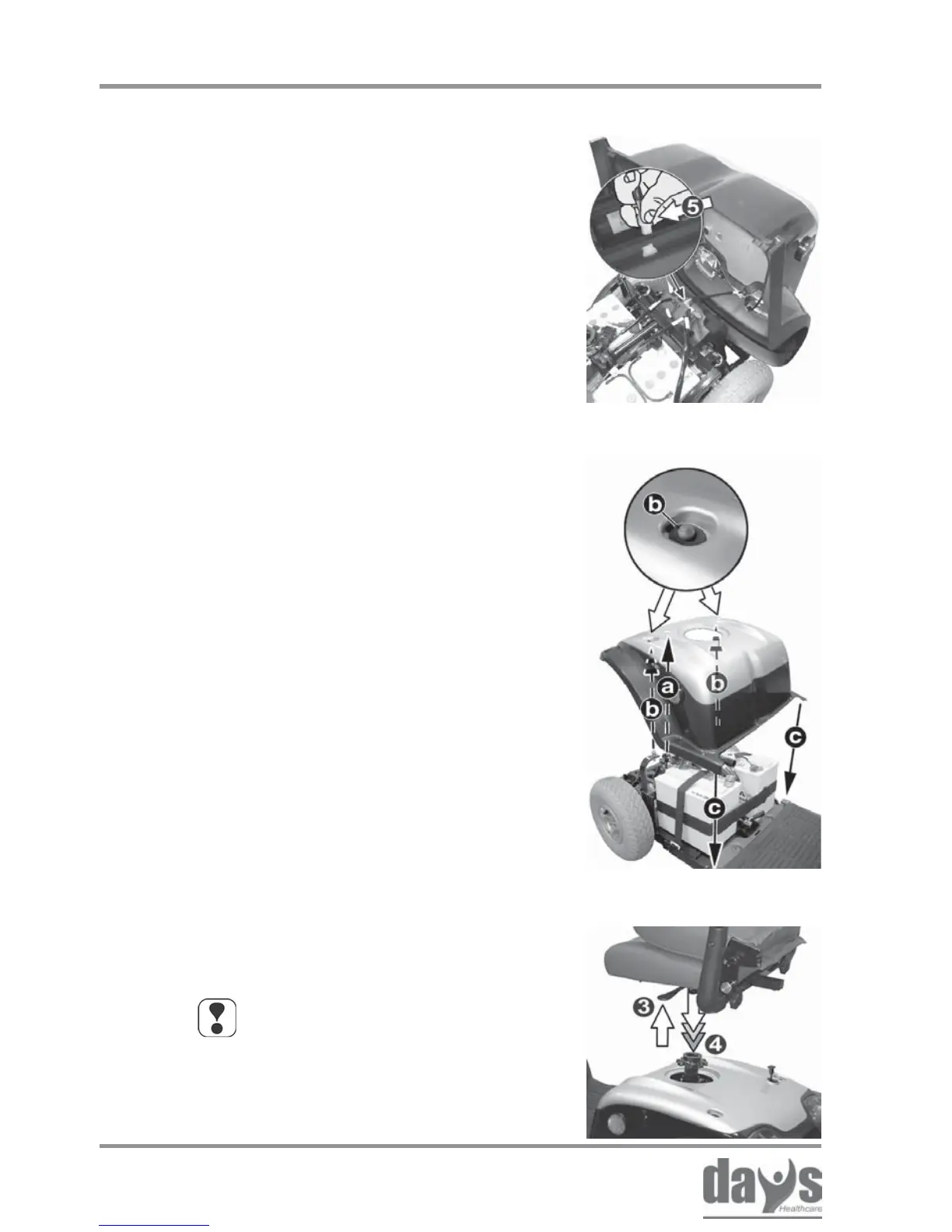
Pull the seat lock (3) and guide the seat
into the seat support (4) from above.
Let go the seat lock and engage the
rotational adjustment by turning the seat
a little one way then the other.
➨
➨
Adjusting the seat height
NOTE
If after inserting the seat it is
not possible to turn the seat or
to pull the seatlock, the seat is
not properly locked.
Place the rear panelling onto the drive
unit from above.
While doing this:
- Introduce the engaging lever (a) into
the appropriate hole.
- Engage the rear panelling onto the
mountings (b) on the drive unit.
- Align the rear panelling to the
strider chassis (c).
➨
Plug in the light and indicator cable
connecting plug (12).
➨
Fixing the rear panelling
Fixing the rear panelling:
Connecting the light cable


 To Next Page