EasyManua.ls Logo

Strong Carbon Series - User Manual

Strong Carbon Series
20 pages
Print Icon
To Next Page IconTo Next Page
Loading...
DIGITAL DISPLAY
Modular Digital Display Mount
Install Guide

Other manuals for Strong Carbon Series

Question and Answer IconNeed help?

Do you have a question about the Strong Carbon Series and is the answer not in the manual?

Summary

Section 1 Ceiling Mount

Install Ceiling Plates

Instructions for installing square, circular, and vibration reduction ceiling plates.

Mounting with Wood Joists or Beams

Methods for mounting ceiling plates to wood joists or beams.

Mounting on a Concrete Ceiling

Instructions for mounting ceiling plates onto concrete ceilings using expansion bolts.

Mounting on I-Beams

Procedure for attaching the mount bracket to I-beams using hex wrench.

Attach Drop Poles

Guidance on attaching drop poles to the ceiling mount system.

Set Adjustable Pole Length

Steps to adjust the length of drop poles for desired height.

Insert the Poles

Instructions for threading and securing poles into the ceiling plates.

Connect Utility Box to Drop Poles

Steps to connect the utility box to the drop poles, including plate removal.

Insert Equipment into Cage (Optional)

Guidance for placing and securing additional equipment inside the utility box cage.

Attach Utility Box to Pole

Procedure for attaching the utility box to the pole and ensuring it is seated.

Adjust Utility Box Alignment

How to manually adjust the utility box alignment up to 45 degrees.

Section 2 Wall Mount

Install Wall Plates

Instructions for installing wall plates onto wood studs or pillars.

Mounting on Wood Studs;Pillar

Detailed steps for mounting wall plates onto wood studs or pillars.

Mounting on a Concrete Wall

Procedure for mounting wall plates onto concrete walls using anchor bolts.

Connect Utility Box to Wall

Steps to connect the utility box to the wall bracket, including plate removal.

Insert Equipment into Cage (Optional)

Guidance for placing and securing additional equipment inside the utility box cage.

Attach Utility Box to Bracket

Securing the utility box to the wall bracket using screws.

Section 3 Mount the Displays

Build the Rails

Instructions for assembling the mounting rails.

Attach Adapter Plates to Rail

Securing adapter plates to the mounting rails using slide nuts and screws.

Connect Rails (If Needed)

Guidance on ganging multiple rails together for longer display setups.

Attach Rail End Caps

Installing end caps onto the finished rails for a clean appearance.

Hang Rails on Utility Boxes

Procedure for hanging the assembled rails onto the utility boxes.

Attach Arms to Displays

Steps to attach display arms to the VESA mounts on the displays.

Fix Arm Length

Determining and setting the correct length for the display arms.

Select Spacers and Attach Arms

Choosing and using appropriate hardware to secure arms to the display.

Set Display Angles

Adjusting the tilt angle of the display arms in increments.

Hang Displays on Rails

Hooking the display arms onto the vertical struts of the rails.

Secure the Clamps

Tightening the set screw to secure the display arms to the rails.

Adjust Height and Level

Using hex wrench to adjust display height and ensure level positioning.

Affix Anti-Theft Lock

Installing anti-theft bars and locks to secure the mounted displays.

Wire Management

Tips and methods for organizing and securing display cables.

Technical Support

Information on how to obtain technical assistance and resources.

Warranty and Legal Notices

Details regarding product warranty, legal information, and company notices.

Summary

Section 1 Ceiling Mount

Install Ceiling Plates

Instructions for installing square, circular, and vibration reduction ceiling plates.

Mounting with Wood Joists or Beams

Methods for mounting ceiling plates to wood joists or beams.

Mounting on a Concrete Ceiling

Instructions for mounting ceiling plates onto concrete ceilings using expansion bolts.

Mounting on I-Beams

Procedure for attaching the mount bracket to I-beams using hex wrench.

Attach Drop Poles

Guidance on attaching drop poles to the ceiling mount system.

Set Adjustable Pole Length

Steps to adjust the length of drop poles for desired height.

Insert the Poles

Instructions for threading and securing poles into the ceiling plates.

Connect Utility Box to Drop Poles

Steps to connect the utility box to the drop poles, including plate removal.

Insert Equipment into Cage (Optional)

Guidance for placing and securing additional equipment inside the utility box cage.

Attach Utility Box to Pole

Procedure for attaching the utility box to the pole and ensuring it is seated.

Adjust Utility Box Alignment

How to manually adjust the utility box alignment up to 45 degrees.

Section 2 Wall Mount

Install Wall Plates

Instructions for installing wall plates onto wood studs or pillars.

Mounting on Wood Studs;Pillar

Detailed steps for mounting wall plates onto wood studs or pillars.

Mounting on a Concrete Wall

Procedure for mounting wall plates onto concrete walls using anchor bolts.

Connect Utility Box to Wall

Steps to connect the utility box to the wall bracket, including plate removal.

Insert Equipment into Cage (Optional)

Guidance for placing and securing additional equipment inside the utility box cage.

Attach Utility Box to Bracket

Securing the utility box to the wall bracket using screws.

Section 3 Mount the Displays

Build the Rails

Instructions for assembling the mounting rails.

Attach Adapter Plates to Rail

Securing adapter plates to the mounting rails using slide nuts and screws.

Connect Rails (If Needed)

Guidance on ganging multiple rails together for longer display setups.

Attach Rail End Caps

Installing end caps onto the finished rails for a clean appearance.

Hang Rails on Utility Boxes

Procedure for hanging the assembled rails onto the utility boxes.

Attach Arms to Displays

Steps to attach display arms to the VESA mounts on the displays.

Fix Arm Length

Determining and setting the correct length for the display arms.

Select Spacers and Attach Arms

Choosing and using appropriate hardware to secure arms to the display.

Set Display Angles

Adjusting the tilt angle of the display arms in increments.

Hang Displays on Rails

Hooking the display arms onto the vertical struts of the rails.

Secure the Clamps

Tightening the set screw to secure the display arms to the rails.

Adjust Height and Level

Using hex wrench to adjust display height and ensure level positioning.

Affix Anti-Theft Lock

Installing anti-theft bars and locks to secure the mounted displays.

Wire Management

Tips and methods for organizing and securing display cables.

Technical Support

Information on how to obtain technical assistance and resources.

Warranty and Legal Notices

Details regarding product warranty, legal information, and company notices.

Overview

The Strong Digital Display Modular Digital Display Mount is a versatile and customizable mounting system designed for indoor use, allowing users to create multi-display configurations. This modular system is ideal for various applications where multiple displays need to be securely mounted, such as in commercial spaces, control rooms, or large-scale digital signage installations.

Function Description

The core function of this device is to provide a robust and adaptable framework for mounting multiple digital displays. It comprises several key components that work together to achieve this:

  • Ceiling Mounts/Wall Mounts: These are the primary attachment points to the building structure. Depending on the installation environment, users can choose between various ceiling mount options (square, circular, vibration reduction, I-beam) or a wall mount bracket. These components ensure the initial secure connection of the system to a stable surface.
  • Poles (Drop Poles): For ceiling-mounted configurations, drop poles extend downward from the ceiling plate, providing the vertical support for the rest of the system. Both fixed-length and adjustable poles are available, allowing for precise height customization.
  • Utility Boxes: These enclosures attach to the poles or wall brackets and serve as a central hub for power and data management. They can house additional equipment, such as compact power conditioners, and feature cable access ports with grommets for organized wiring.
  • Rails: The rails are the horizontal backbone of the display mounting system. They feature multiple tracks to accommodate adapter plates and allow for flexible positioning of displays along their length. Rails can be ganged together to create longer spans for extensive multi-display setups.
  • Adapter Plates: These plates connect the utility boxes to the rails, providing a secure interface between the vertical/wall support and the horizontal display mounting structure.
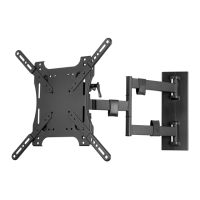
  • Display Mounting Arms: These arms attach directly to the displays and then hook onto the rails. They are designed in two pieces to accommodate a wide range of VESA patterns and can be adjusted for length and tilt, allowing for precise positioning and angling of each display.
  • Clamps: Integrated into the display mounting arms, these clamps secure the displays to the bottom of the rails, preventing accidental dislodgement and offering an anti-theft feature.

The system's modularity means that each component is designed to integrate seamlessly, allowing users to build a custom solution tailored to their specific display configuration, room layout, and structural constraints.

Usage Features

The Strong Digital Display Mount offers several features that enhance its usability and adaptability:

  • Customizable Installation: The system is highly customizable, allowing users to select components based on the number of TVs, their sizes, weights, and the specific mounting surface (wood joists, concrete, I-beams, or walls). An online planning tool is available to assist in designing the optimal setup.
  • Adjustable Pole Length: For ceiling installations, adjustable poles provide flexibility in setting the desired drop height, with increments ranging from 1-inch to 2-inch depending on the pole type. This ensures displays can be positioned at the ideal viewing level.
  • Utility Box Alignment: Utility boxes can be manually adjusted up to 45 degrees in either direction, allowing for precise alignment with the rails and overall system aesthetics.
  • Flexible Display Positioning: The rails and slide nuts allow for flexible horizontal positioning of display mounting arms, enabling users to space displays as needed for their content or viewing requirements.
  • Adjustable Display Arm Length: The two-piece design of the display mounting arms accommodates various VESA patterns, and their length can be adjusted to fit different display sizes.
  • Display Tilt Adjustment: Each display arm offers tilt adjustment in 5-degree increments, from 0 to 20 degrees down. This feature is crucial for optimizing viewing angles, especially in environments where displays are mounted high or viewers are seated below.
  • Height and Level Adjustment: Once displays are hung on the rails, individual display arms can be adjusted vertically by up to 3 inches using a hex wrench. This allows for fine-tuning the height and ensuring all displays are perfectly level and aligned with each other.
  • Wire Management: The system includes wire management clips that bend and slip into the rail tracks, helping to contain and organize cables for a clean and professional appearance. Utility boxes also provide cable access ports.
  • Anti-Theft Lock: A dedicated anti-theft bar can be inserted into the bottom clamps of the display arms, and a lock (not included) can be affixed to deter unauthorized removal of displays.
  • Gangable Rails: For very long display arrays, multiple rail pieces can be connected using connector bars, extending the system's capacity to support numerous displays.
  • End Caps for Rails: Rail end caps provide a clean, finished look to the ends of the assembled rails.

Maintenance Features

While the manual primarily focuses on installation, some aspects touch upon maintenance and long-term stability:

  • Secure Fastening: The instructions repeatedly emphasize the importance of tightening screws and bolts firmly but without overtightening. This is a critical maintenance consideration, as proper torque ensures the longevity and holding strength of the hardware, preventing damage that could lead to system failure.
  • Regular Inspection (Implied): Although not explicitly stated as a maintenance feature, the warnings about supporting surface load, proper installation, and not exceeding maximum load capacities imply the need for periodic checks to ensure the system remains secure and stable over time, especially in dynamic environments.
  • Component Replacement (Implied): The modular nature of the system suggests that individual components, should they become damaged or worn, could potentially be replaced without needing to overhaul the entire mounting structure. This contributes to the long-term maintainability of the system.
  • Cable Organization: The wire management features, while primarily for aesthetics and safety during installation, also contribute to easier maintenance by keeping cables organized and accessible for troubleshooting or replacement.

Overall, the Strong Digital Display Modular Digital Display Mount is engineered for robust performance and extensive customization, making it a suitable choice for complex multi-display installations where precision, security, and adaptability are paramount.

Strong Carbon Series Specifications

General IconGeneral
TypeFull Motion
ColorBlack
VESA Compatibility200x100mm to 600x400mm
Extension Range2.4" to 19.3" (60mm to 490mm)
MaterialSteel
TV Size Compatibility37" to 70"
Mounting PatternUniversal