11
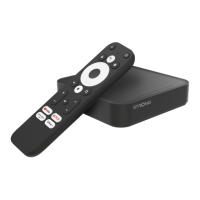
Remote Control Unit
1 STANDBY
Switches between Operation and Standby modes.
2 0–9
Changes channels or selects the menu options.
3 PAGE UP
Press to jump one page up.
4 PAGE
DOWN
Press to jump one page down.
5 VOL(◄/►
)
Turns up/down volume.
Changes the page of channel list.
6 OK
Displays the channel list and selects the item on the
menu.
7 EXIT
To close the current menu and return to normal viewing
8 FAV
Selects favorite channel list or current channel list in the view
mode. In Edit Channel mode’s“Add favorite”menu it changes
the right window’s channel list.
9 PAUSE
To freeze the screen
10
MUTE Sounds On/ Off
11 AUDIO
To choose speakers(left, right or stereo),audio format and
audio language
12 INFO
To show information about the current program
13 TV/RADIO
Switches between TV and Radio modes.
14 RCL
To return to the previous channel or station
15 M-P
Display 9 channels preview window.
16
CH (▲/▼)
Changes channels or items from top to bottom on the
menu.
17
MENU To display the main menu, or return to a previous menu
18
TIMER To display the wakeup timer
19
ZOOM Press to Zoom-in and Zoom-out picture.



 To Next Page
 Loading...