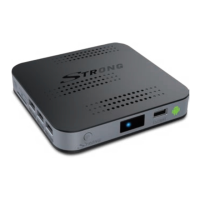
2.3 Rear Panel
Fig. 2
1. ANT IN/CABLE IN To connect to your antenna or wall connector provided by the cable operator
for reception of broadcast signals.
2. SAT IN To connect to your satellite antenna for reception of broadcast signals.
3. Ethernet To connect to a network switch, router or modem
4. HDMI To connect your receiver to your TV via HDMI cable.
5. Micro SD card slot To insert an optional micro SD card.
6. USB To connect USB devices like: mouse/keyboard/storage devices
7. S/PDIF (coax.) To connect your receiver to a digital audio amplier.
8. Power To connect the included power adapter of 12 V.
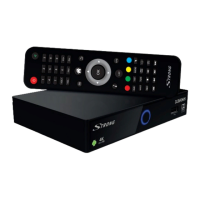
2.4 Remote control
Fig. 3
1. q Turns the receiver ON/Standby
2. ! Turns the sound on or o.
3. 0-9 Channel number and numeric value input
4. VOL+/VOL- Increases/decreases the volume level
5. FAV Accesses the favourite channels lists.
6. PG+/PG- Switches to the next/previous channel in viewing mode, jumps 12 places up
or down in channel list
7. Opens the DTV menu/selection of wall papers
8. Returns to the Android menu/shows the latest used apps
9. Returns to the previous menu or exits the App
10. pq Switches to the next/previous channel in viewing mode or moves the
highlight up/down in the menu.
11. tu Decreases/increases the volume level in viewing mode, navigates through the
menus or changes values of settings in a menu
12. OK Conrms a selection
13. Opens the information bar in the DTV mode
14. LIST Channel Manager/List in the DTV mode
15. EPG Displays the EPG (Electronic Programme Guide) in DTV viewing mode
16. COLOUR
BUTTONS Dierent functions in menu mode
17. SUB Selects subtitles language from the available ones on the current channel
18. TXT Opens Teletext if available on the current channel.
19. AUDIO Displays the audio selection menu with selections for available languages and
audio modes
20. Turns the infrared mouse function ON or OFF. Moves the mouse pointer to an
item (function starts by pressing OK).
21. ASPECT Switches between the screen settings “AUTO” and “Full”. This option can be
used only when DTV is used.
22. TV/RADIO Switches between TV and radio mode
23. PLAYSTORE Google Play Store
24. Switches to recently watched apps.
25. 4 Starts recording the currently watched programme.
26. 3 Stops Timeshift in the DTV mode; stops playback of multimedia les in the
multimedia mode
6


 To Next Page