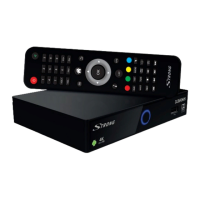
27. u/2 Turns Timeshift on or o in the DTV mode; starts/resumes playback in the
multimedia mode
28. Recording List in the DTV mode
29. 7 Fast rewind during playback
30. 5/6 Press and hold 5 6 for seconds to draw the playing progress as your desire,
then press uPAUSE] to start the playing from the new position.
31. NEXT Fast forward during playback.
2.5 Installing the batteries
Fig. 4
Open the cover on the remote control and insert 2x AAA batteries into the compartment.
The correct position of batteries polar diagram is shown inside the batteries compartment.
Open the cover.
Insert the batteries.
Close the lid.
WARNING: The batteries should not be recharged, disassembled, electrically short-
circuited, be mixed or used with other types of batteries.
3.0 CONNECTIONS
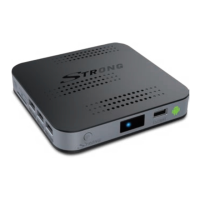
This chapter describes the basic satellite setup with 1 dish + 1 LNB and/or terrestrial or cable reception.
For advanced dish setup, refer to section 3.2.
3.1 Basic connection
a. If you use satellite reception, connect the LNB of your satellite antenna to the SAT IN connector of
your receiver using a good quality coaxial cable and suitable ‘F-connector’ plugs.
b. If you use terrestrial or cable reception, then connect the outdoor/indoor antenna or cable wall
socket to the ANT IN connector of your receiver using a good quality coaxial cable and suitable ‘IEC-
connector’ plugs.
c. Connect one end of a good quality HDMI cable to the HDMI output on your receiver and the other
end to the HDMI input of your TV.
d. Connect the LAN cable from your router/Internet connection into the RJ45 LAN input.
e. Plug in the power plug from the 12 V adapter and insert the adapter into a suitable wall outlet.
3.2 Connecting multiple xed LNBs using a DiSEqC 1.0-1.1 switch
and/or motor control system (DiSEqC 1.2-1.3)
Fig. 5
a. Connect the output of your LNB's to the inputs of your DiSEqC switch or motor control system with a
high quality coaxial cable and well-shielded F connectors.
b. Connect the output of your DiSEqC switch or motor controller with the input of your Android IP box
(SAT IN) with a high quality coaxial cable and a well-shielded F connector
Please refer to the manual of your motor-drive for more detailed information.
7
English


 To Next Page