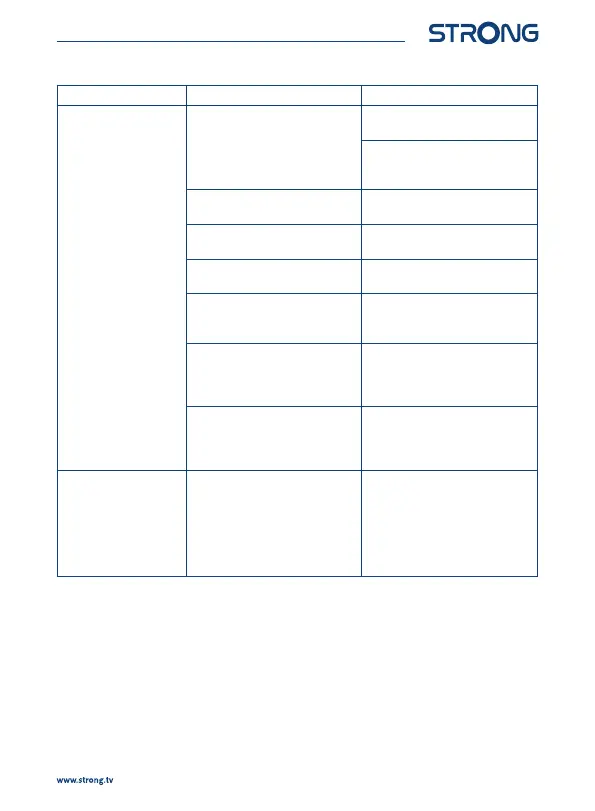
Problem Possible cause What to do
No signal. The receiver is not connected to
the signal source (DVB-C) or to
the antenna (terrestrial or satellite
antenna).
Check the lead of the antenna
or cable.
Check that the coaxial cable is
correctly tted to the antenna
input on the receiver.
Damaged or defective connectors
(IEC-connectors (DVB-T2).
Check connectors for visible
damage.
The antenna (terrestrial or
satellite) is damaged.
Check the antenna for visible
damage.
Out of digital signal area. Check with your dealer or contact
your local Service.
An active antenna requires that
the antenna power/external
power is switched ON.
Switch the antenna power of the
receiver ON/connect an external
power source.
Wrong direction of the antenna. Check the signal strength and
quality and adjust your antenna
correctly, or contact your local
Service.
Multiswitch is defective or
power cable or power adapter of
Multiswitch is unplugged.
Check that the power cable or
power adapter of Multiswitch
is plugged to the wall outlet.
Contact your local Service.
The picture and sound
remain frozen, or
macro blocks or similar
distortion are visible on
the screen.
The transmission signals are
too weak or have reections/
interference.
The antenna is not properly
adjusted.
Press the INFO key on the remote
control 3x to call up signal bars to
visually assess signal strength and
signal quality (both parameters
should be visible in the last third
of the infobars). Contact your local
Service.
17



 To Next Page