COMPADRE - Dual Voice Compressor & Boost
pg 14
NOTE: If you are only sending data to Compadre using the Strymon
MIDI EXP Cable, the MIDI Output mode must be set to OFF.
(See page 16 for details on configuring the MIDI Output Mode.)
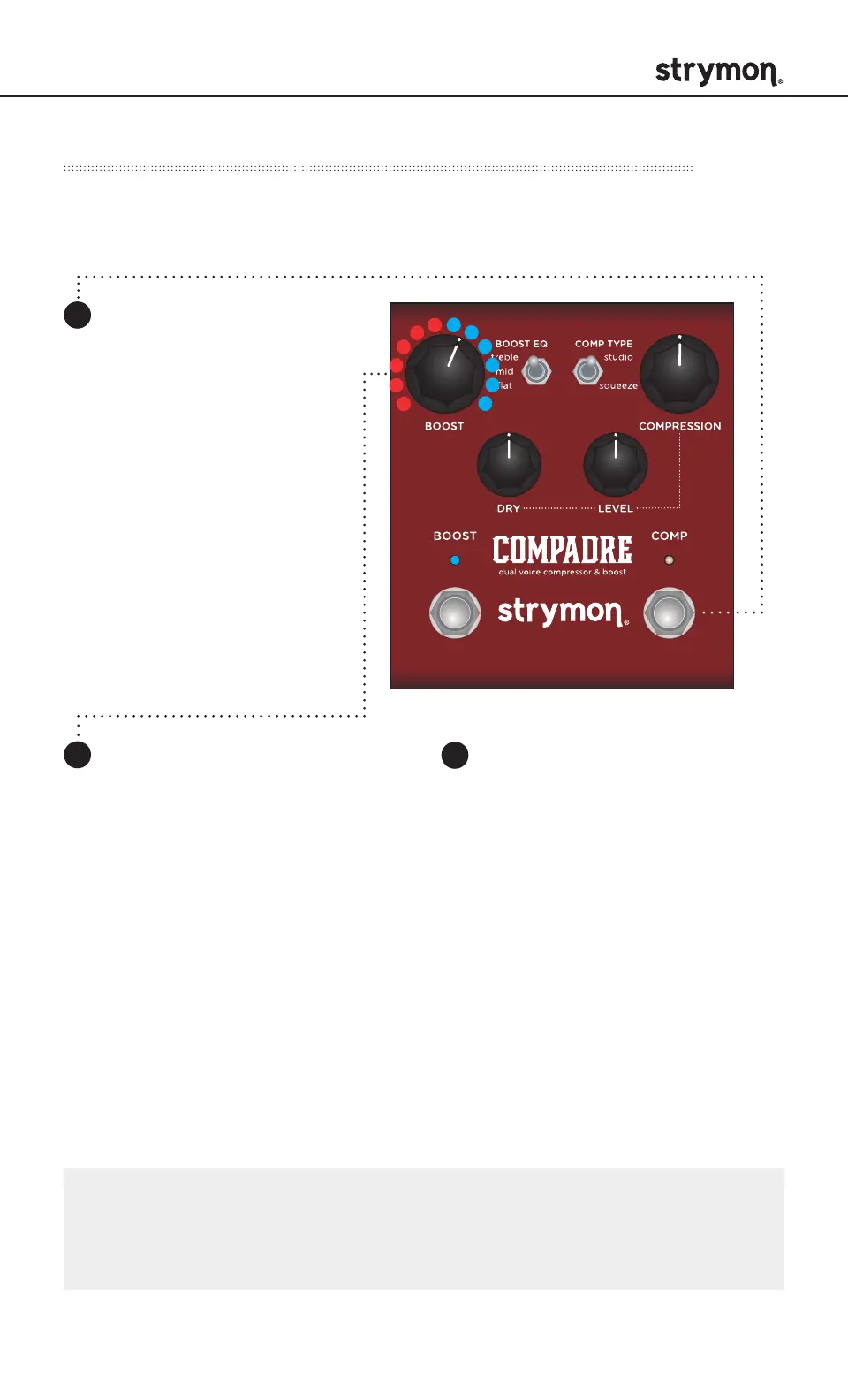
Step 1 – Set FAV/MIDI Jack Mode to MIDI Mode
3
Press the BOOST or
COMP footswitch again
to store the FAV/MIDI
jack mode.
MIDI Functionality - Configuring to Use MIDI (cont.)
Turn the BOOST knob
clockwise until the BOOST
LED is BLUE.
Press and hold the
COMP footswitch while
connecting power to
the pedal. Once both
LEDs flash, release the
footswitch.
1
2



 To Next Page