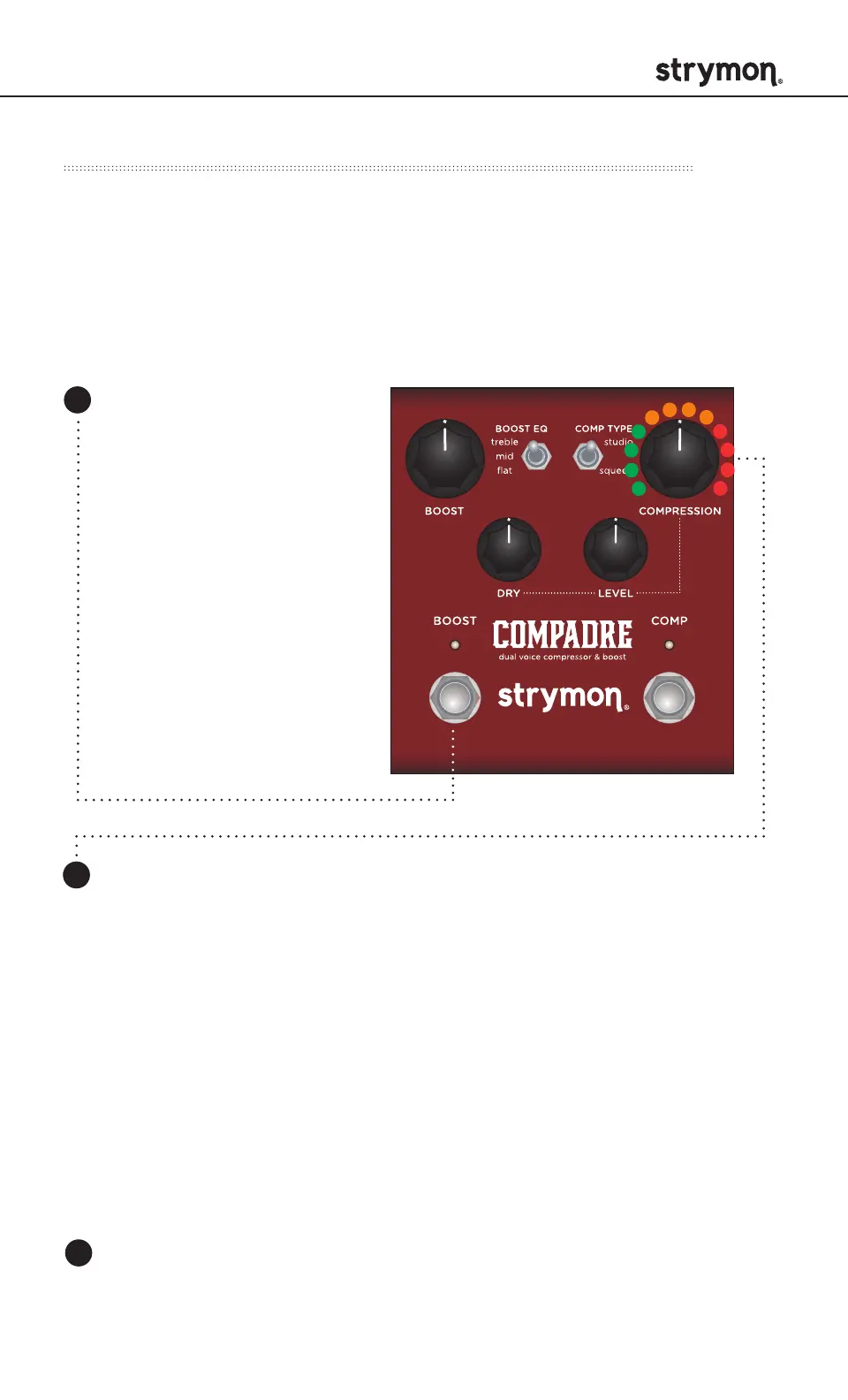
COMPADRE - Dual Voice Compressor & Boost
pg 16
Step 3 – Set MIDI Output Mode
3
Press the BOOST or COMP footswitch again to set the MIDI output
channel and begin using Compadre.
TIP: A simple way to check that
communication is working is
to send CC #27 with a value of
127 when the COMP footswitch
is OFF. This will turn the COMP
footswitch on if MIDI is properly
connected and configured.
Determines whether Compadre will send MIDI data out.
Turn the COMPRESSION knob to select the MIDI OUT mode. The
COMP LED will flash momentarily to indicate status.
On: GREEN Using Compadre’s knobs and switches generates
MIDI messages that are sent out of Compadre. (Set to ON when
using MultiSwitch Plus.)
Through: AMBER Incoming MIDI messages are sent out of
Compadre without any additional MIDI messages generated by
Compadre.
Off: RED (default) No MIDI messages are sent out of Compadre.
Press and hold the
BOOST footswitch while
connecting power to
the pedal. Once both
LEDs flash, release the
footswitch.
1
2
MIDI Functionality - Configuring to Use MIDI (cont.)



 To Next Page