IRIDIUM - Amp & IR Cab
pg 11
Controls and Connections - Rear Panel
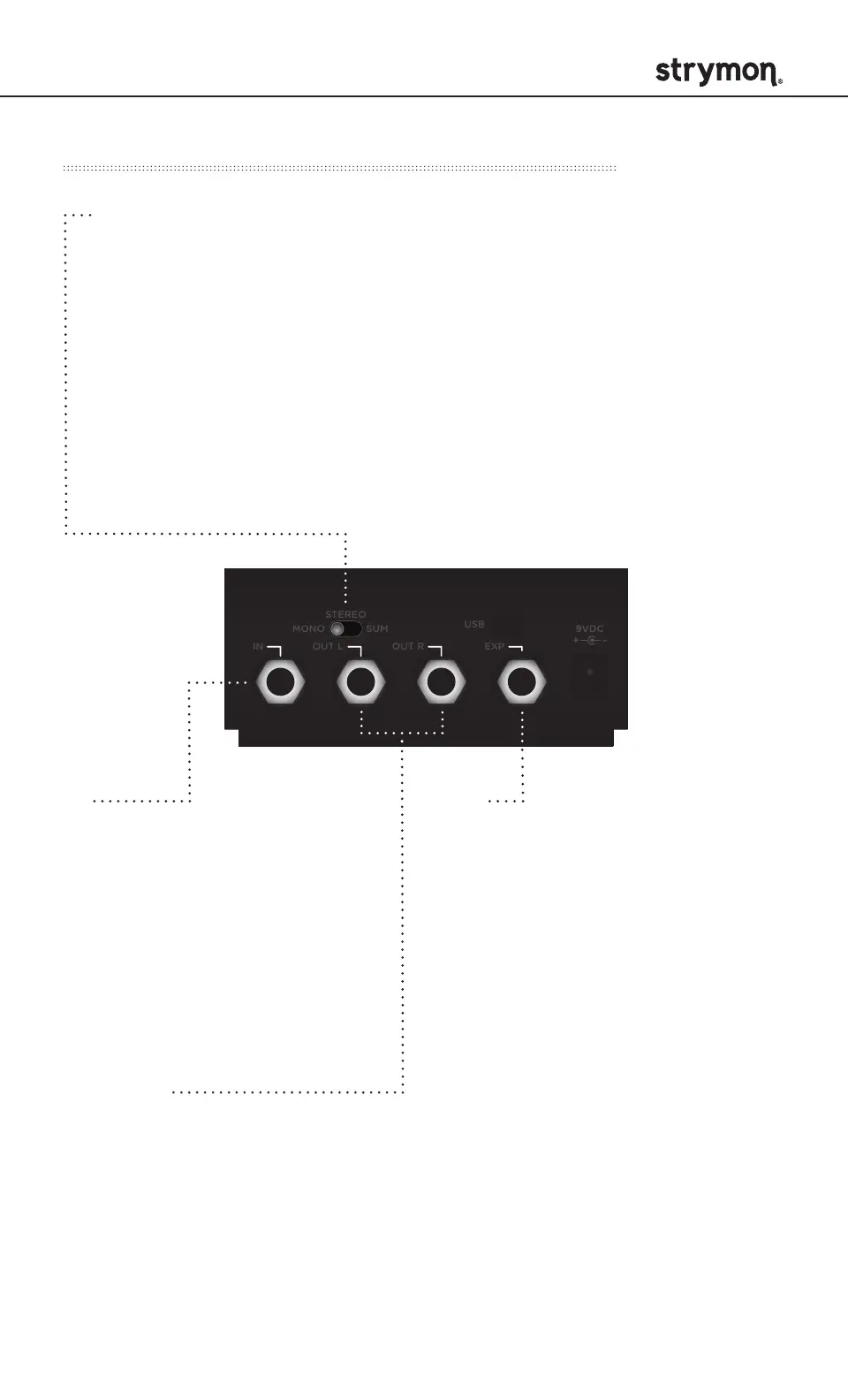
OUTPUTS
Stereo audio signal outputs.
Use OUT L for mono.
IN
Stereo high impedance
input. Use a standard
instrument cable for mono.
Use a TRS stereo adapter/
cable for stereo input.
(See page 16 for configuration
details.)
Audio Input Selector
MONO : Use with a mono input signal such as a guitar. Output is
stereo. Use OUT L for mono connection.
STEREO : Use with a stereo input signal. Output is stereo.
SUM : Use with a stereo input signal that you would like to sum to
mono. Use OUT L for summed output.
(See Appendix 3 for signal flow illustrations.)
STEREO
MONO
IN OUT L OUT R EXP
SUM
USB
CABAMP
ROOM
TREBLE
BASS
FAV ON
DRIVE LEVEL
a
b
c
amp & ir cab
MIDDLE
round
chime
punch
STEREO
MONO
IN OUT L OUT R
SUM
EXP
EXP
Multifunction communication jack
for external control of Iridium’s
features and functions. Use a
standard TRS expression pedal to
act as a volume pedal before the
amp (default configuration). EXP
input can also be used to connect
a Strymon MultiSwitch Plus,
MiniSwitch, or MIDI EXP cable for
remote preset selection and MIDI
automation.
(See page 19 for configuration details.)



 To Next Page