IRIDIUM - Amp & IR Cab
pg 18
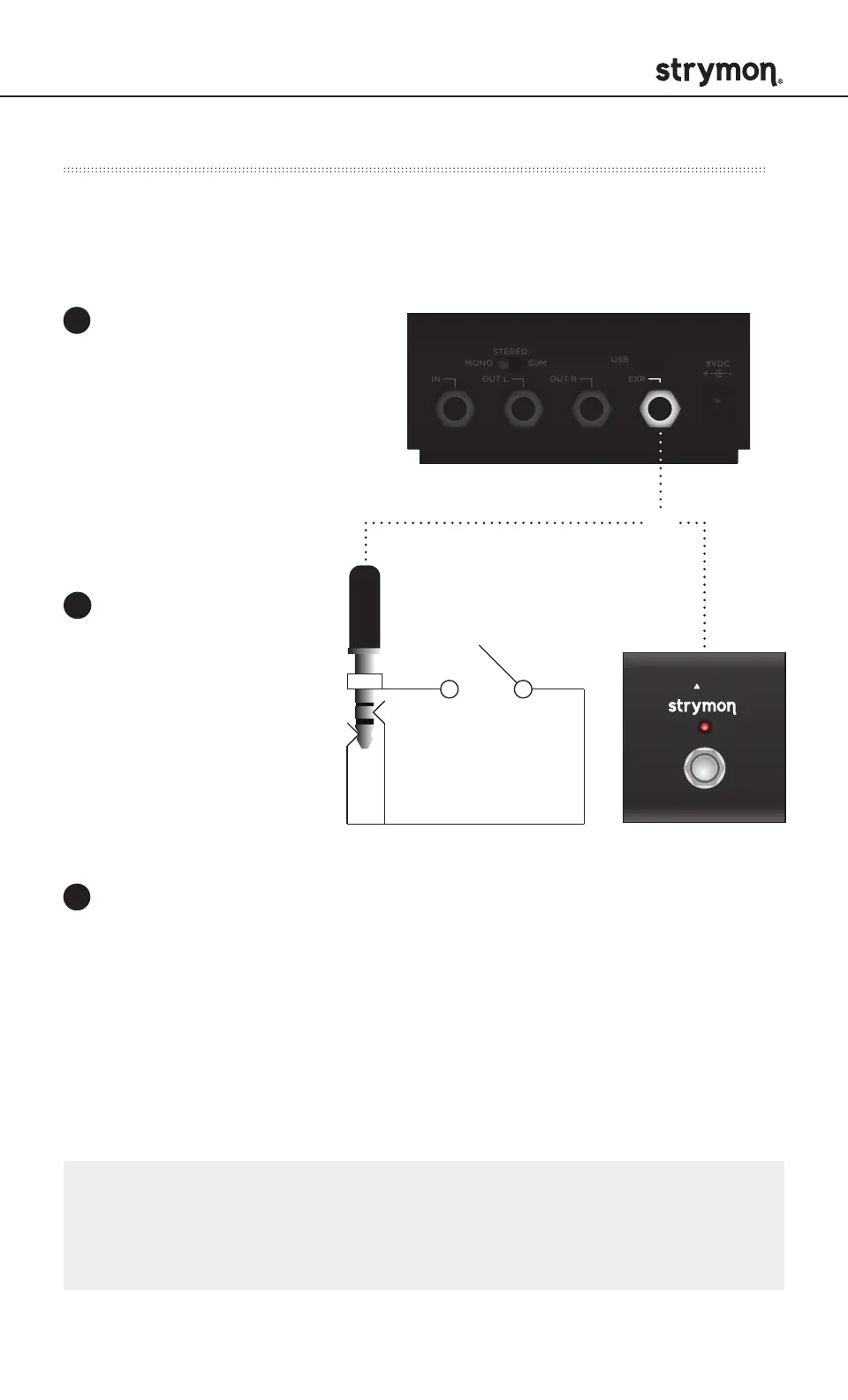
Connect a Strymon MiniSwitch with a TRS cable to toggle the
on-board Favorite preset on and off.
External Control – External Favorite Switch Setup
Configure the EXP jack
for External Favorite
mode.
(See page 17 for more info.)
Connect an external
switch with a TRS
cable to the EXP jack
of Iridium.
To save this setting as a new on-board Favorite
sound, press and hold Iridium’s on-board FAV switch
for 2 seconds.
1
2
3
®
TRS
STEREO
MONO
IN OUT L OUT R EXP
SUM
USB
EXP
NOTE: The on-board FAV switch will not toggle the Favorite preset
when Iridium is set to External Favorite mode and a MiniSwitch is
connected to the EXP jack.
OR



 To Next Page