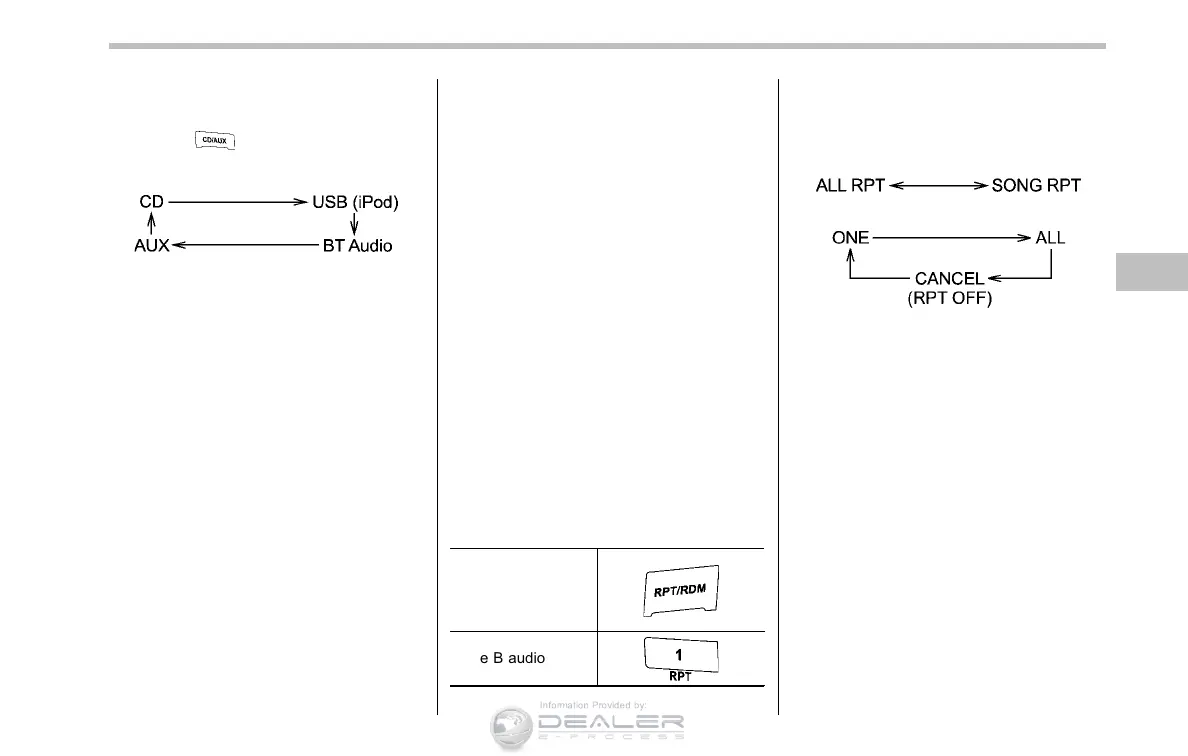
! When a USB storage device/iPod
®
is
already connected
Press the
button. Each time you
briefly press the button, the mode
changes as follows.
When the USB/iPod
®
mode is selected,
the player will start playback of the USB
storage device/iPod
®
.
& To select a track from the
beginning
Select a track in the same way as for a
CD. For details, refer to “To select a track
from the beginning” F5-21.
& To select a chapter from the
beginning when connecting
iPod
®
When playing podcasts or audiobooks,
select a chapter in the same way as for a
CD. For details, refer to “To select a track
from the beginning” F5-21.
& Fast-forwarding and rewind-
ing
Fast-forwarding and rewinding are oper-
ated in the same way as for a CD. For
details, refer to “Fast-forwarding and
rewinding” F5-21.
NOTE
When connecting iPod
®
:
. When the end of a track is reached
while fast-forwarding, fast-forwarding
ends and play begins from the begin-
ning of the next track.
. When the beginning of a track is
reached while rewinding, rewinding
ends and play begins from the begin-
ning of the track.
& Repeating
! When connecting USB storage de-
vice
Repeating is operated in the same way as
for a CD. For details, refer to “Repeating”
F5-22.
! When connecting iPod
®
Repeat button:
Type A audio
Type B audio
Each time you briefly press the repeat
button, the mode changes in the following
sequence.
Type A audio:
Type B audio:
NOTE
. The “ALL RPT” (type A audio)/“ALL”
(type B audio) indication refers to the
repeat playback of all tracks in the
entire iPod
®
(type A audio)/playing list
(type B audio).
. The “SONG RPT” (type A audio)/
“ONE” (type B audio) indication refers
to the repeat playback of a single track.
It repeats the track that is playing.
. When an audiobook is playing, the
mode does not change even if you
press the repeat button. For type B
audio, refer to “Setting the playing
speed (only when the audiobook is
playing) (type B audio)” F5-35.
Audio 5-31
– CONTINUED –













 To Next Page