& Selecting category (only
when connecting iPod
®
)
! Type A audio
“LIST” button
“TUNE” dial
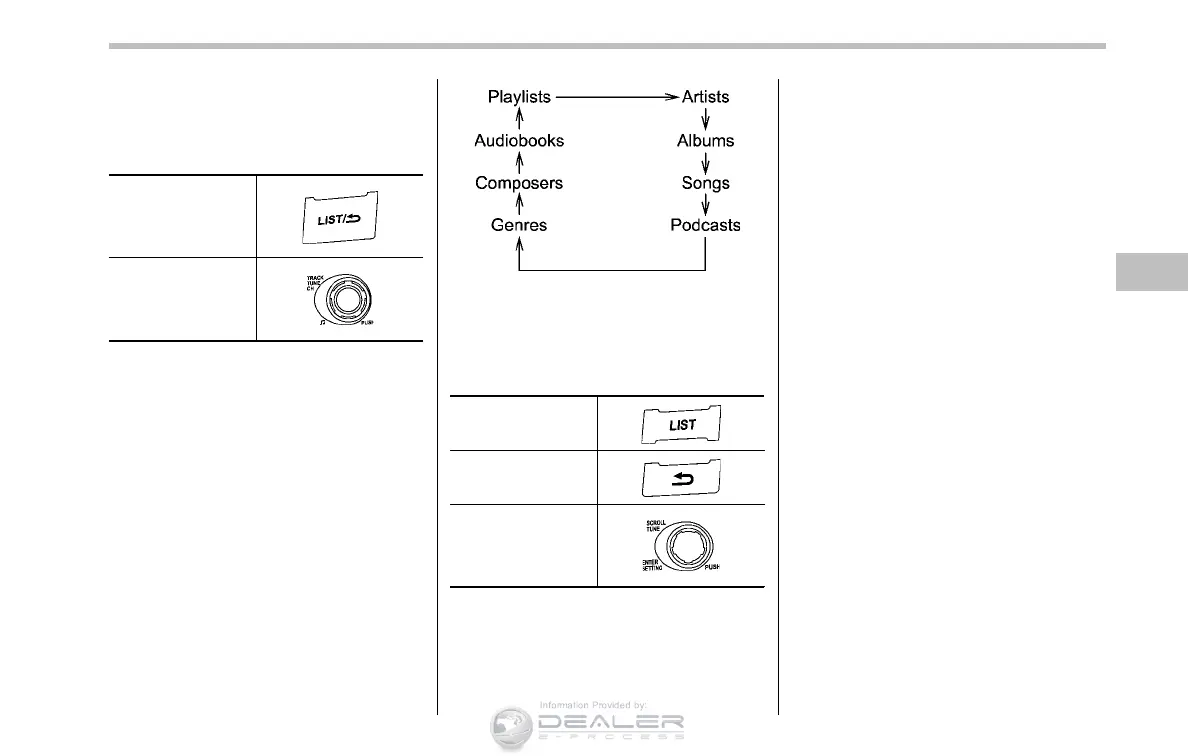
When the “LIST” button is pressed briefly,
the iPod
®
menu is displayed.
Each time you turn the “TUNE” dial clock-
wise, the displayed category changes in
the following sequence. Each time you
turn the dial counterclockwise, the dis-
played category changes in the opposite
sequence.
To select the category, press the dial. To
close the iPod
®
menu, press and hold the
“LIST” button. To return to the previous
screen, briefly press the “LIST” button.
! Type B audio
“LIST” button
“BACK” button
“TUNE” dial
When the “LIST” button or “BACK” button
is pressed briefly, the iPod
®
menu is
displayed as follows.
Audio 5-33
– CONTINUED –













 To Next Page