5-34 Audio
1st layer 2nd layer 3rd layer 4th layer 5th layer
Now playing ————
Playlists Playlists List Songs List ——
Artists Artists List Albums List Songs List —
Albums Albums List Songs List ——
Songs Songs List ———
Podcasts Podcasts List Songs List ——
Genres Genres List Artists List Albums List Songs List
Composers Composers List Albums List Songs List —
Audiobooks Audiobooks List ———
Shuffle Songs ———
—
Turn and press the “TUNE” dial to select the category. To return to the upper layer, press
the “BACK” button. To return to the 1st layer, press the “LIST” button.
& Display selection (type A
audio)
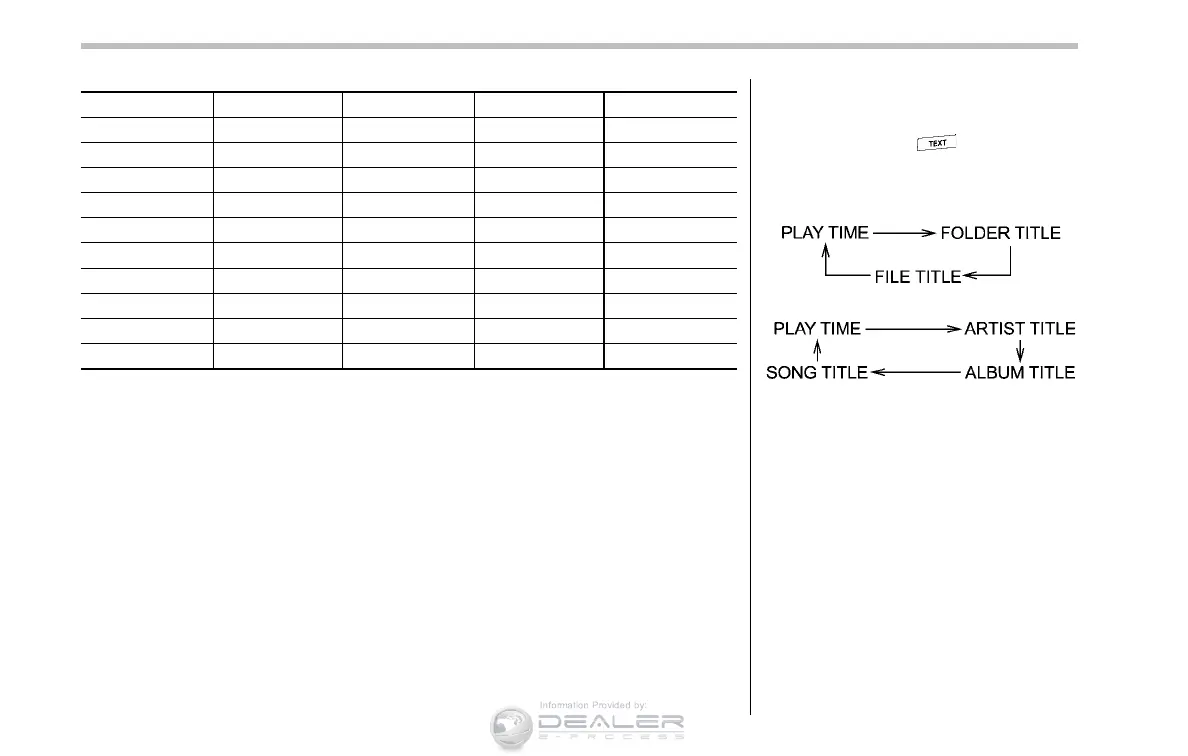
If you press the button duri ng
playback, the indication will change to
the next one in the following sequence.
For USB storage device:
For iPod
®
:
! Page scroll
Refer to “Page (track/folder title) scroll ”
F5-24.
& Folder selection (only when
connecting USB storage de-
vice)
Refer to “Folder selection” F5-24.
NOTE
When an iPod
®
is connected, you
cannot select a folder.













 To Next Page