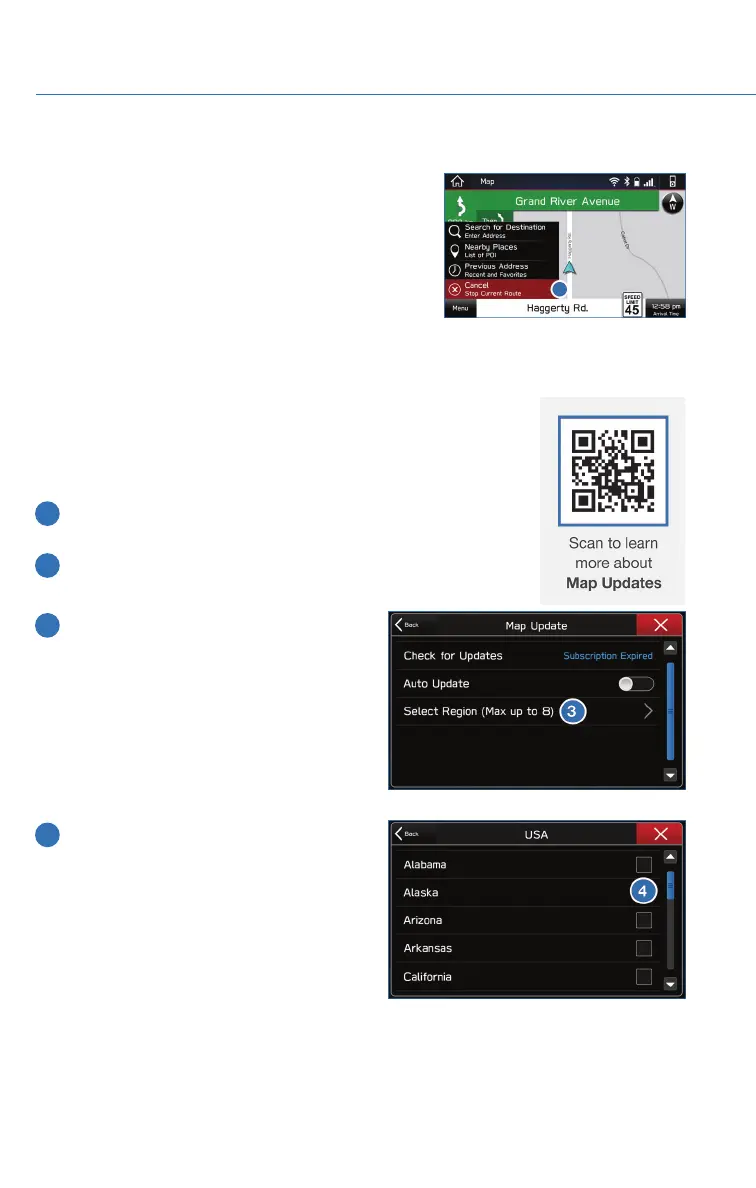
Canceling Guidance
To cancel guidance, select “Menu” and then select
“Cancel”.
Map Updates
You can update the entire USA map at once via USB by going to:
www.subaru-maps.com
Maps can also be updated over a Wi-Fi network. To update your
maps via Wi-Fi, follow this process:
1 Connect to a Wi-Fi network. If you need help with this, see
page 106.
2 From the Home screen, select “Settings” then “Navigation”.
Next, select “Map Update” on the navigation setting screen.
3 Select “Select Region (Max up to 8)” to
select the regions you would like to
update.
4 Select the regions for which maps are to
be updated.
HOW TO APPENDIX
114















 To Next Page