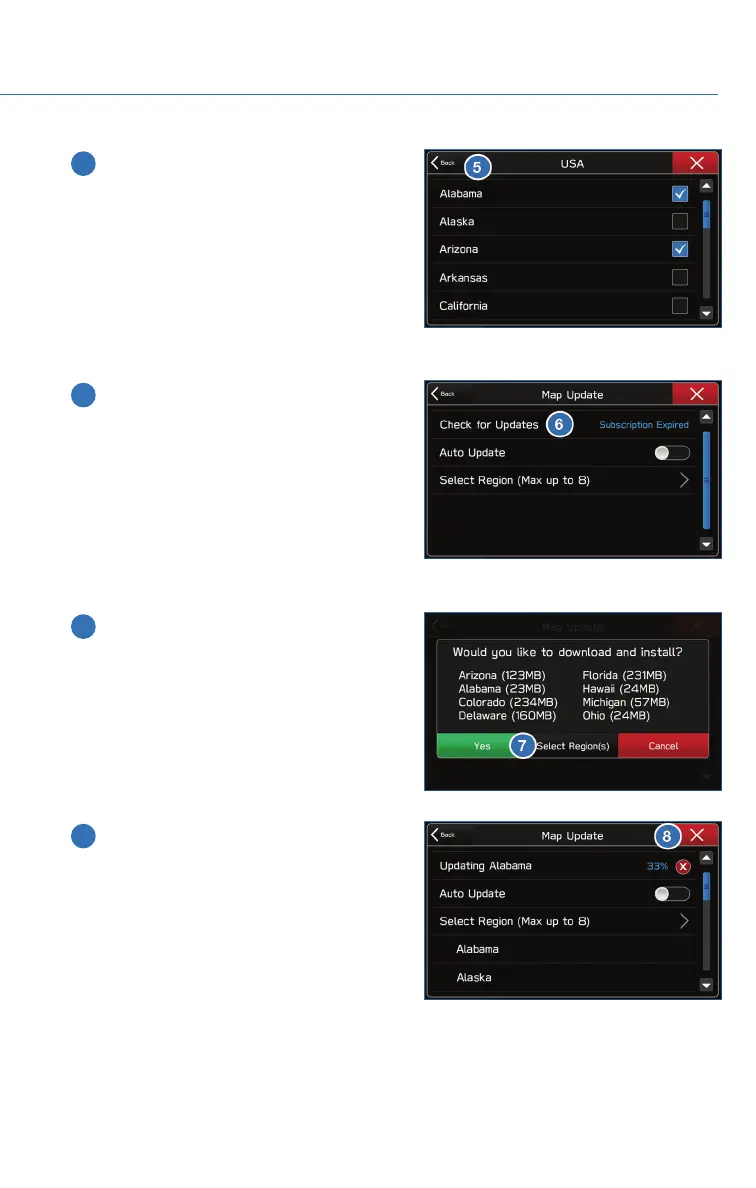
5 Select “Back”.
6 Select “Check for Updates”.
7 Check the confirmation message, then
select “Yes”.
8 This screen is displayed simultaneously
with the start of the download and
installation. Select the “X” in the upper
right corner if you need to stop the
download and installation.
HOW TO APPENDIX
115















 To Next Page