F Series Manual
4
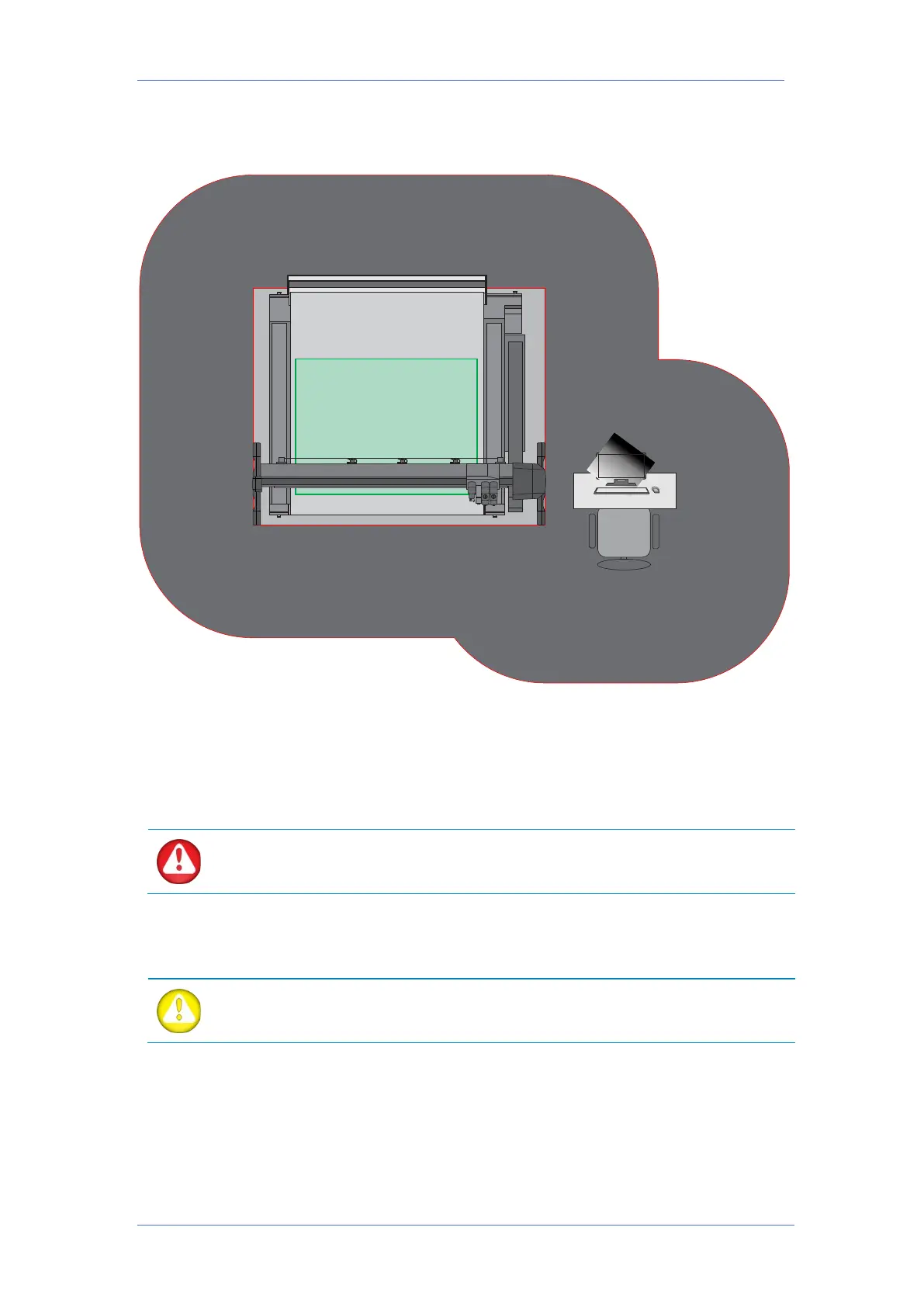
Safety area during operation
During normal production, the operator should stay out of the area marked in light grey colour.
If the operator moves inside this area, then trip switches or optical sensors can detect the
presence of the operator and then the flatbed table pauses automatically. The current job is
not lost but nothing will move on the table until the operator leaves the area and tells the
flatbed cutter to continue its job (with Axis Control).
If the operator needs to be within the area, marked in light grey to
change media or tools, the procedures to perform these actions need to be
followed strictly, as described further in the manual.
The safety area for other personnel is marked in dark grey. It covers 1 meter outside the
danger area and 1 meter away from the operator’s desk.
WARNING: The operator must always make sure the remote is in its loading
station when it is not in use. This way no other person will inadvertently press the
buttons and start up the machine while the operator is in the danger area.



 To Next Page