10
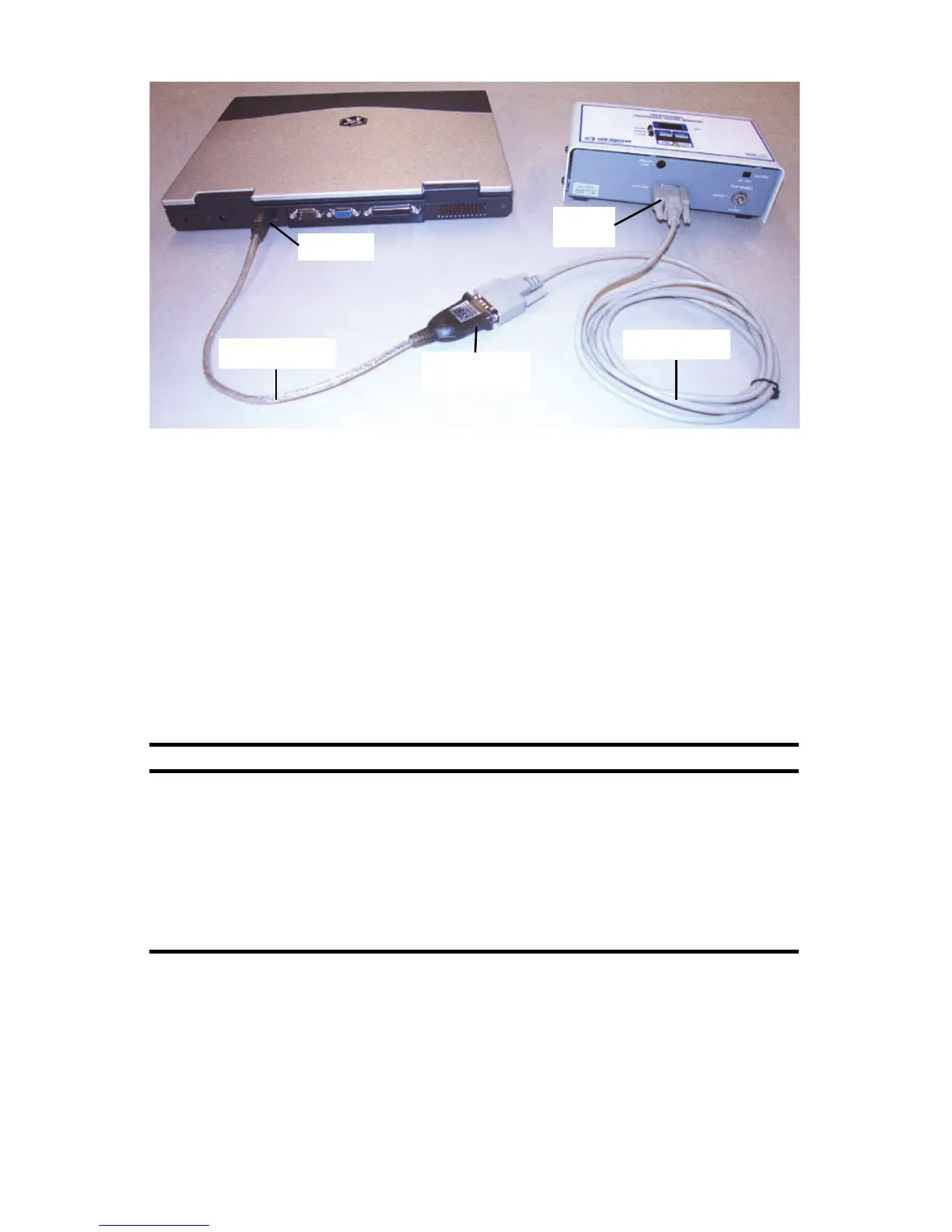
Figure 2-7. Connecting Model 1027 with USB to Serial Adapter
3 Insert manufacturer’s CD into computer’s CD drive, or open downloaded
driver file, and follow the manufacturer’s on-screen instructions.
Normally a CD drive is set for Autostart and the installation program opens
automatically. If it does not, use My Computer or Windows Explorer to
navigate to the CD and manually start the program following the
manufacturer’s instructions.
Verify Driver Installation
1
To verify USB to Serial Adapter drivers were installed correctly, follow the
instructions in the table below to open ‘Device Manager’ on your computer
and check the COM port connection.
2 In ‘Device Manager’ window, expand Ports (COM & LPT) to see a list of
connected ports (Figure 2-8 on page 11).
Windows 7 Windows 8.1
1. On the desktop, right-click My Computer
then select Properties to display the
'System Properties' window.
2. Click the Hardware tab, then Device
Manager.
3.Type a password or provide confirmation if
prompted to do so.
Or, click Start > Control Panel > Device
Manager
.
1. On the desktop, right-click This PC, then
select Properties to display the 'System'
window.
2. Click Device Manager to display a list of
devices.
Or, right-click Control Panel, and in the
’Control Panel’ window, click Hardware and
Sound, then Device Manager to display a
list of devices.



 To Next Page