23
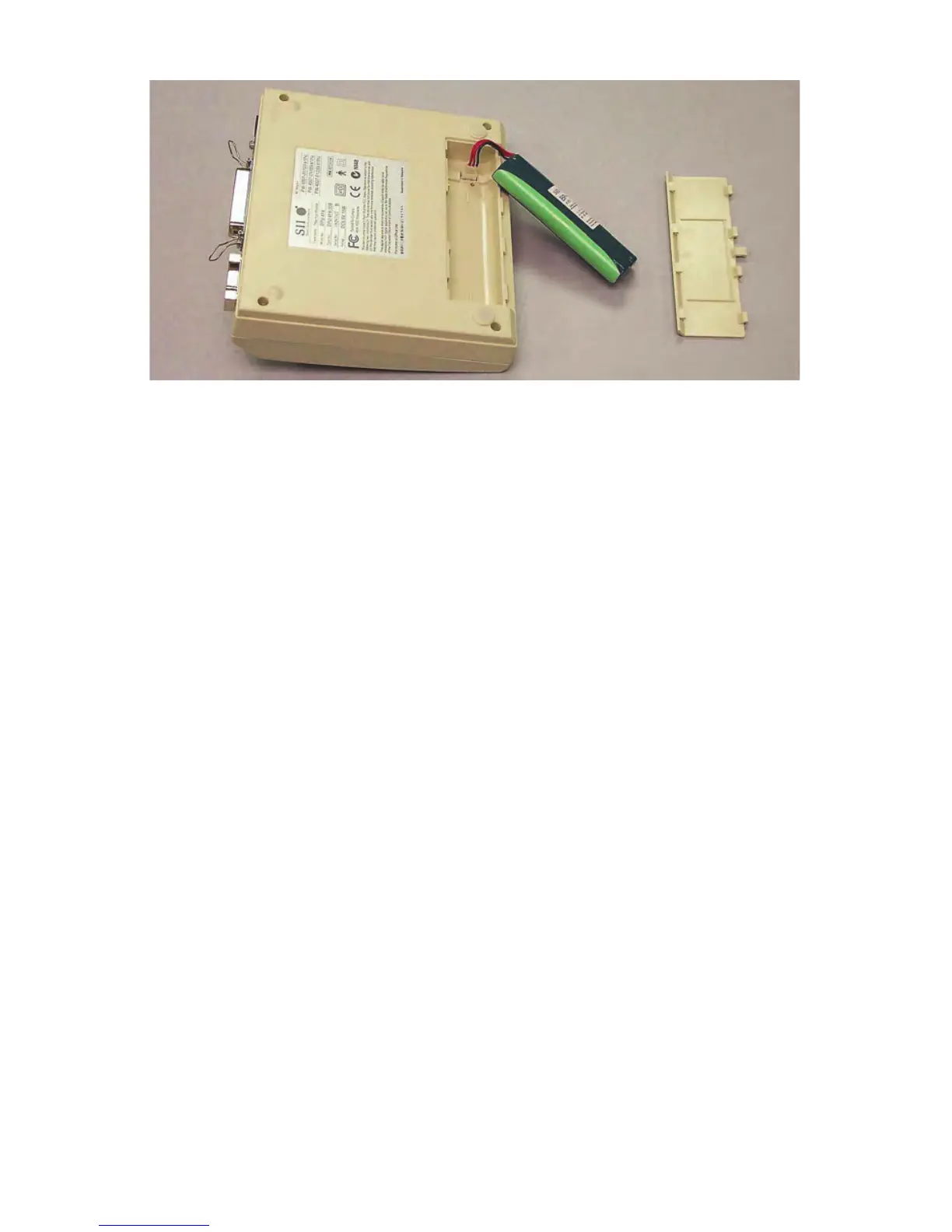
Figure 5-2. Inserting and Removing Battery Pack
Removing Battery Pack
1
Turn printer over and slide battery cover away from battery pack enclosure.
2 Pull out battery pack, grasp connector with thumb and index finger, and
disconnect battery pack.
3 Close battery cover.
Efficient Printer Battery Use
Battery efficiency decreases if the battery is recharged more than necessary.
Confirm whether POWER light is flashing and battery charge has decreased
before recharging battery.
When using the rechargeable battery, turn off the power switch after use. Leaving
the power switch on will consume battery and eventually run the battery down.
When using the AC adapter, note that the battery gradually recharges whether the
printer is on or off. It takes about 15 hours to charge the battery with the power
on. Battery charging is temporarily disrupted while the printer is printing and
resumes when printing is completed. When not using the printer, turn off the
power switch and unplug the AC adapter.
Printer DIP Switch Settings
The thermal printer (P/N 850040(Z)) has internal DIP switches set by the
manufacturer. For proper operation, these switches must be set as shown (Figure
5-3). Check and, if necessary, set the switches as follows:



 To Next Page