25
Customisable - Shot Volumes
The Origins Espresso Machine features
Auto Shot Volumetric Control.
It extracts just the right amount of
espresso then automatically stops.
Pours 1 shot of espresso.
Pours 2 shots of espresso.
Pours water for 99 seconds.
At any point during espresso extraction you
can stop the pour by pressing the same
button again.
You can adjust the default shot volumes to
suit how you like your coffee.
Customise – Single or Double Cup Shot
Volume
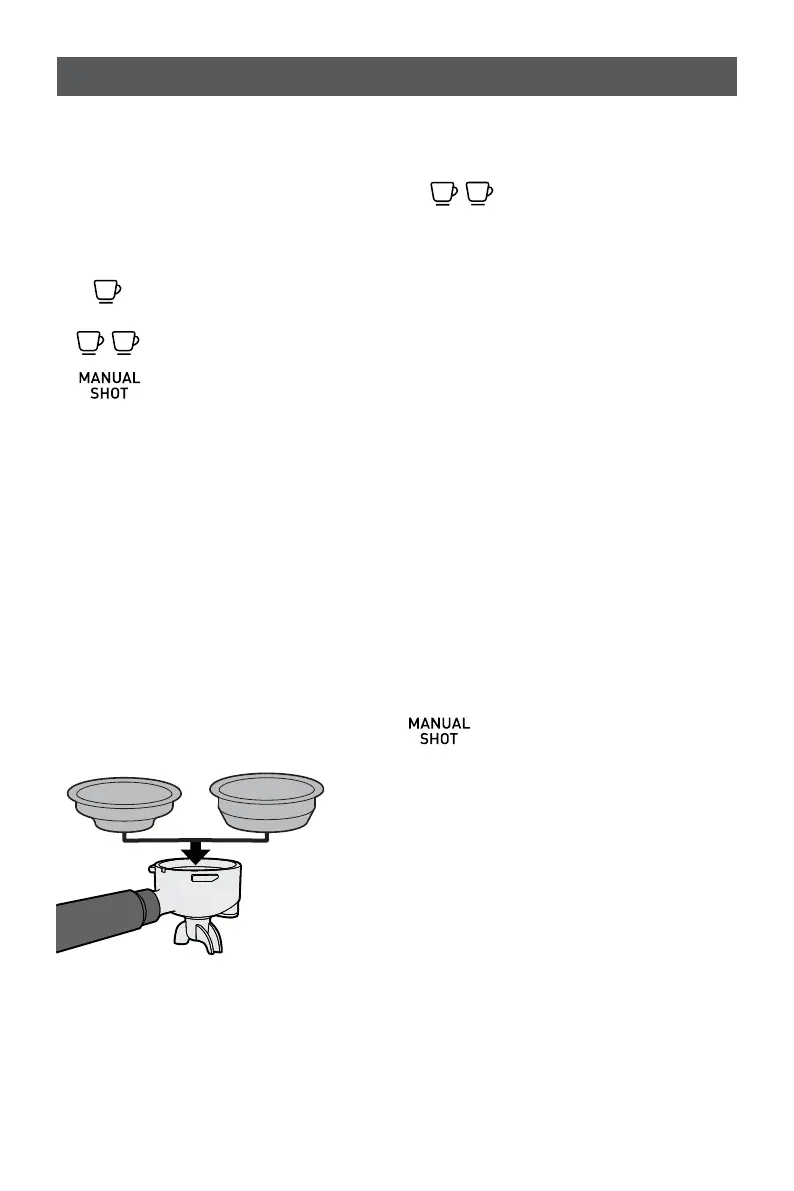
- Insert appropriate Filter into the
Group Handle.
- Fill with coffee grinds then tamp.
- Insert Group Handle into the Group Head.
- Press & hold the
Double shot BUTTON
for 3 seconds.
- The Single and Double shot button icons
will pulse to indicate it is in custom
mode.
- PRESS the button for the shot volume you
wish to customise (single or double), the
other button will extinguish.
- PRESS and HOLD the selected button
and Espresso will start to pour and the
EXTRACTION TIMER will begin counting.
- When you reach your desired shot
volume, release the selected button to
stop flow. The espresso pour will stop.
- The machine will beep & the LIGHT will
stop flashing.
- The new espresso shot volume has been
saved.
- Press the Manual Brew
Button and the machine will
return to the READY state.
Fine tuning your espresso











 To Next Page