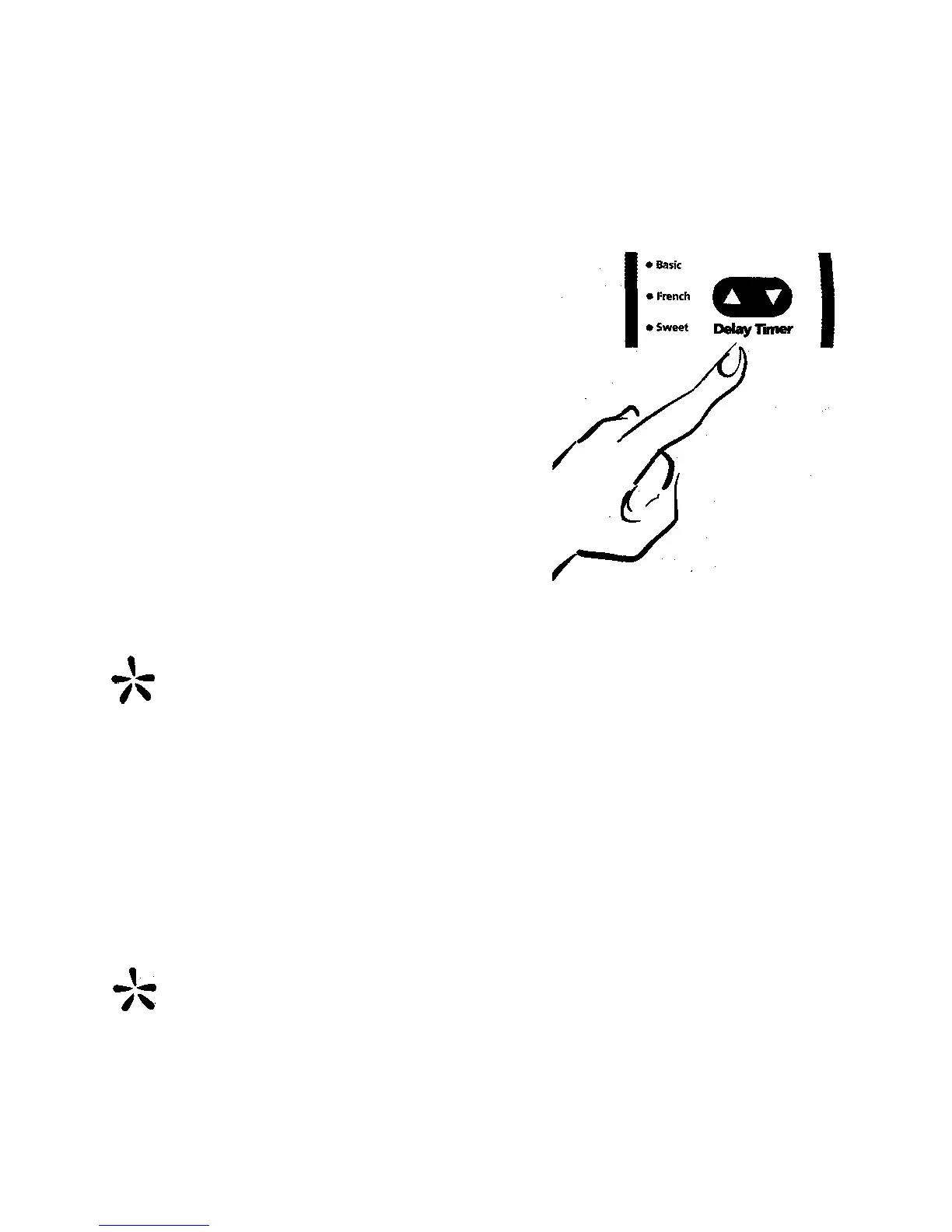
To USE TUE DELAY TIMER:
1
2
Figure out how many hours and minutes there are between
now and when you want final, baked bread. For example,
if it is 8:00
A.M. and you want bread ready for dinner at
6:00
P.M., that is 10 hours.
Use the “Timer Up” button to
advance the time in 10 minutes
increments. In our example, you
will do this until the timer reads
“1O:OO.”
If necessary, use the
“Timer Down” button to decrease
the time. (To advance the time
quickly, simply press and hold
down the “Timer Up/Down” buttons.)
J-
IMPORTANT: If you make a mistake or wish to start over,
”
press and hold down the “Start/Stop” button until you hear
a beep. The display will show the original setting and cycle
time. The Delay Timer is canceled and you can start again.
3
When the Delay Timer is set where you want it, make sure
to press the “Start/Stop” button. The colon
":"
will flash
and your bread will be ready when you planned.
+.
IMPORTANT: When using the Delay Timer during times of
hot weather, you may wish to reduce the liquid in your
recipe by 1 or 2 tablespoons. This is to prevent the dough
from rising too much. You may also reduce the salt by
1/8
or
1/4
teaspoons and try cutting the amount of sugar
you use by
1/4
teaspoon at a time.




 To Next Page