SunFounder 3in1 Kit
Code
Note:
• Open the 5.10.shiftout_segment.ino file under the path of 3in1-kit\learning_project\5.10.
shiftout_segment.
• Or copy this code into Arduino IDE.
After the code is uploaded successfully, you will be able to see the LED Segment Display display 0~9 in sequence.
How it works?
shiftOut() will make 74HC595 output 8 digital signals. It outputs the last bit of the binary number to Q0, and the
output of the first bit to Q7. In other words, writing the binary number “00000001” will make Q0 output high level and
Q1~Q7 output low level.
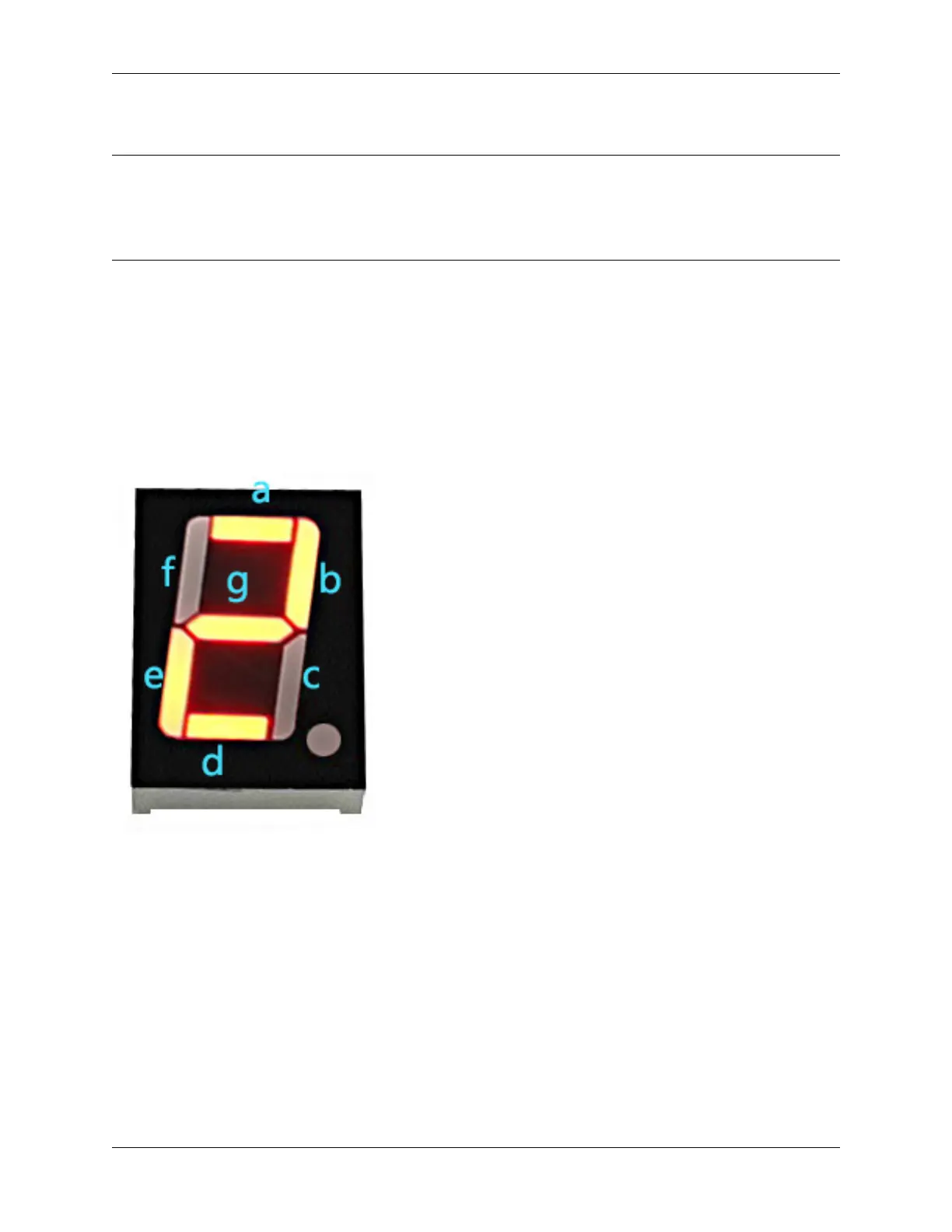
Suppose that the 7-segment Display display the number “2”, we need to write a high level for a, b, d, e and g, and write
a low level for c, f and dp. That is, the binary number ” 01011011” needs to be written. For readability, we will use
hexadecimal notation as “0x5b”.
• Hexadecimal
• BinaryHex Converter
Similarly, we can also make the 7-Segment Display display other numbers in the same way. The following table shows
the codes corresponding to these numbers.
4.5. 5. More Syntax 167



 To Next Page