SunFounder 3in1 Kit
Code
Note:
• Open the 5.15.eeproom.ino file under the path of 3in1-kit\learning_project\5.15.eeproom.
• Or copy this code into Arduino IDE.
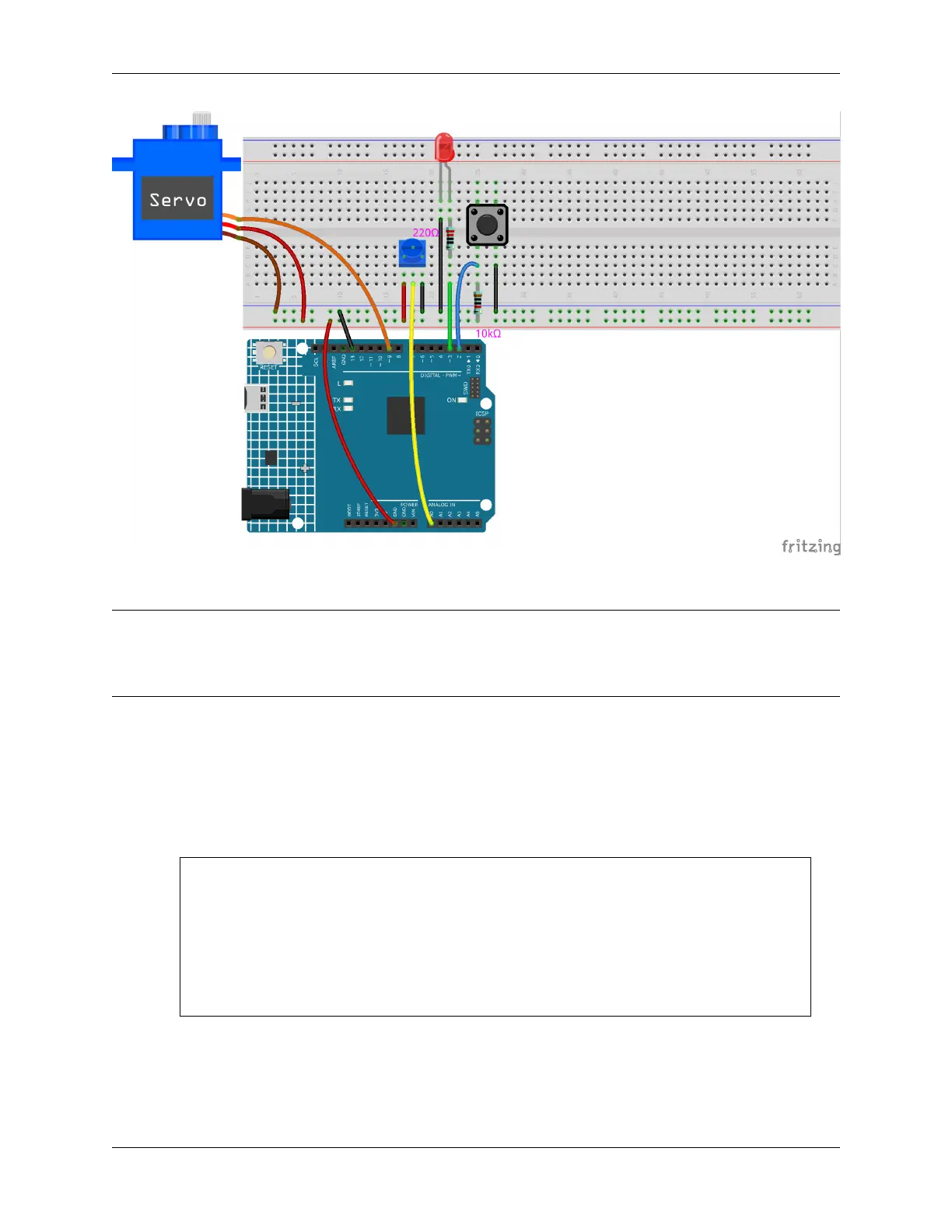
To use this circuit, you simply press the button to begin recording and input the desired information through a poten-
tiometer. Now, the board will repeat your actions endlessly (and it blinks an led each iteration) until you press the button
again to record new actions. You may also vary the amount of time recorded by changing the values of resolution and
recordTime.
How it works?
1. Import the EEPROM.h library, and initialize the EEPROM memory.
...
#include <EEPROM.h>//used to store recorded values
...
float resolution = 1000;//MUST be less than EEPROM.length()
float recordTime = 5; //delay time
bool recording = false;
...
Please note that /MUST be less than EEPROM.length(), in setup() it will print the memory
of your board’s EEPROM, which should be 1024 for your board. If you are using a different board,
you can change the value of the variable resolution.
2. Print the EEPROM memory of your board.
192 Chapter 4. Basic Projects



 To Next Page