SunFounder 3in1 Kit
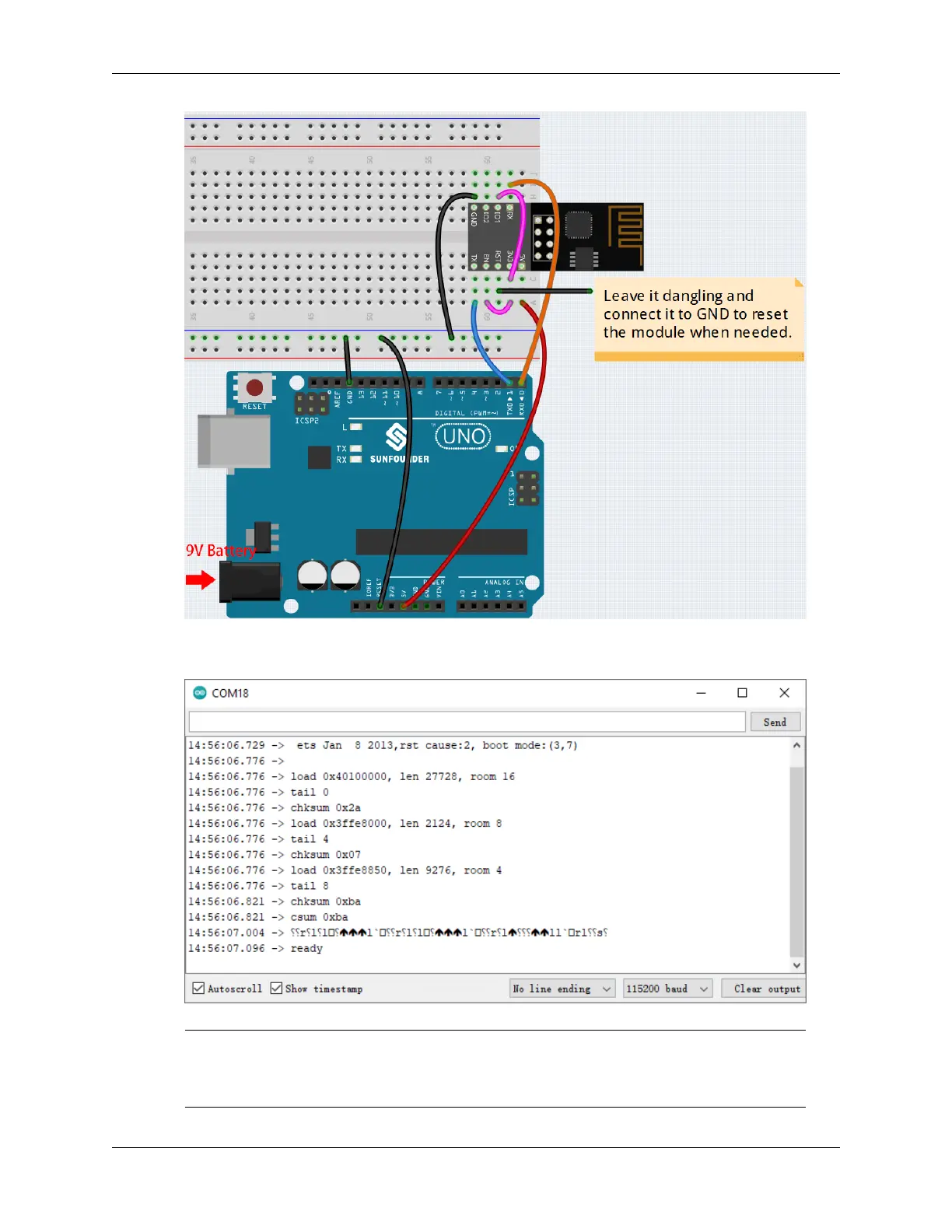
2. You will be able to see information about the ESP8266 module if you click the magnifying glass icon(Serial
Monitor) in the upper right corner and set the baud rate to 115200.
Note:
• If ready doesn’t appear, you can try to reset the ESP8266 module(connect RST to GND) and
re-open the Serial Monitor.
7.2. How to re-burn the firmware for ESP8266 module? 343



 To Next Page