5 Electrical Connection User Manual
Brand
Communicat
ion Port
Port
definition
Protocol Type Wiring
22 RS485-B
23 RS485-A
Modbus RTU
Janitza
UMG604
Ethernet Ethernet Modbus TCP
5.6.1 RS485 Cable
Connection
5.6.1 RS485 Cable Connection
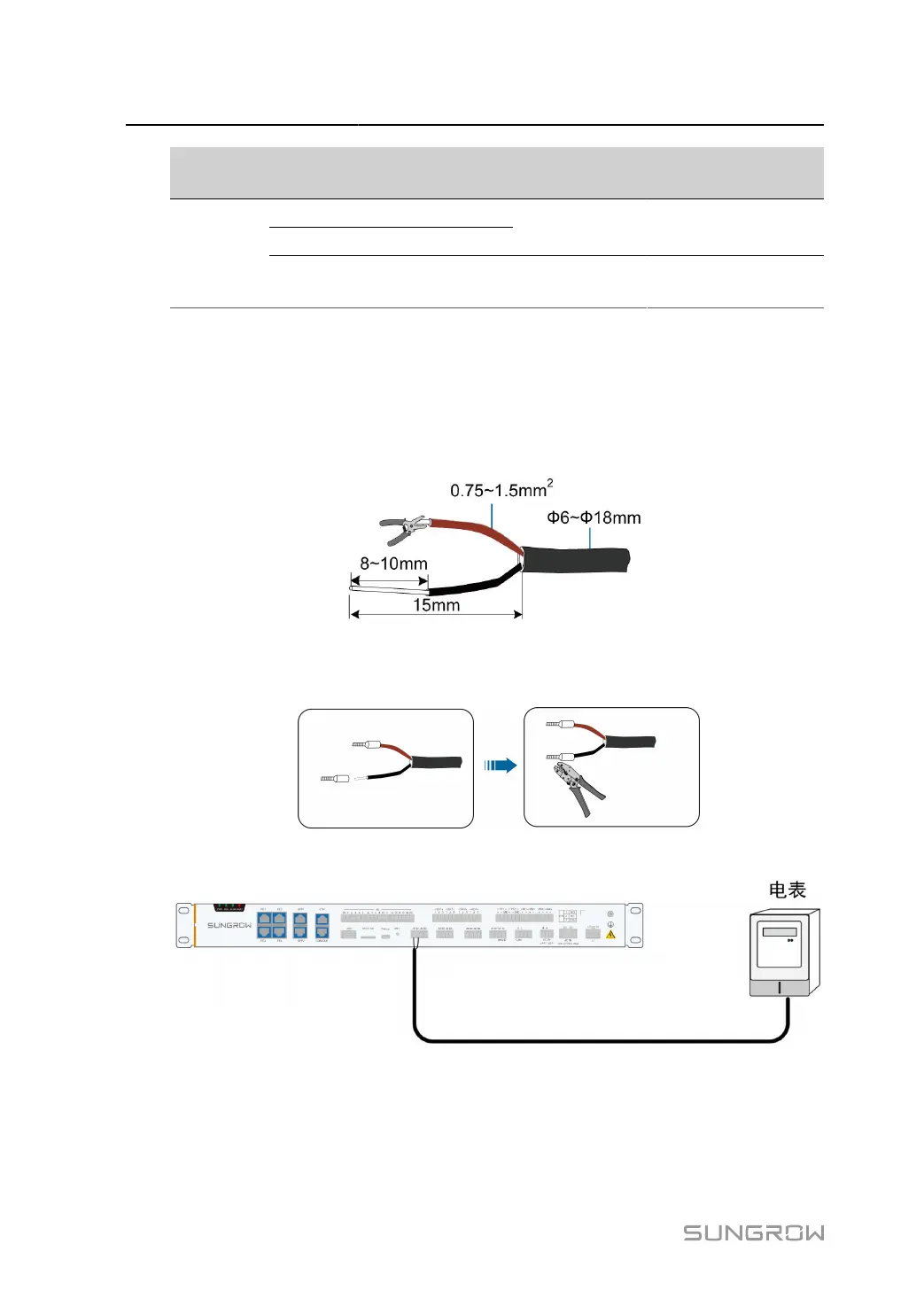
step 1 Lead the RS485 communication cable from the meter to the wiring area of the Data Logger.
step 2 Use a wire stripper to strip off the protective layer and insulation layer of the communication
cable, as shown in the following figure.
step 3
Install appropriate cord end terminals on the communication cables after removing the protective
layer and insulation layers, and use a crimping tool to securely crimp them.
step 4
Connect the cable to the RS485 port of the Data Logger, as shown in the figure below.
- - End
30



 To Next Page