User Manual 5 Electrical Connection
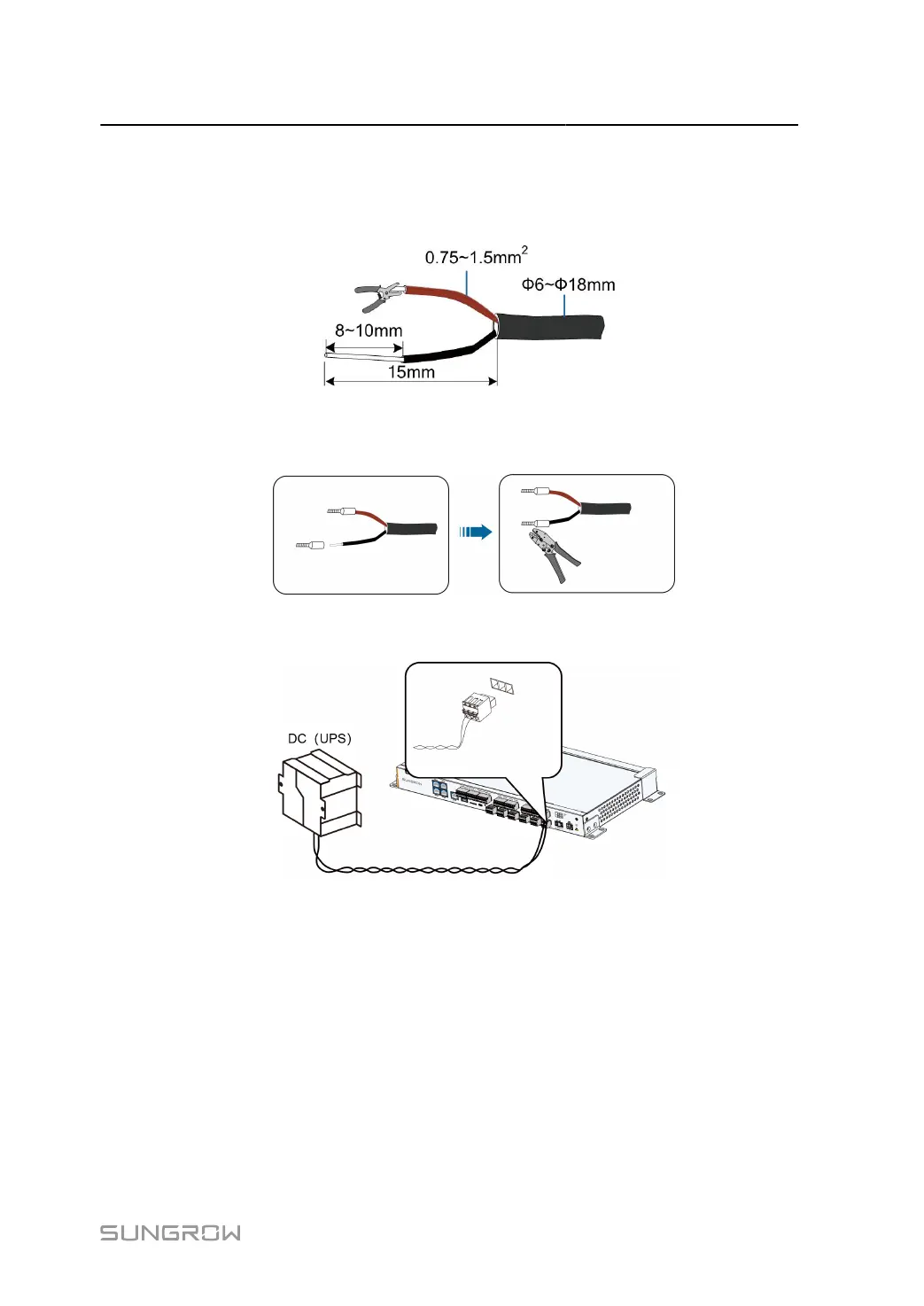
step 1 Lead the external power supply cable to the wiring area of the Data Logger.
step 2 Strip off the protective layer and insulation layer of the power cable with wire strippers, as shown
below.
step 3
Install appropriate cord end terminals on the power cables after removing the protective layer
and insulation layers, and use a crimping tool to securely crimp them.
step 4
Connect the cord end terminals to the plug "DC IN 24V, 1.25A" outside the Data Logger.
- - End
39



 To Next Page