76
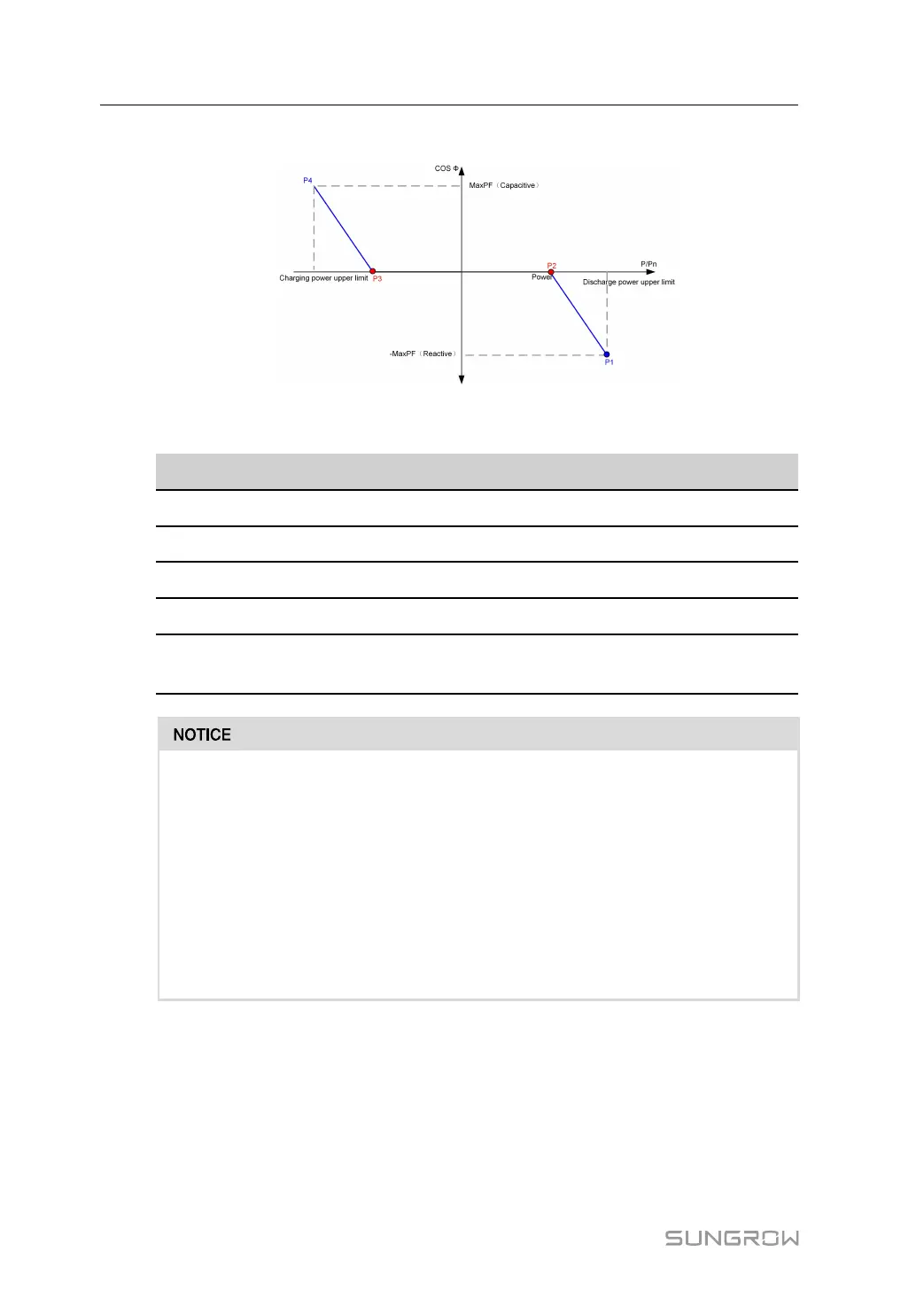
Q(P) Mode
figure 9-4 Q(P) curve
table 9-4 Q(P) Mode Parameters Descriptions
Parameter
Desciptions
Default
Range
Q(P)Curve P1 Output power (%) at P1 on Q(P) curve 100% 50%~100%
Q(P)Curve P2 Output power (%) at P2 on Q(P) curve 50% 0%~50%
Q(P)Curve P3 Output power (%) at P3 on Q(P) curve -50% -100%~50%
Q(P)Curve P4 Output power (%) at P4 on Q(P) curve -100% -100%~50%
MaxPF Power factor at P1 and P4 on Q(P)
curve
0.9 0.900~1
• When multiple machines are connected in parallel, enable the "Parallel Control"
under "System Parameters" before executing the off-grid mode.
• After off-grid, before executing grid-connected mode again, disable "Parallel
Control" under "System Parameters".
• When multiple units are connected in parallel with AC and DC, before executing
the off-grid mode, set the "Direct Parallel Mode" under "Operating Parameters"
to DC Parallel, and "Parallel Control" in "System Parameters" to enable.
• When multiple machines are connected in parallel, enable "Parallel Control"
under “System Parameters” before executing the VSG mode.
9.2 Working State Description
The PCS can be in "press to shut down", "standby", "running", "emergency stop", or "fault"
states.
9 Operating Mode User Manual



 To Next Page