81
Item Name
Description
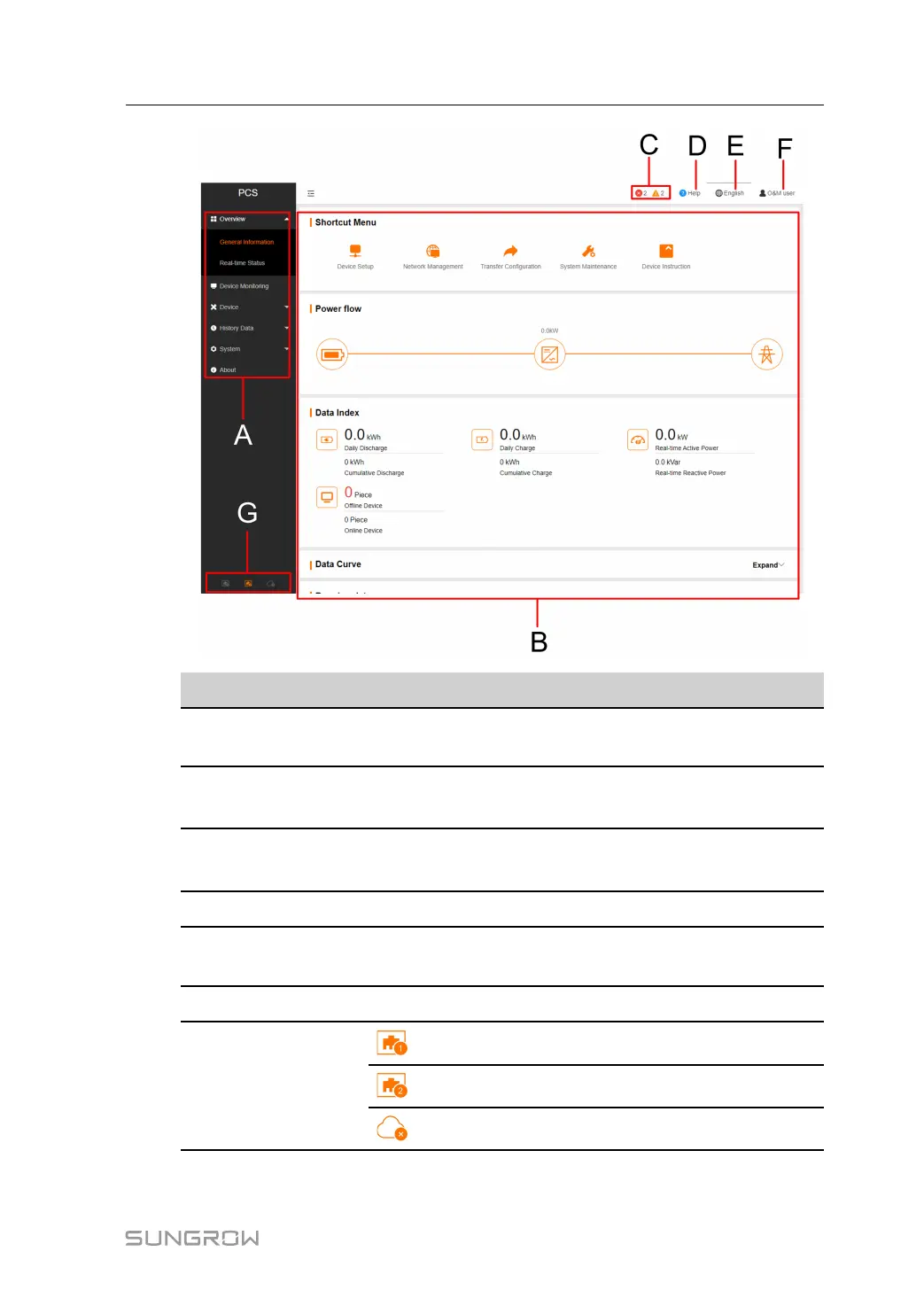
A
Navigation
menus
Display main function modules of the Web.
B
Function dis-
play area
Display the current interface.
C Alarm icon
Display the current alarm level and alarm number. Users can
click the icons to enter the corresponding alarm interface.
D
Help Display the basic configuration steps of the SCU.
E
Language
menu
Click the button to select the desired language.
F User
Display the current login user.
G
Information
icon
Connection status of the ETH1 port.
Connection status of the ETH2 port.
Connect to cloud services.
User Manual 10 Web Operation



 To Next Page