16
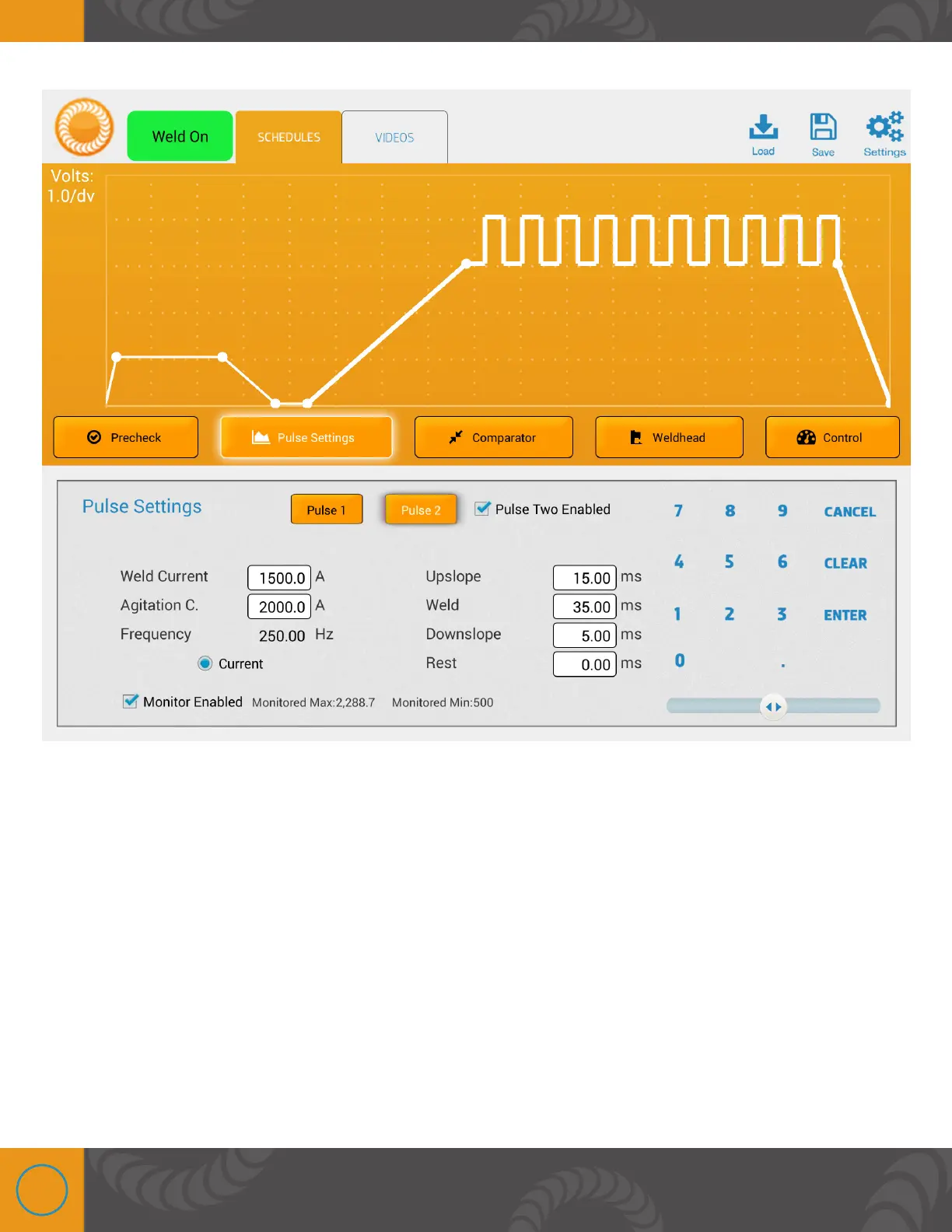
PULSE SETTINGS SCREEN
• Unit Selector - The welder can control the pulse in terms of Current, Voltage, or Power.
Before making any setting, select the desired unit of power.
• Single and Dual Pulse Description - Single pulse welds are typically used where the work
pieces are fairly clean. Single pulse welds are often beneficial when welding small parts such
as fine wires where very low heat is required. Dual pulse welds are helpful when the piece is
dirty, or has oxides/plating on it. The first pulse preheats the part, and burns off any oxides,
helping the second pulse to perform the weld accurately and consistently.
• Pulse 1 and Pulse 2 Buttons - When the Pulse 1 button is selected the weld parameters
displayed on the screen are specific for Pulse 1. Select Pulse 1 parameters (Weld Power,
Agitation, Frequency, upslope, weld, downslope, and rest) by touching the box next to each
parameter, and then use the numeric keypad to enter the desired values. Users can also















 To Next Page