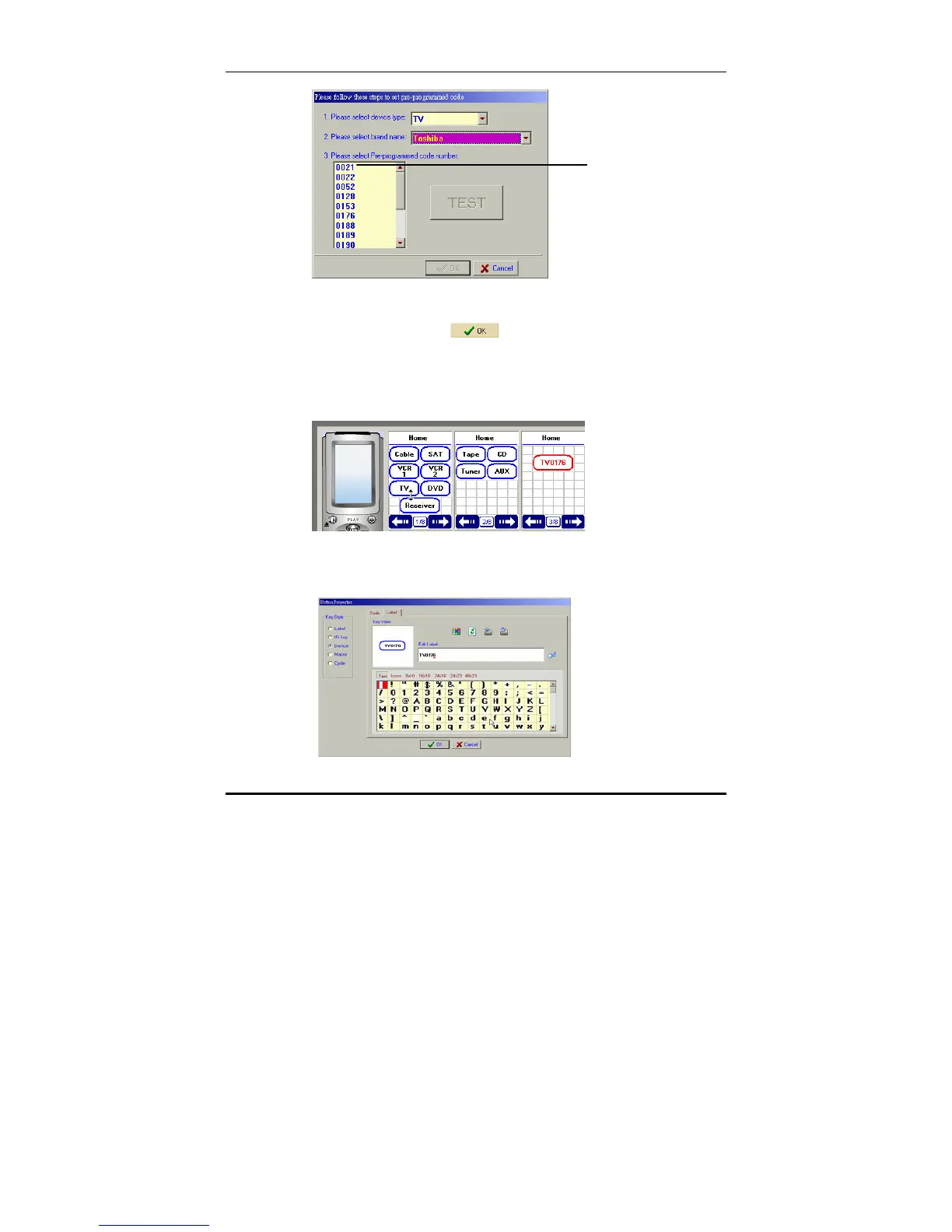
Adding a device key with a pre-programmed code
19
9. Select the code you require from the pre-programmed
code list and click
.
After you have inputted the pre-programmed codes, a
new key will appear in the top left corner of the LCD soft
window. You can drag the new key to a new position on
the screen with the mouse.
10. Double click on the new key to display the key properties
window.
Pre-programmed
code list



 To Next Page