- 17 -
3. USE OF EDGER
3.1. APPEARANCE
3.1.1 APPEARANCE OF THE EDGER
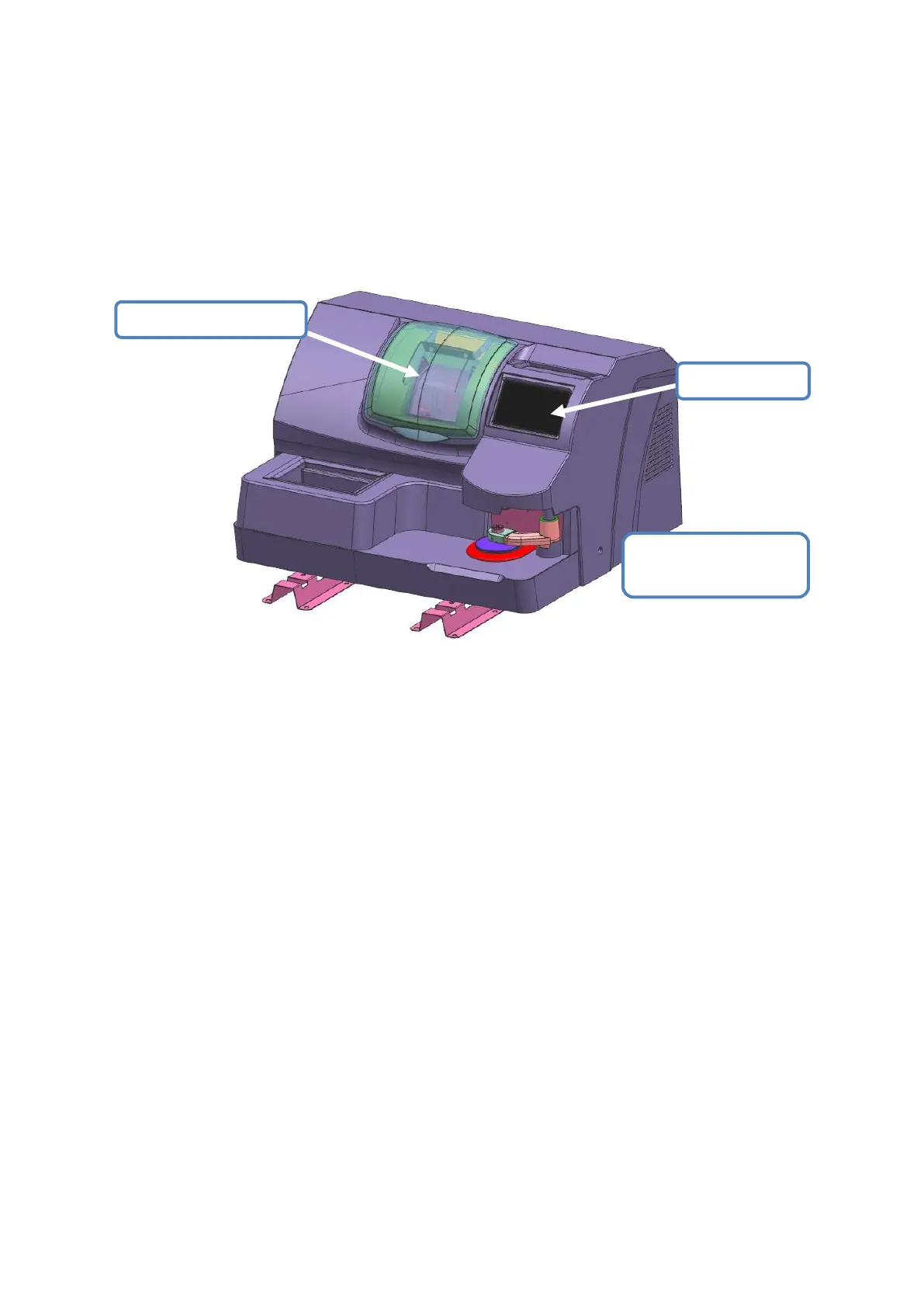
Below figure is panorama of edger
3.1.1.1 Touch Screen
> Function of touch screen:
>> Operate ALE-1600 interface, input edging task data
>> Showing lens frame and lens shape, input edging data
3.1.1.2 Optical scanner/center system
> Function of optical scanner:
>> Automatic recognize lens pattern, confirm the pattern size data
> Function of center system
>> Manually fix the center for dotted normal lens, bi-focal and progressive lens.
3.1.1.3 Lens edging window
> Function of the edger:
>> Edging the lens according to data of lens material,shape,degree etc.
Optical scanner/center
system


 To Next Page