- 30 -
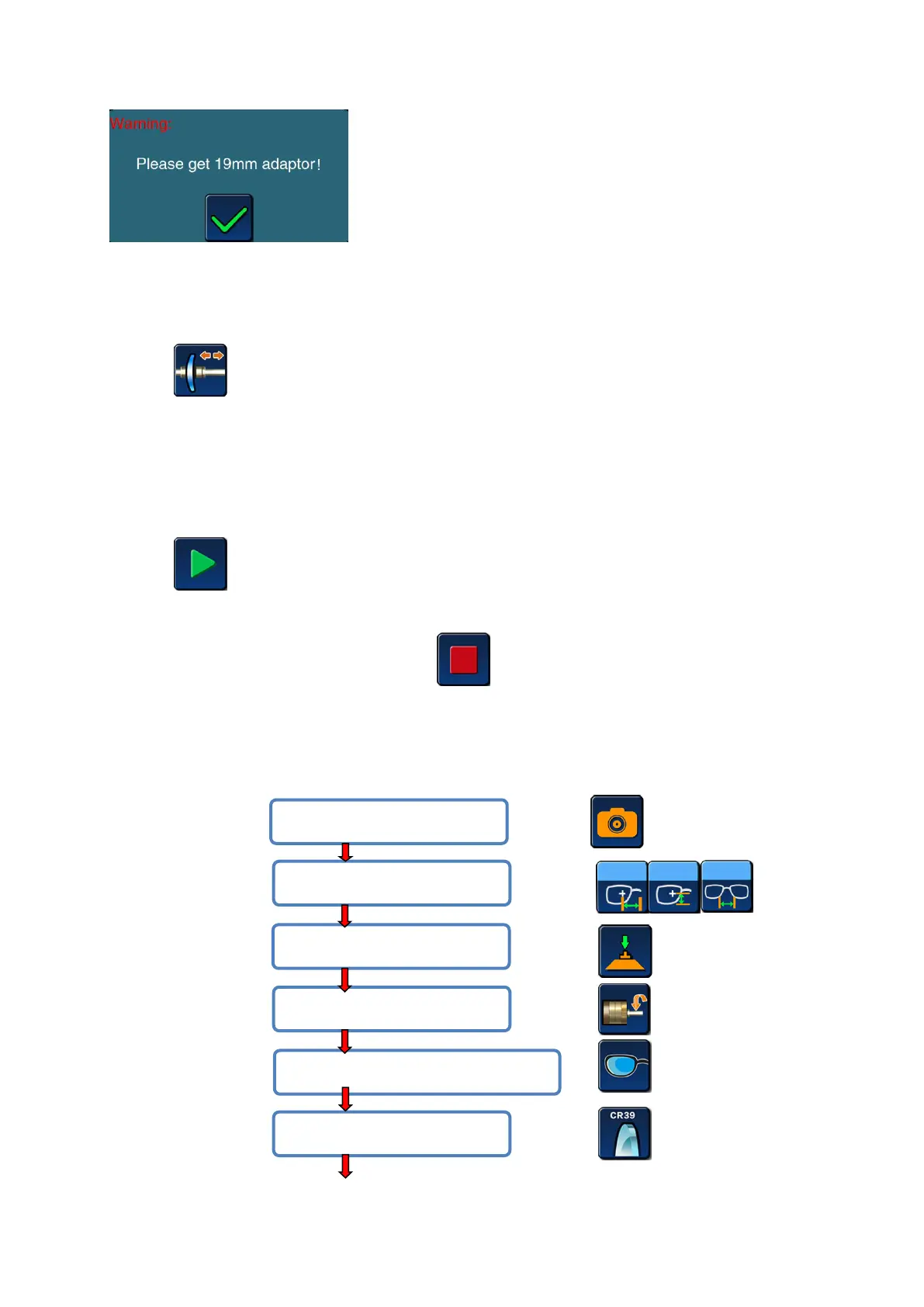
Warning: please install 19mm small clamp
> REMOVE THE LENS FROM THE GRINDING WINDOW
Open the water-proof cover after the machine stops or breaks.
Press icon, clamp will open automatically.
Taking out lens, don’t take off the suction cup, in case of modifying.
3.3.2 START/STOP THE GRINDING PROCEDURE
> STAT EDGING PROCEDURE:
After enter all data of grinding and put lens into clamp,
press icon
> STOP EDGING PROCEDURE
If you want to stop the procedure, press icon. When the grinding is processing, this
key can be transferred from another key.
3.3.3 LENS PROCESSING STEPS
> Full frame lens processing
#5 Select lens for left eye or right eye;
#4 Enter edging setting menu;
#1 Scan the pattern shape;
#3 Lens center mode selection;


 To Next Page