- 34 -
4. CONFIGURATION MENU
4.1 CONFIGURATION MENU INTRODUCTION
4.1.1 SYSTEM MENU INTERFACE
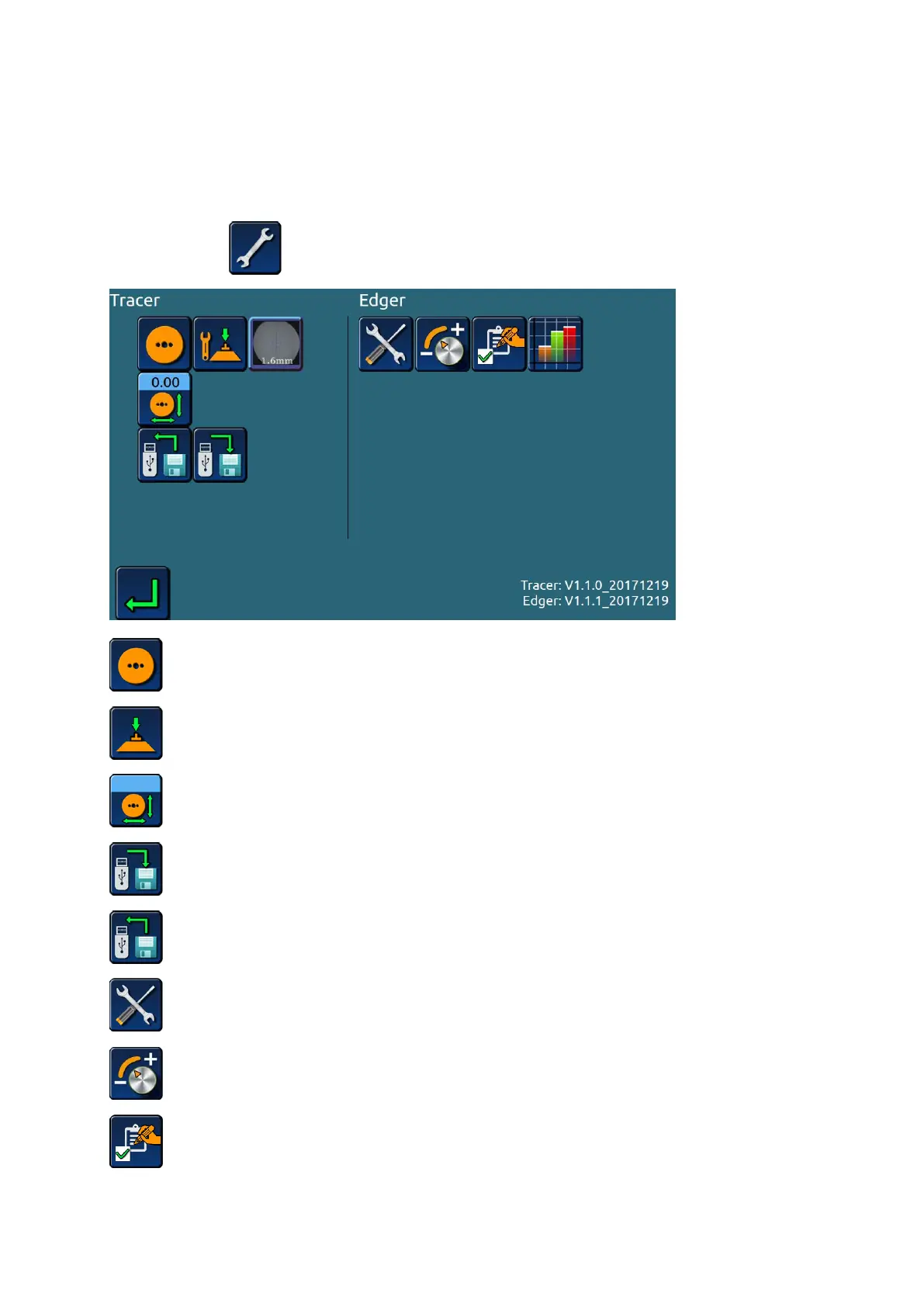
> Click the icon on the main interface,Enter menu password,Enter the menu.
>>Calibrate size of scanner;
>>Calibrate of optical blocker;
>>Offset the scanning size;
>> Memory data export;
>> Memory data import;
>> The whole machine test;
>> The machine set;
>> Initial settings;


 To Next Page