- 35 -
>> Processing statistics table;
4.1.2 CALIBRATE SIZE OF SCANNER
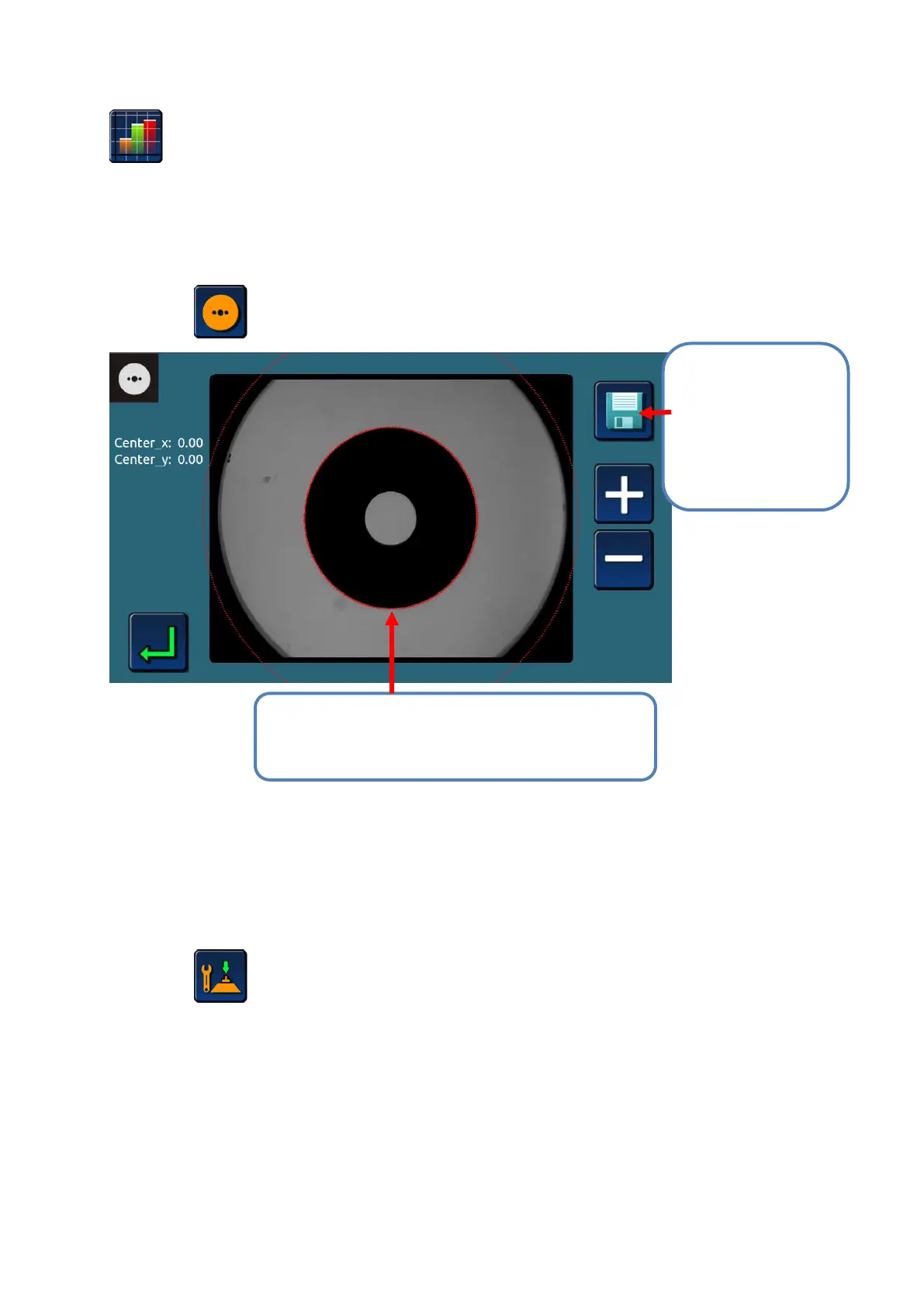
>Press icon ,enter scanner size calibration interface.
4.1.3 OPTICAL BLOCKER CALIBRATION
>Press icon enter blocker calibration interface;
>Taking the calibration tool, insert into suction seat, rotate the arm of blocker, pressing down;
#1 Move the calibration plate, press + - icon,
regulate the red circle to coincide with calibration
plate.
#2 Red circle
coincide with the
calibration plate,
press “save”,
system will calibrate
size automatically.


 To Next Page