2. ENGINE DISPLAY
2-3
Three sections
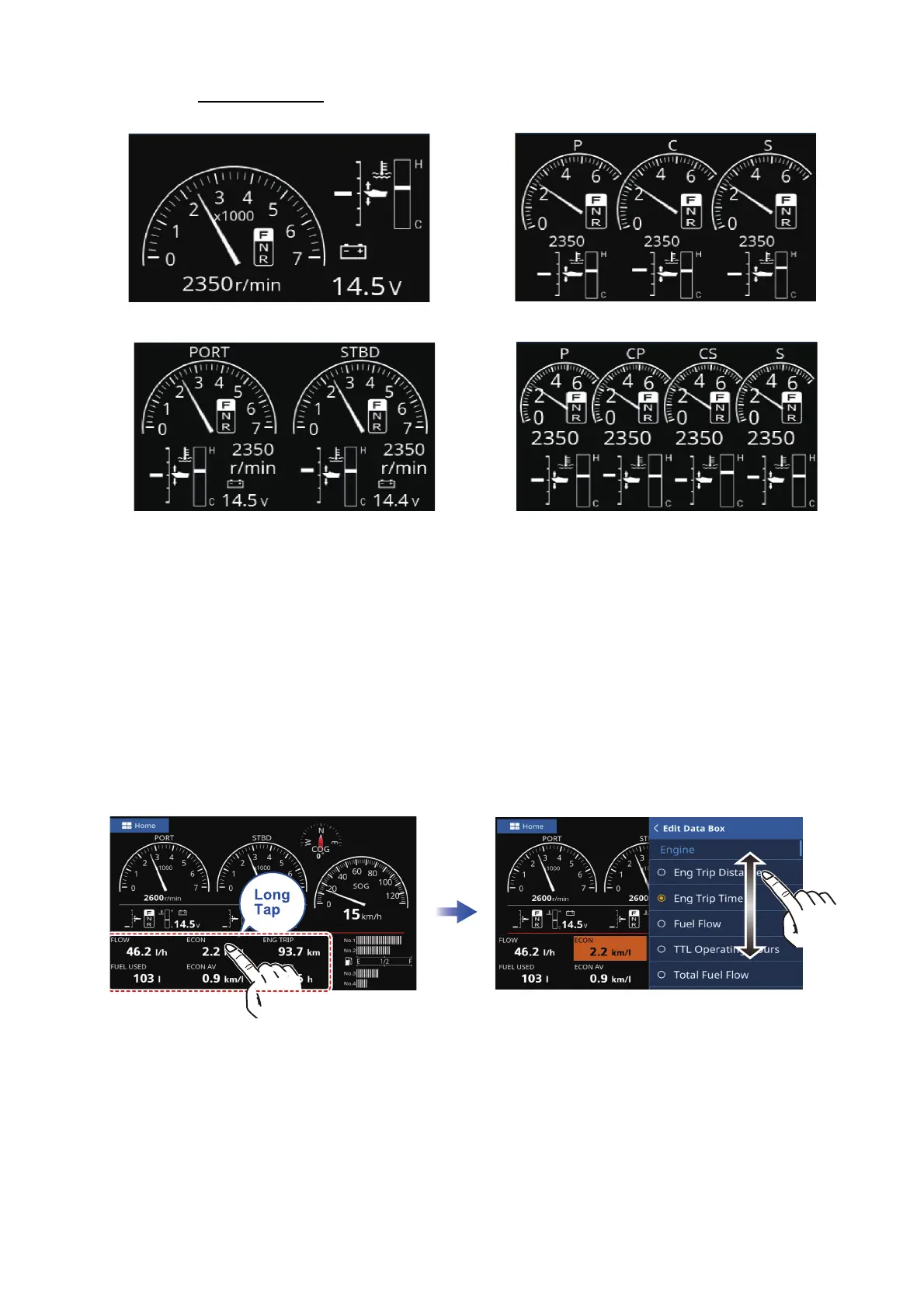
2.2.2 How to change the indication
Depending on the displayed instrument, the method in which data is displayed can be
changed to suit your requirements.
1. Long tap the instrument whose displayed information you want to change. If the
instrument has changeable information, the editing menu appears on the screen.
2. Drag the menu to find the information.
3. Tap the information you want to display.
4. Tap the [<] icon at the top-left corner of the [Edit Data Box] to close the menu.
2.2.3 How to delete an instrument information
Depending on the displayed instrument, the method in which data is displayed can be
changed to suit your requirements.
1. Long tap the instrument whose displayed information you want to delete. If the in-
strument has changeable information, the [Edit Data Box] appears on the screen.
2. Drag the menu to find the [Blank Data Box] and tap it.
Single engine display
Dual engines display
Triple engines display
Quad engines display



 To Next Page