10. AIS/DSC OPERATIONS
10-3
• [Name]: Sorts the list by name, in alphanumerical order.
• [Call Sign]: Sorts the list by call sign, in alphanumerical order.
• [Range/BRG]: Sorts the list by range, in ascending order of distance from own ship.
• [CPA/TCPA]: Sorts the list by CPA, in ascending order.
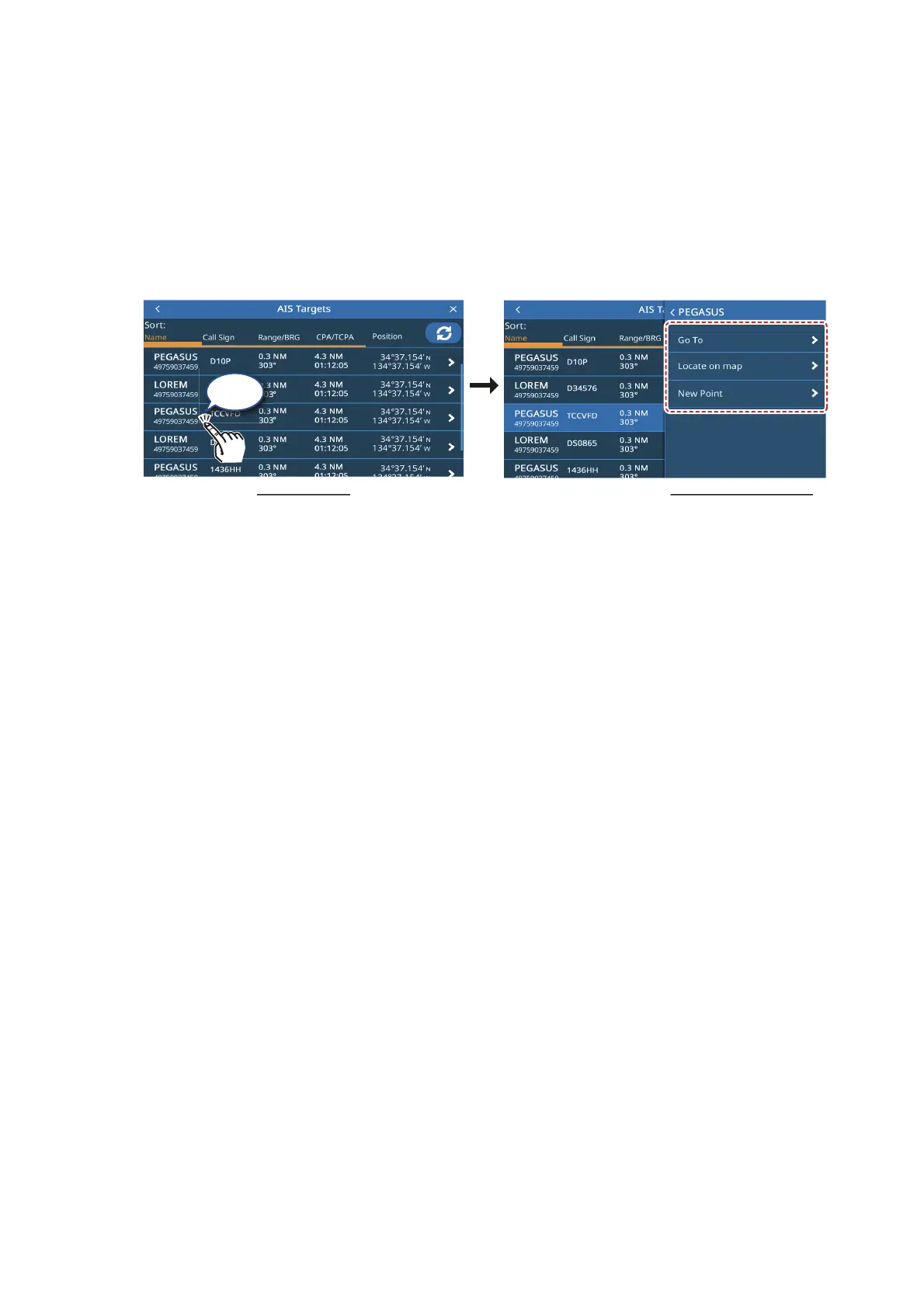
10.8.3 AIS list sub menu operations
You can tap an AIS target in the list to show the sub menu.
• [Go To]: Set the AIS target as a [Quick Route] destination.
• [Locate On Map]: Move the plotter/radar screen to show the selected AIS target at
the center of the screen.
• [New Point]: Place a point at the AIS target’s location.
10.9 CPA and TCPA Notifications
The CPA (Closest Point of Approach) and TCPA notifications alert you when an AIS-
equipped vessel is within the preset distance (range) or time from your vessel. These
notifications can be used to help avoid dangerous situations.
1. From the [Home] screen, tap [Settings] => [Notifications] => [AIS].
2. Tap the [CPA] toggle box to show [ON]. The settings for this notification become
active.
3. Drag the slider to set the [CPA], or tap the keyboard icon to enter a value.
4. Tap the [TCPA] toggle box to show [ON]. The settings for this notification become
active.
5. Drag the slider to set the [TCPA], or tap the keyboard icon to enter a value.
6. Close the menu.
When a target has a lower CPA or TCPA than the notification setting, the notification
is triggered, releasing an audible beep and an on-screen notification. Tap the indica-
tion at the top of the screen to silence the audible beep. Take the necessary precau-
tions to avoid a collision.
The notification remains until the target is no longer within the notification setting
threshold, or the CPA/TCPA notification is disabled.
Tap
AIS target list
AIS target sub menu



 To Next Page