2. ENGINE DISPLAY
2-4
3. Tap the [<] icon at the top-left corner of the [Edit Data Box] to close the menu.
2.3 Troll Mode
Troll Mode is designed to keep your vessel at a steady speed, making it ideal for troll
fishing.
Note: All engines must be in Neutral gear (idling) before you activate [Troll Mode].
2.3.1 Activating/deactivating Troll Mode
How to activate Troll Mode
1. Swipe the right edge of the screen leftwards to open the slide-out menu.
2. Tap [Troll]. A confirmation message appears.
3. Tap [Yes] to activate the mode, or tap [No] to cancel.
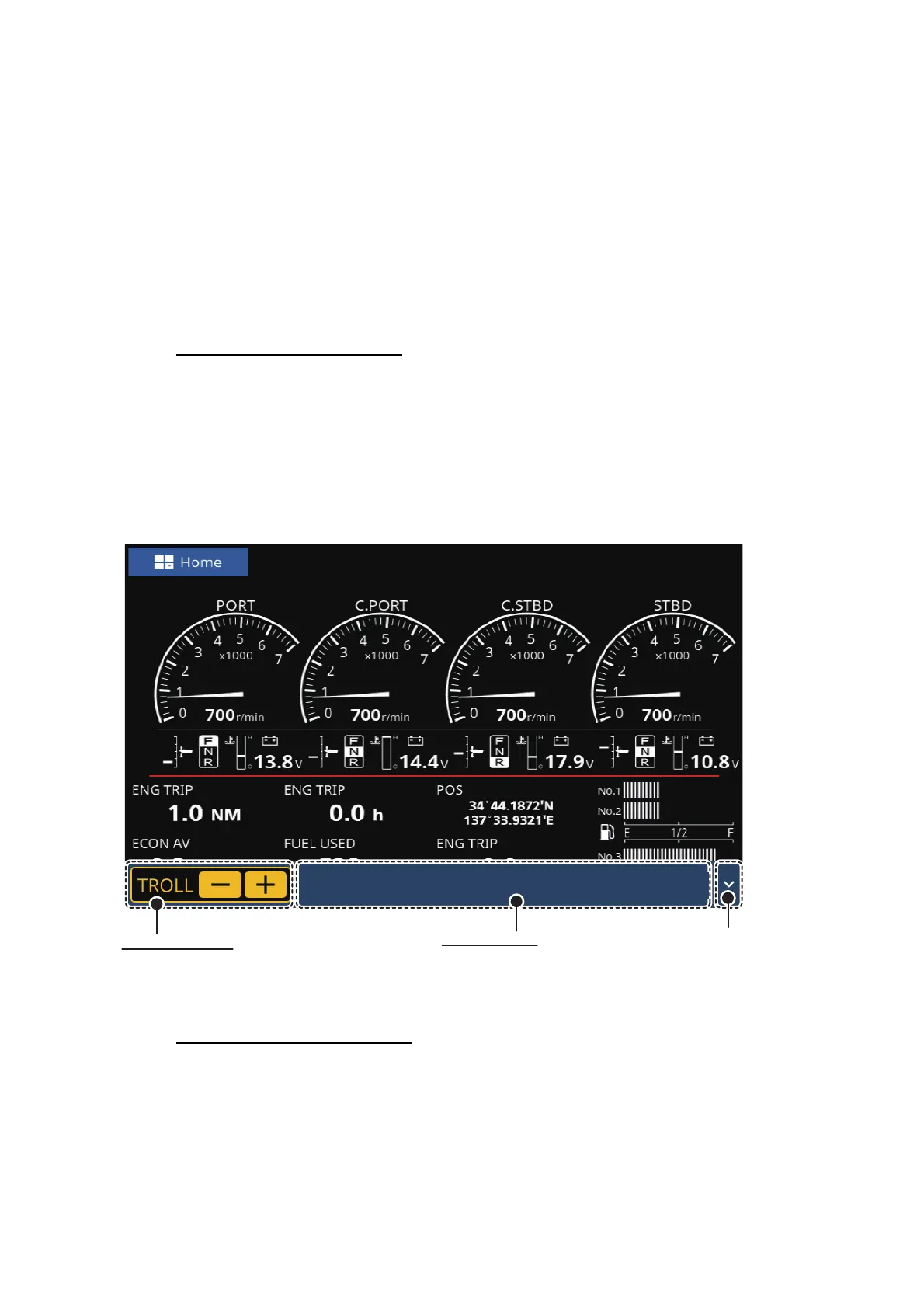
While Troll Mode is active, the engine throttle for all engines can be adjusted simulta-
neously from the Troll Mode bar at the bottom of the screen.
To canceling the Troll Mode
• The troll mode can be canceled by shifting the all remote control levers to the neutral
position, or by increasing the engine speed to 3000 r/min or more.
• In both cases, two short beeps sound when deactivating the troll mode.
Tap to hide the
[
Troll Mode
]
bar.
Throttle controls
• Tap [+] : Engine speed increase by 50 r/min
• Tap [-] : Engine speed decrease by 50 r/min
Engine speed
Shows the engine speed.
P/S = PORT/STBD
CP/CS = C. PORT/C. STBD
P:700CP:700CS:700S:700
r/min



 To Next Page