4. PLOTTER
4-6
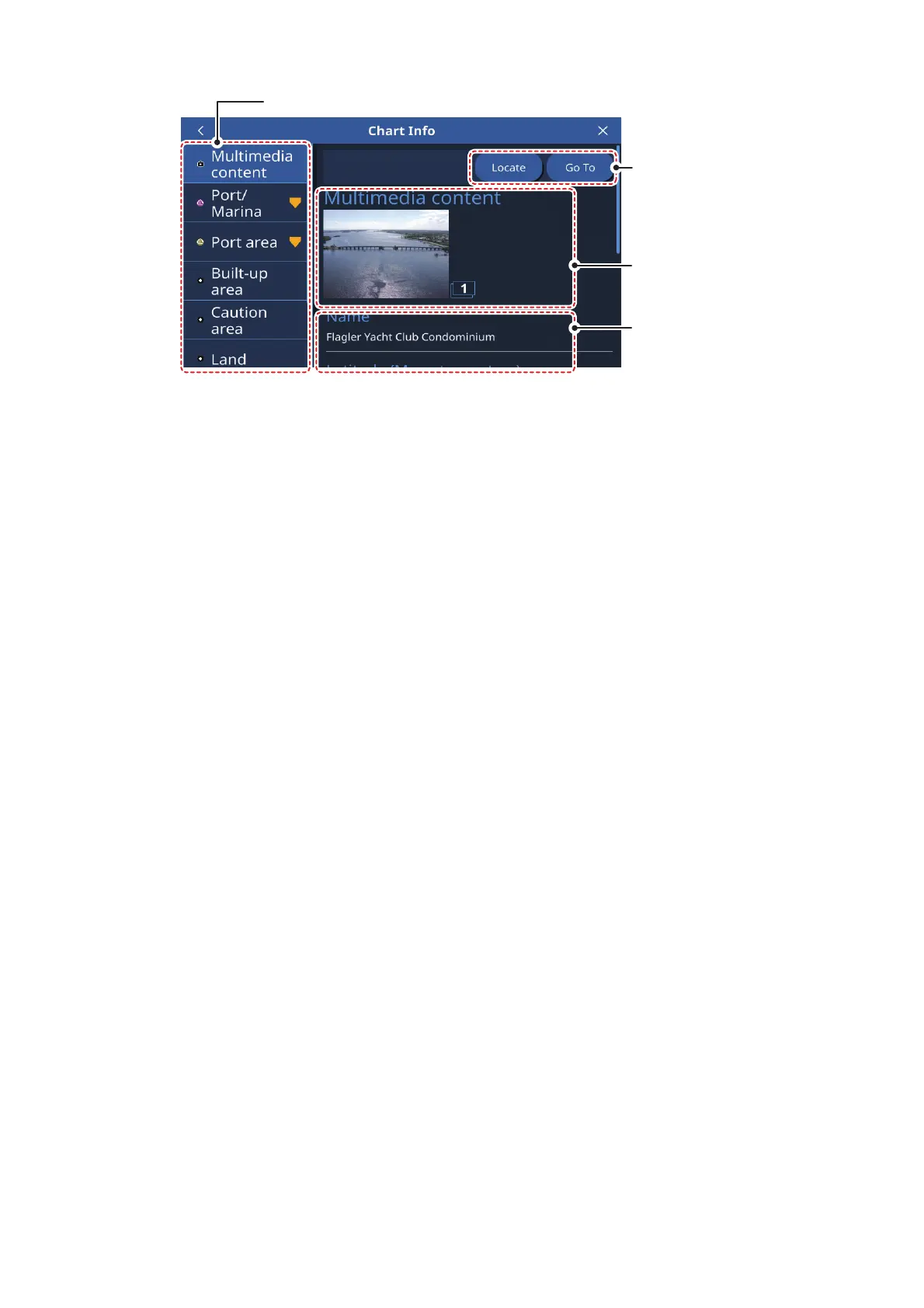
The related chart objected listed, available actions, photos and detailed information
vary depending on the location selected. The following list shows the actions which
may be available.
• [Locate]: Locates the selected object on the chart and places the object at the cen-
ter of the screen.
• [Go To]: Sets the selected object as the destination and starts a new route.
• [Forecast]: Shows the weather forecast for the area near the selected object.
• [Graph]: Show the tide graph for the selected area.
• [Edit]: Edit the information for the selected item.
Multimedia content: Depending on the chart object you select, an image (or several
images) of the area/location may appear. When multiple images are available, you
can tap the image to view a slide-show of the images. Multiple images are numbered
at the bottom-right of each image.
4.11 Radar Overlay
The radar overlay has the radar echo image overlaid on the plotter display (requires
connection to a radar sensor and heading sensor). To activate the radar overlay fea-
ture, swipe the bottom of the plotter screen upwards to show the layered menu, then
tap the [Radar Overlay] toggle box to show [ON]. To deactivate the overlay feature,
tap the [Radar Overlay] toggle box to show [OFF].
4.12 FURUNO NAVpilot Operations
When a FURUNO NAVpilot-700/300 series autopilot is connected to the
SMD7/SMD9, you can operate the following autopilot features from the SMD7/SMD9.
• Show the FURUNO NAVpilot instruments display on the SMD7/SMD9. See the sec-
tion 3.3.2.
• Change the operation mode for the autopilot (Auto or NAV).
Action
buttons
Detailed information
for selected object
or location
List of chart objects related to the selected location.
Multimedia content
(
Shown only when
available.
)



 To Next Page