Internet Access
52
SwannEye IP Camera
10.2. Your IP Address
10.2.1. Dynamic IP address
Your IP address is likely to change. This is because every time you connect to your
Internet Service Provider (ISP), you are assigned a new IP number. Sometimes,
your ISP may change your IP address without your knowledge. This is normal and
is done for many reasons including your ISP not wanting you to start running a
company like Google or a games server out of your garage by having the same IP
number day in day out.
This is called a dynamic IP address since it can change.
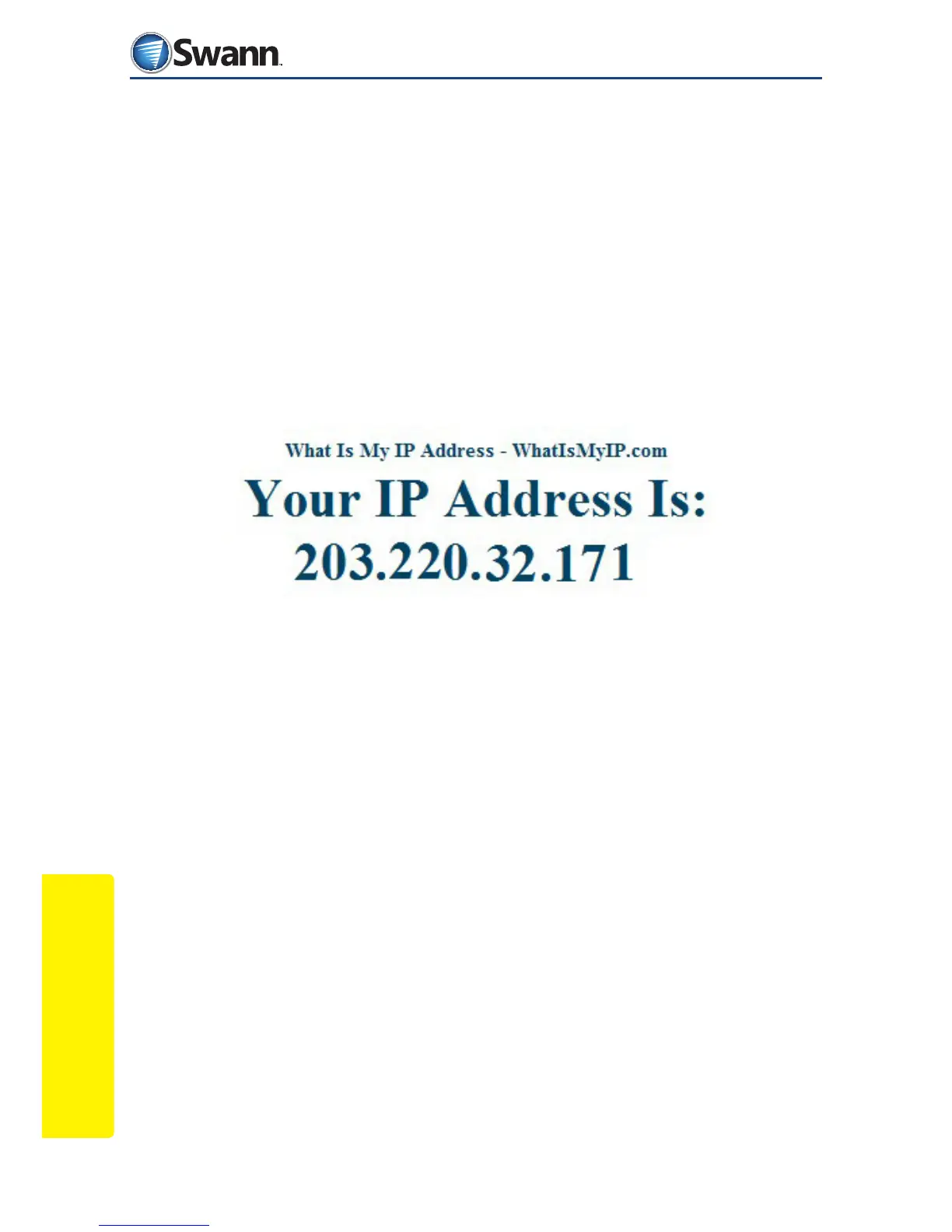
If you would like to see your EXTERNAL IP address, the one that the world sees,
open your browser and visit the website: whatismyip.com
This site will display a number like the one above. The number it displays is your
current external (WAN) IP address.
You can use this number+port number to access your camera remotely from
almost anywhere in the world. This may only work for a limited time until your
dynamic IP changes. You need some way of being able to nd your camera all the
time, even if the IP changes. That is where Dynamic DNS (DDNS) comes in!
10.3. Static IP address
It is possible to get a static external (or Wide Area Network) IP address that
never changes. Most ISP’s oer this, but usually for a fee and usually on business
accounts as opposed to home or personal accounts.



 To Next Page