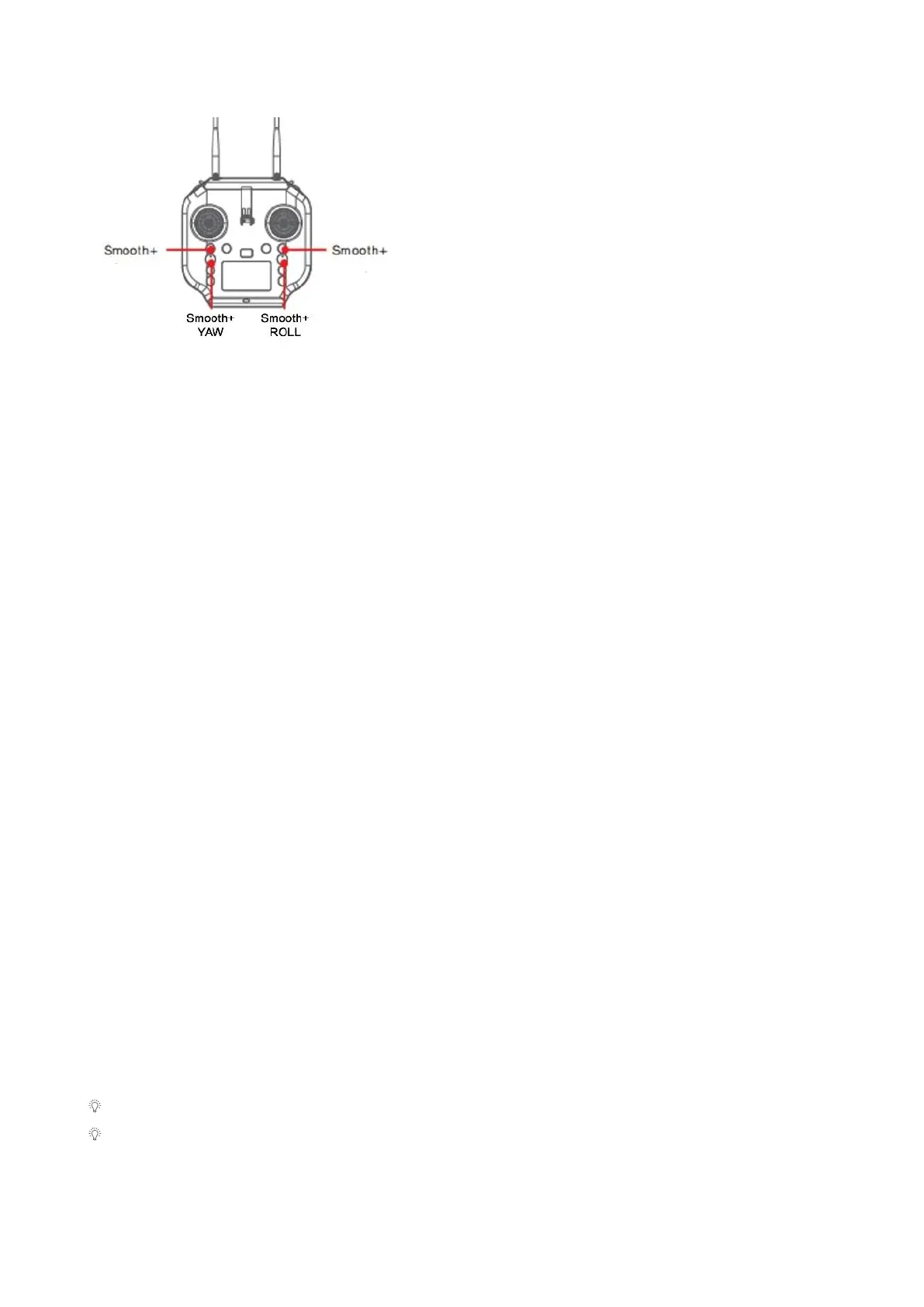
To enter Smooth+ mode, simply press the
Smooth+ buttons. Note: Smooth+ knob need to
be in the center position in order to be turned on.
Press the left Smooth+ button to engage
Smooth+ YAW. The left joystick will now only
control the ascend/descend of the drone.
Press the right Smooth+ button to engage
Smooth+ ROLL. The right joystick will now only
control the pitch of the drone.
BOAT Button
In Boat mode, the SplashDrone 4 can effectively be controlled like a boat on the surface
of the water. With a maximum surface speed of 1m/s. BOAT mode should only be used
when the aircraft is equipped with the SwellPro Boat Mode Kit (BKT).
To enter the Boat mode:
1. Land or place the drone on the water.
2. For landing on the water, lock the drone.
3. Switch the drone to GPS or ATTI mode.
4. Arm the drone by using the inward gesture.
5. Press the BOAT button on the remote controller.
6. The drone now enters the Boat mode.
7. Press the BOAT button again to exit Boat mode. The drone can then take off
normally.
Gimbal Button
There are two gimbal modes: Follow mode and Lock mode. The default mode is Follow
mode.
Follow mode keeps the gimbal direction to the head of the drone.
Lock mode locks the gimbal position so the is not going to follow the direction of the
drone when the drone is turning.
Press the GIMBAL MODE button once to restore the central position.
Press the GIMBAL MODE for 3 seconds to switch gimbal modes.
Gimbal mode only works for GC3-S and GC3-T.
You can add an extension bar or gimbal overhead kit to take full advantage of gimbal
Follow mode and Lock mode.



 To Next Page